



For the complete documentation index, see llms.txt. Prefer markdown by appending.mdto documentation URLs or sendingAccept: text/markdown.
AI
Add AI features to your browser extension with TurboStarter. Providers, prompts, tools, and integration patterns that scale.
Looking for AI-assisted development?
TurboStarter includes a set of AI rules, skills, subagents, and commands for popular AI editors and tools - so the AI follows this repo's conventions and produces more consistent changes.
See AI-assisted development to set it up.
There are two approaches to AI in a browser extension:
- Server + client: Traditional implementation, same as for web and mobile, used to stream server-generated responses to the client.
- Chrome built-in AI: An experimental implementation of Gemini Nano that's built into new versions of the Google Chrome browser.
We recommend the traditional server + client approach because it's more versatile and easier to implement. Chrome's built-in AI is a nice option, but it's still experimental and has limitations.
Of course, you can always implement a hybrid approach which combines both solutions to achieve the best results.
To expose the complete templates from the separate AI Kit repository, follow the extension AI Kit integration recipe. AI Kit has no extension app, so the recipe keeps all provider work on the Core web API and adds a thin WXT client.
Server + client
The traditional AI setup in the browser extension is the same as for the web app and the mobile app. We use the same API endpoint and leverage streaming to display answers incrementally as they're generated.
import { useChat } from "@ai-sdk/react";
import { DefaultChatTransport } from "ai";

const Popup = () => {
  const { messages } = useChat({
    transport: new DefaultChatTransport({
      api: "/api/ai/chat",
    }),
  });

  return (
    <div>
      {messages.map((message) => (
        <div key={message.id}>
          {message.parts.map((part, i) => {
            switch (part.type) {
              case "text":
                return <div key={`${message.id}-${i}`}>{part.text}</div>;
            }
          })}
        </div>
      ))}
    </div>
  );
};

export default Popup;
This is the most reliable way to use AI in the browser extension. Feel free to reuse or modify it to suit your needs.
Chrome built-in AI
Chrome's implementation of built-in AI with Gemini Nano is experimental and will change as they test and address feedback.
Chrome's built-in AI is a preview feature. To use it, you need Chrome version 127 or later and you must enable these flags:
- chrome://flags/#prompt-api-for-gemini-nano:
Enabled - chrome://flags/#optimization-guide-on-device-model:
Enabled BypassPrefRequirement - chrome://components/: Click
Optimization Guide On Device Modelto download the model.
Once enabled, you can use window.ai to access the built-in AI and do things like this:
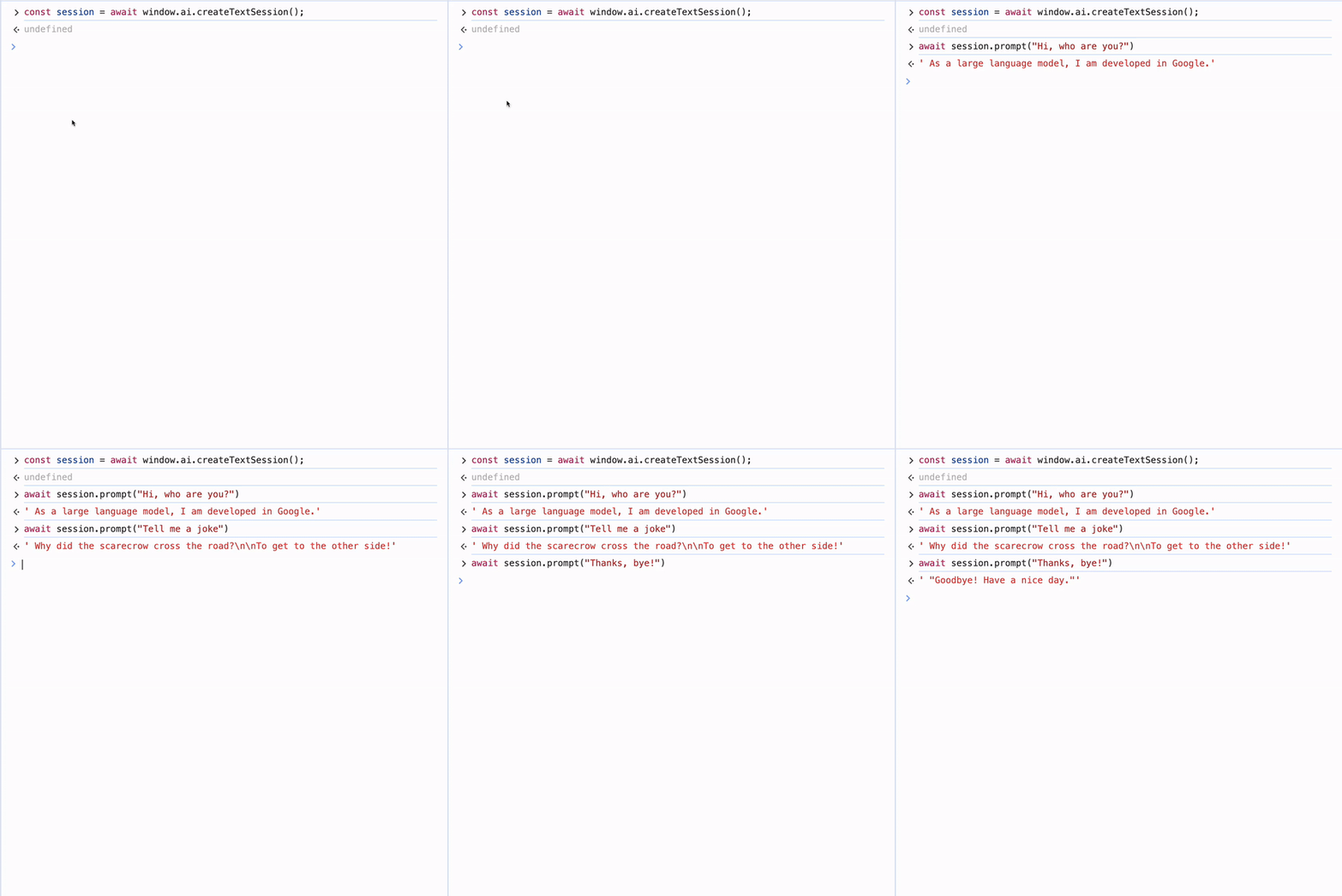
You can also use a dedicated provider from the Vercel AI SDK ecosystem to simplify usage. Keep in mind that this API is still in its early stages and may change in the future.
Available in every extension context!
You can use this API in any part of your extension (popup, background service worker, etc.).
It's safe to use on the client side because it doesn't require exposing secrets to the user (like an API key in the traditional server + client approach).
To learn more, check the official Chrome documentation and the articles below.
How is this guide?
Last updated on