Hawker Ledger
Daily sales and stall cost tracking for Singapore hawker stall owners, built around their cash-heavy routines. It turns scribbled tallies into clear profit figures they can check each night.
Hawker Ledger is a daily sales and cost tracker built for Singapore hawker stall owners, who run cash-heavy businesses on handwritten tallies and memory. It turns those scribbles into a clear nightly profit figure. The potential in 2026 comes from three forces: cashless payments are already common at stalls, rising ingredient and rental costs make thin margins visible, and almost no software is designed for a one-person stall with no accountant.
Key takeaways
- Target customer: owner-operators of hawker and food court stalls in Singapore, typically running with one to four staff and no bookkeeper.
- Pricing angle: a low flat monthly subscription, for example $9 to $15 per month, framed as cheaper than one wasted bag of ingredients.
- Biggest risk: getting a tired owner to log data every night, because a ledger nobody fills in has no value.
- Time to MVP: about 3 to 5 weeks for a mobile-first web app if you start from a starter kit and keep scope to sales, costs and nightly profit.
What problem does a hawker stall bookkeeping app solve?
The problem is that many stall owners do not know their real daily profit. They know roughly how busy the day was, but not what each dish earned after ingredients, gas, stall rental, staff pay and payment fees.
Tracking is hard because the work is physical and the hours are long. By the time the stall closes, the owner is exhausted and the last thing they want is a spreadsheet.
Who is Hawker Ledger for?
The ideal customer is a single-stall owner-operator, often aged 35 to 65, who opens early, buys ingredients from wet markets or suppliers in cash, and takes a mix of cash, PayNow and card payments. They may have a family member helping and a part-timer on weekends.
They are comfortable with a smartphone, WhatsApp and payment apps, but not with accounting software. Language matters: many are more comfortable in Chinese, Malay or Tamil than in English-only interfaces.
What do they do today, and why does it fail?
The common workaround is a notebook, a calculator, a pile of receipts and a mental sense of the week. Some use a spreadsheet that a child or relative set up once.
This fails in predictable ways:
- Costs go missing. Cash purchases at the market never get written down, so profit looks higher than it is.
- Sales are split across channels. Cash in the drawer, PayNow screenshots and terminal settlements never reconcile into one number.
- Price changes go unnoticed. When egg or chicken prices rise, nobody recalculates dish margins.
- Year-end is painful. Filing, loan applications or renewal negotiations require numbers that do not exist.
Why is now a good time to build a hawker stall bookkeeping app?
Now works because the digital rails are finally there while the software is not. Most stalls accept QR payments, which creates a partial digital trail, yet the cash half of the business is still on paper.
Several 2026 trends support the idea, described here qualitatively:
- Cost pressure. Ingredient, labor and rental costs are a constant topic among stall owners, so margin awareness has real value.
- Mobile-first habits. Owners already run suppliers, customers and family chats from their phones.
- Cheap AI input. Voice notes, photos of receipts and short messages can now be turned into structured entries reliably enough for a first version.
- Generational handover. Younger family members taking over stalls expect better tools than a notebook.
What does the existing market look like?
Accounting tools such as Xero and QuickBooks exist and are widely known, but they assume invoices, chart of accounts and bookkeeping vocabulary. Point-of-sale systems cover sales at the counter, but they typically ignore market purchases, daily cash costs and rent. Spreadsheets and notebooks remain the real competitor.
The gap is a tool that speaks the stall owner's language: takings, ingredients, rent, profit tonight. It should take under two minutes at closing time.
What should the MVP include?
The MVP should do one thing: show tonight's profit with minimal typing. The aha moment is when an owner enters sales and a few costs and sees a single number, "You made this much today", plus how it compares with last week.
Quick sales entry
Log cash takings and payment app totals in a few taps, with a daily closing flow that takes under two minutes.
Cost capture
Record ingredient purchases, gas, packaging and wages through quick presets, voice notes or a receipt photo.
Nightly profit view
See revenue, costs and profit for the day, with a simple weekly trend in plain language.
Fixed cost allocation
Spread monthly rent, utilities and licenses across days so daily profit reflects reality.
What should you cut from version one?
Cut anything that looks like formal accounting. That means invoicing, GST filing, payroll, multi-outlet consolidation, inventory counts and supplier management. Also skip per-dish costing at first; add it only when owners ask for it after a month of real use.
Keep onboarding short: stall name, rent, and the five or six cost categories they actually use.
How is Hawker Ledger different from spreadsheets and accounting software?
The unique selling proposition is profit tonight, in your language, in two minutes. It is not an accounting system. It is a daily habit tool that happens to produce numbers an accountant, landlord or bank can later use.
| Option | Built for stalls | Handles cash costs | Under 2 min daily | Multilingual |
|---|---|---|---|---|
| Hawker Ledger | ✅ | ✅ | ✅ | ✅ |
| Notebook | ✅ | Partly | ✅ | ✅ |
| Spreadsheet | ❌ | ✅ | ❌ | Depends |
| General accounting software | ❌ | ❌ | ❌ | Partly |
| POS system | Partly | ❌ | ✅ | Depends |
The honest weakness is that a notebook is free and familiar. Your product has to beat it on one thing: finally giving a number the owner trusts.
How would Hawker Ledger make money?
Start with a simple subscription and keep it cheap. Owners compare price with the cost of a meal, not with business software.
Pricing options
- Flat monthly plan: for example $12 per month per stall. Simple to explain and easy to pay with a card or recurring payment.
- Annual plan with a discount: two months free for paying yearly. Improves cash flow and reduces churn, which matters in a low-price product.
- Free tier plus paid reports: free daily logging, paid monthly summaries and exports for loans, tax prep or landlord discussions. This lowers adoption friction but needs enough paying conversion to survive.
As an assumption, if you reach 500 paying stalls at $12 per month, that is $6,000 in monthly revenue. That is a healthy side business and a modest company, so keep costs very low and consider an accountant or lender partnership later.
Which growth channel works first?
The first channel is direct, in-person presence at hawker centers, backed by WhatsApp. Owners trust a person who stands at the stall and shows the product on a phone. Referrals between neighboring stalls and stall association contacts should follow.
How do you validate Hawker Ledger in two weeks?
Validate with real stall owners, not online surveys. You need to learn whether they will actually log numbers for a week.
Interview ten stall owners
Visit hawker centers off-peak and ask how they track money today and what they do when costs rise. Watch for whether they know their last week's profit.
Run a paper prototype
Give five owners a printed closing sheet for one week. If they will not fill in paper, they will not fill in an app.
Launch a simple landing page
Write in plain language with one promise: know your profit every night. Add a WhatsApp contact button alongside the waitlist form.
Ask for a small pre-commitment
Offer a founding price, such as a discounted first year, and see who agrees to pay or at least commit to a pilot.
Review the numbers
Look at paper completion rates, interview patterns and sign-ups. Proceed only if a clear group fills in the sheet most days.
How do you build a hawker stall bookkeeping app?
Build a mobile-first web app, ideally installable as a PWA, with a simple data model and a very fast entry flow. Native apps can come later. TurboStarter is a fast way to start because it ships the undifferentiated parts: web and mobile apps, authentication, billing, database, emails, file storage, AI, background tasks, an admin panel, analytics, internationalization and monitoring.
What does TurboStarter handle for you?
- Accounts and access: authentication covers sign-in, so you can use phone-friendly flows and spend your time on the closing experience.
- Subscriptions: billing handles recurring plans and one-time payments.
- Data: the database layer gives you a typed schema to model stalls, entries and costs.
- Receipts: storage supports receipt photos.
Internationalization is also built in, which matters for English, Chinese, Malay and Tamil interfaces.
A starting data model
create table daily_entry (
  id uuid primary key,
  stall_id uuid not null,
  entry_date date not null,
  cash_sales numeric(10,2) default 0,
  digital_sales numeric(10,2) default 0,
  unique (stall_id, entry_date)
);

create table cost_item (
  id uuid primary key,
  daily_entry_id uuid not null references daily_entry(id),
  category text not null,
  amount numeric(10,2) not null,
  receipt_url text
);
Keep fixed costs in a separate table and allocate them at read time, so changing rent does not rewrite history.
Which AI approach should you pick for voice and receipt input?
Best for the first version. You send a short voice transcript or receipt image and get structured costs back. Trade-offs are per-request cost, latency on weak mobile connections and sending data to a third party, so always show a confirmation screen before saving.
Better for privacy and offline use, but harder to build and less accurate with mixed-language speech. Consider it only after you know which inputs owners actually use.
Start with fixed presets and manual taps, then add AI input where owners show friction. That keeps the MVP reliable.
What could make Hawker Ledger fail?
Biggest risk: owners stop logging after two weeks
If the nightly habit does not stick, the product has no data and no value. Mitigate this by keeping closing under two minutes, defaulting to yesterday's figures, sending a WhatsApp or push reminder at stall closing time, and showing a weekly profit summary that rewards consistency.
Other risks to plan for:
- Low willingness to pay. Owners may see this as nice to have. Mitigate with a pilot price, a free first month and messaging tied to money saved.
- Incomplete data. If cash costs are missed, profit looks wrong and trust drops. Prompt for common daily costs and show confidence cues such as "no ingredients logged today".
- Slow distribution. Door-to-door sales do not scale easily. Use referrals, stall associations and a small number of ambassadors rather than paid ads.
- Competition from POS vendors. A POS provider could add a profit view. Your defense is cash-cost depth and trust with owners.
What should you do in the first 30 days?
Week 1: talk and test
Complete the interviews and the paper prototype, and decide on the core closing flow.
Week 2: set up the foundation
Start from TurboStarter, configure authentication, the database schema and billing, and set up translations.
Week 3: build the closing flow
Ship sales entry, cost presets and the nightly profit screen. Test it on your own phone at a real stall.
Week 4: pilot with ten stalls
Onboard owners in person, watch the first closings and fix friction every day.
After week 4: decide
Look at how many stalls log at least five nights a week and how many will pay. Expand only if the habit holds.
If you want to ship a first version of Hawker Ledger quickly, begin with the starter kit and spend your time at the stalls, not on login pages.
FAQ
Test the habit before the software. Give owners a paper closing sheet for a week and measure how many fill it in most nights. Then pitch a founding price to those who did.
Start in the range of $9 to $15 per month, assuming stalls compare it with small daily costs. Test a few prices in pilots and favor annual plans to reduce churn.
General accounting tools like Xero and QuickBooks, POS systems, spreadsheets and notebooks. The notebook is the real rival, so focus on speed and a trustworthy daily profit number.
A mobile-first web app or PWA with a Postgres database, authentication and subscription billing is enough. A starter kit like TurboStarter covers these pieces so you can focus on the entry flow.
Typically 3 to 5 weeks for one developer who starts from a starter kit. Your largest costs will be time spent at stalls and any AI usage, not infrastructure.
More 🏢 B2B Application SaaS ideas
Discover more innovative b2b application SaaS ideas that are trending in 2026. Each idea is AI-generated with market validation and growth potential to help you find your next profitable venture faster than competitors.
Your competitors are building with TurboStarter
Below are some of the SaaS ideas that have been generated and built with our starter kit.

Monitor any Telegram channel in real time - track posts, edits, deletions, and growth with AI recaps 📡

AI website builder - describe your business, pick a niche template, edit by chatting, and publish instantly ✨
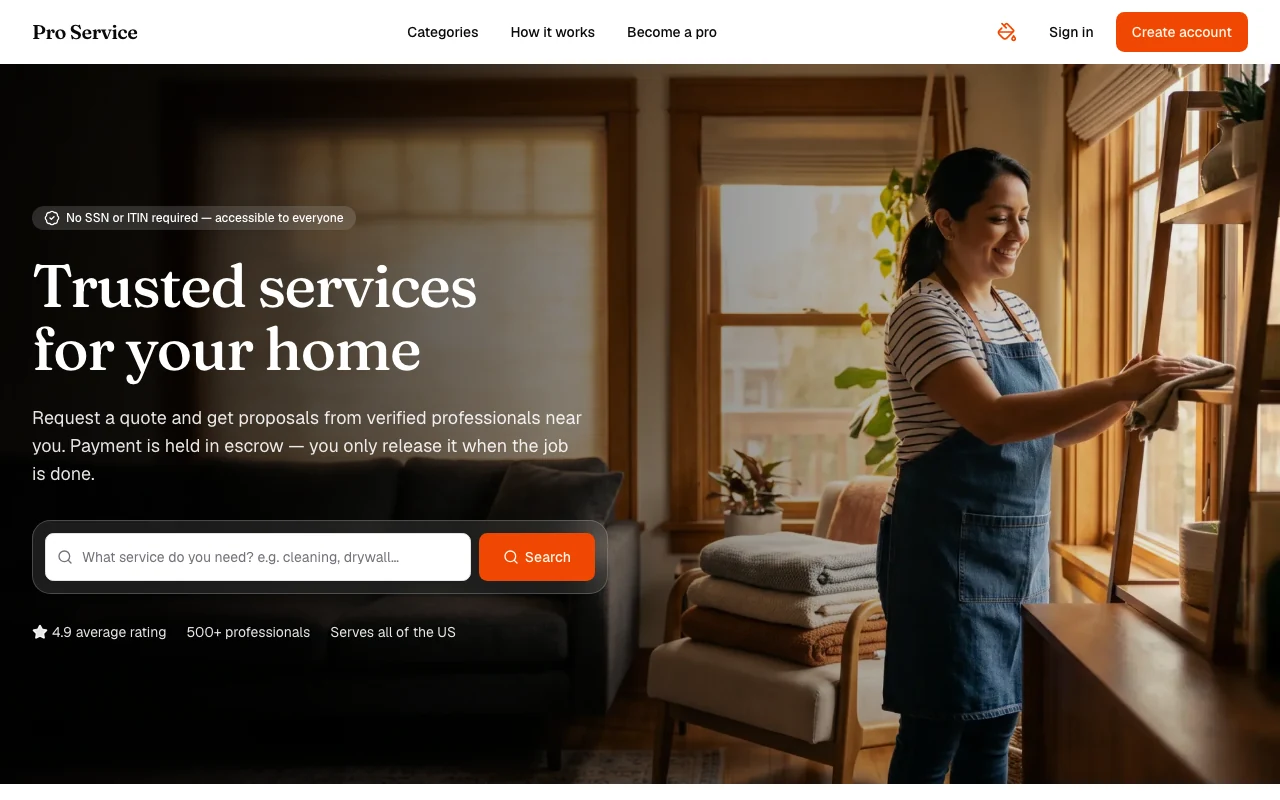
Find verified home service professionals, compare quotes, and pay securely through escrow - built for Brazilians across the US 🏠
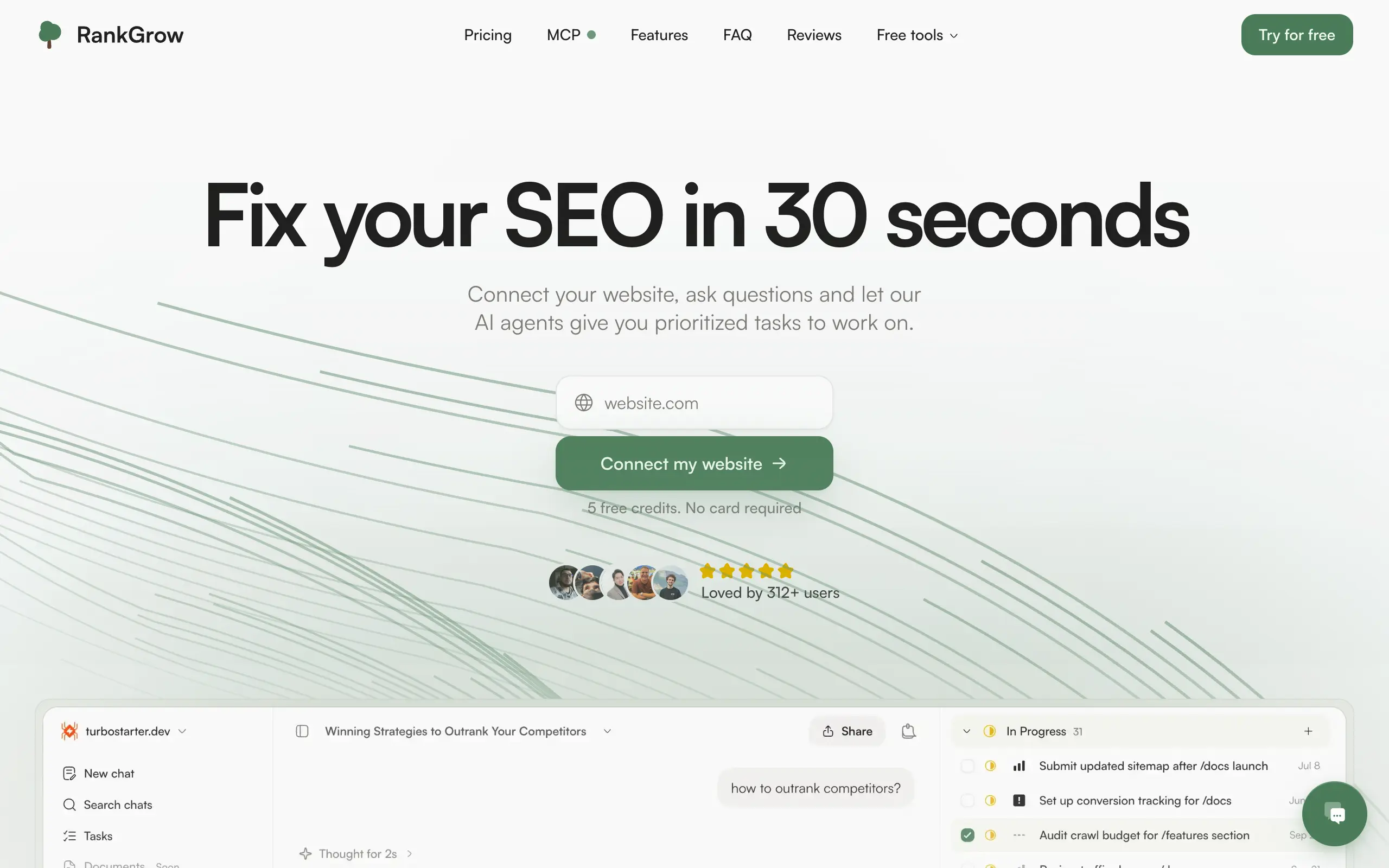
Fix your SEO with AI agents - connect Search Console, get prioritized tasks, and grow organic traffic 📈

Sync your favorite content for distraction-free reading, save time and replace multiple apps. Anytime, anywhere 🔄

Get clean, structured data from 21 platforms like TikTok, Instagram, and YouTube with a single request 📊
Monitor any Telegram channel in real time - track posts, edits, deletions, and growth with AI recaps 📡
AI website builder - describe your business, pick a niche template, edit by chatting, and publish instantly ✨
Find verified home service professionals, compare quotes, and pay securely through escrow - built for Brazilians across the US 🏠
Fix your SEO with AI agents - connect Search Console, get prioritized tasks, and grow organic traffic 📈
Sync your favorite content for distraction-free reading, save time and replace multiple apps. Anytime, anywhere 🔄
Get clean, structured data from 21 platforms like TikTok, Instagram, and YouTube with a single request 📊
Monitor any Telegram channel in real time - track posts, edits, deletions, and growth with AI recaps 📡
AI website builder - describe your business, pick a niche template, edit by chatting, and publish instantly ✨
Find verified home service professionals, compare quotes, and pay securely through escrow - built for Brazilians across the US 🏠
Fix your SEO with AI agents - connect Search Console, get prioritized tasks, and grow organic traffic 📈
Sync your favorite content for distraction-free reading, save time and replace multiple apps. Anytime, anywhere 🔄
Get clean, structured data from 21 platforms like TikTok, Instagram, and YouTube with a single request 📊
Monitor any Telegram channel in real time - track posts, edits, deletions, and growth with AI recaps 📡
AI website builder - describe your business, pick a niche template, edit by chatting, and publish instantly ✨
Find verified home service professionals, compare quotes, and pay securely through escrow - built for Brazilians across the US 🏠
Fix your SEO with AI agents - connect Search Console, get prioritized tasks, and grow organic traffic 📈
Sync your favorite content for distraction-free reading, save time and replace multiple apps. Anytime, anywhere 🔄
Get clean, structured data from 21 platforms like TikTok, Instagram, and YouTube with a single request 📊

Personalized AI apps that automate research, data extraction, and content creation without code 🤖

Enjoy a magical live video chat or receive a unique AI-generated video greeting from Santa Claus 🎅

Scalable blog for food journalist, focused on performance and user experience 🌭

Personal blog and portfolio of Bart Zagrodzki, where he shares his knowledge and work 💼

Ship your startup everywhere. In minutes.

Convert HTML to Markdown with ease, directly in your browser 📄
Personalized AI apps that automate research, data extraction, and content creation without code 🤖
Enjoy a magical live video chat or receive a unique AI-generated video greeting from Santa Claus 🎅
Scalable blog for food journalist, focused on performance and user experience 🌭
Personal blog and portfolio of Bart Zagrodzki, where he shares his knowledge and work 💼
Ship your startup everywhere. In minutes.
Convert HTML to Markdown with ease, directly in your browser 📄
Personalized AI apps that automate research, data extraction, and content creation without code 🤖
Enjoy a magical live video chat or receive a unique AI-generated video greeting from Santa Claus 🎅
Scalable blog for food journalist, focused on performance and user experience 🌭
Personal blog and portfolio of Bart Zagrodzki, where he shares his knowledge and work 💼
Ship your startup everywhere. In minutes.
Convert HTML to Markdown with ease, directly in your browser 📄
Personalized AI apps that automate research, data extraction, and content creation without code 🤖
Enjoy a magical live video chat or receive a unique AI-generated video greeting from Santa Claus 🎅
Scalable blog for food journalist, focused on performance and user experience 🌭
Personal blog and portfolio of Bart Zagrodzki, where he shares his knowledge and work 💼
Ship your startup everywhere. In minutes.
Convert HTML to Markdown with ease, directly in your browser 📄

Chat with 50+ AI models, including ChatGPT and Claude, in one place - switch models anytime without losing context 🤖

Supercharge your Claude Code with 6x effective context window and specialized AI agents 🤖

AI-powered emoji picker with smart, context-aware suggestions 🤖

Autonomous company launcher - AI agents work 24/7, escalate what matters, and you stay in control 🤖

Practice storytelling daily with instant feedback to sound clearer, more engaging, and confident 🎤
Chat with 50+ AI models, including ChatGPT and Claude, in one place - switch models anytime without losing context 🤖
Supercharge your Claude Code with 6x effective context window and specialized AI agents 🤖
AI-powered emoji picker with smart, context-aware suggestions 🤖
Autonomous company launcher - AI agents work 24/7, escalate what matters, and you stay in control 🤖
Practice storytelling daily with instant feedback to sound clearer, more engaging, and confident 🎤
Chat with 50+ AI models, including ChatGPT and Claude, in one place - switch models anytime without losing context 🤖
Supercharge your Claude Code with 6x effective context window and specialized AI agents 🤖
AI-powered emoji picker with smart, context-aware suggestions 🤖
Autonomous company launcher - AI agents work 24/7, escalate what matters, and you stay in control 🤖
Practice storytelling daily with instant feedback to sound clearer, more engaging, and confident 🎤
Chat with 50+ AI models, including ChatGPT and Claude, in one place - switch models anytime without losing context 🤖
Supercharge your Claude Code with 6x effective context window and specialized AI agents 🤖
AI-powered emoji picker with smart, context-aware suggestions 🤖
Autonomous company launcher - AI agents work 24/7, escalate what matters, and you stay in control 🤖
Practice storytelling daily with instant feedback to sound clearer, more engaging, and confident 🎤

Connect with like-minded people
Join our community to get feedback, support, and grow together with 1,000+ builders on board, let's ship it!
Join usShip your startup everywhere. In minutes.
Don't burn tokens on setup and start building features on day one.