For the complete documentation index, see llms.txt. Prefer markdown by appending.mdto documentation URLs or sendingAccept: text/markdown.
Overview
Learn how the TurboStarter API is built with Hono. Modular routers, protected routes, mutations, and the typed RPC client used across apps.
TurboStarter is designed to be a scalable and production-ready full-stack starter kit. One of its core features is a dedicated and extensible API layer. To enable this in a type-safe way, we chose Hono as the API server and client library.
Why Hono?
Hono is a small, simple, and ultrafast web framework that gives you a way to define your API endpoints with full type safety. It provides built-in middleware for common needs like validation, caching, and CORS.
It also includes a RPC client for making type-safe function calls from the frontend. Being edge-first, it's optimized for serverless environments and offers excellent performance.
All API endpoints and their resolvers live in the packages/api package. Inside, the modules folder contains the API's feature modules. Each module has its own directory and exports its resolvers.
For each module, we create a separate Hono router and then aggregate all sub-routers into one main router in the index.ts file.
By default, the API is integrated with the web app and exposed as a Next.js route handler:
import { handle } from "hono/vercel";

import { appRouter } from "@workspace/api";

const handler = handle(appRouter);
export {
  handler as GET,
  handler as POST,
  handler as OPTIONS,
  handler as PUT,
  handler as PATCH,
  handler as DELETE,
  handler as HEAD,
};
API availability
As the API is a separate service, it must be deployed to use it in other apps (e.g. mobile app or browser extension), even if you don't need the web app itself.
By default, it's hosted together with the web app, so you don't need to worry about it separately. However, you can also deploy it as a standalone service.
Observability
To give you some visibility into how the API is performing in production, and to track its usage and performance metrics, we integrated a basic status monitor, which is available at the /api/status route.
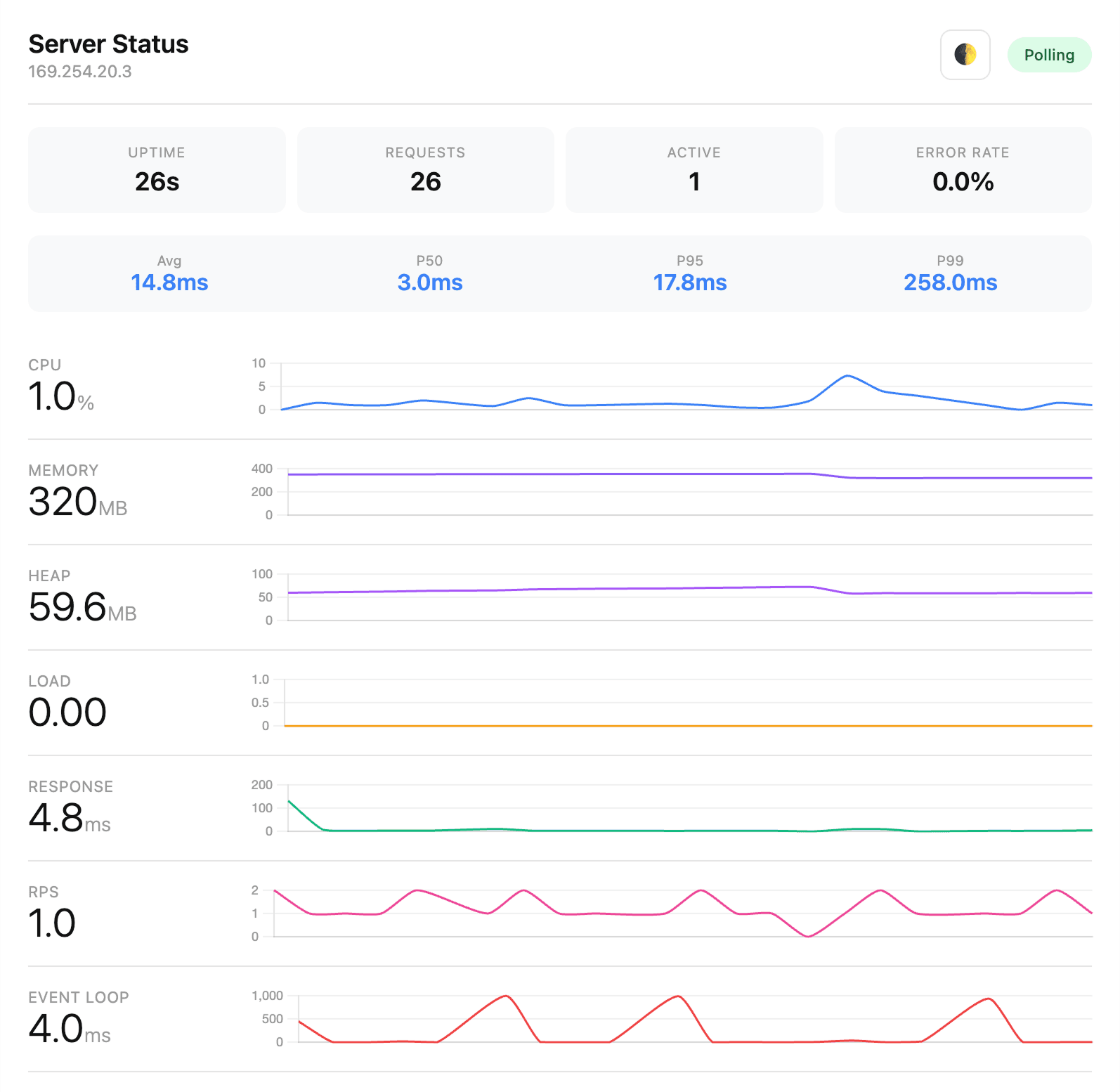
You can use it to check if the API is running and to get basic metrics like:
- uptime
- response time
- recent errors
- CPU and memory usage
- event loop lag
- server info
- route analytics
- p50, p95, and p99 latency
Feel free to extend it with your own metrics and monitoring tools.
To learn more about the API, check the following sections:
Adding new endpoint
Add a Hono endpoint to the API: create a module with a router file, validate input with Zod, and register it in the main application router.
Protected routes
Protect Hono routes with middleware before handlers run. Session checks, role gates, and patterns for secure API endpoints.
Using API client
Use the Hono RPC client from Server Components, Route Handlers, and client components. Two patterns for type-safe API calls in Next.js.
Mutations
Create, update, and delete data through Hono routes and server actions. Auth checks, Zod validation, and cache invalidation with React Query.
Internationalization
Return localized API errors and messages using the same i18n stack as the frontend. Translate server responses per user locale.
OpenAPI
Add OpenAPI docs to the TurboStarter API. Document routes once and unlock SDKs, agents, and partner integrations.
How is this guide?
Last updated on