Brickline
Generates itemized material takeoffs from home renovation photos for independent contractors. Estimators get a quantity list and rough cost range that once took hours of manual measuring.
Brickline is an AI tool that turns home renovation photos into an itemized material takeoff: a quantity list with a rough cost range, built for independent contractors who currently measure and count by hand. The opportunity in 2026 is that vision models can now reason about rooms, surfaces and fixtures well enough to produce a useful first-pass estimate, and small contractors are the group least served by enterprise estimating software. An AI material takeoff tool for renovation contractors only works if it is honest about accuracy, so the winning product is a fast, editable draft rather than a magic number.
Key takeaways
- Target customer: independent renovation contractors and small remodeling crews (1 to 10 people) who write their own estimates for kitchens, bathrooms, flooring, painting and drywall.
- Pricing angle: a monthly subscription per estimator, with a per-estimate credit model as an alternative for part-time users.
- Biggest risk: accuracy. A photo does not reliably contain dimensions, so a wrong quantity that costs a contractor money ends trust fast.
- Time to MVP: roughly 4 to 6 weeks for a narrow version (one or two trades, photos plus a reference measurement) if you start from a ready-made SaaS foundation.
What problem does an AI material takeoff tool solve?
Independent contractors lose billable hours and bids to slow, manual estimating. A takeoff means listing every material a job needs with quantities: square feet of tile, sheets of drywall, linear feet of trim, number of outlets. Doing it well means visiting the site, measuring, sketching and then rebuilding the list at a desk.
Who is Brickline for?
The ideal customer is a solo or small-crew remodeler who is both the estimator and the person on the tools. Think of a bathroom and kitchen specialist running three to six crew members, quoting five to fifteen jobs a week, many of which never convert.
Secondary segments are painters, flooring installers and handyman businesses that quote from a walkthrough. Large general contractors already have estimators and software, so skip them at first.
What do they do today, and why does it fail?
Most use some mix of a tape measure, a notebook, phone photos, a spreadsheet and memory. Some use a supplier's online calculator or a retained price list.
- Time cost: the unpaid hours between the site visit and the sent quote often decide who wins the job. Homeowners usually go with whoever replies first with a clear number.
- Error cost: forgotten items (underlayment, fasteners, waste factor) quietly eat margin.
- Inconsistency: every estimate is built from scratch, so quality depends on how tired the estimator is.
- Tool mismatch: enterprise takeoff software assumes blueprints and a desk job. Small remodelers work from a phone in someone's hallway.
Is there a market gap for photo-based estimating in 2026?
Yes, in the middle. Enterprise construction software handles plans and large commercial bids, while generic spreadsheets and calculators handle everything else. Nobody owns the "I just walked the room with my phone" workflow for small residential jobs.
Why now?
- Vision models are good enough for a draft. They can identify room type, surfaces, fixtures and finishes from photos, even if they cannot give exact dimensions.
- Phones have depth and measurement sensors. Modern phones can capture scans or measurements, which gives you a way to anchor scale instead of guessing it.
- Contractors already work from their phones. Photos, texts and payment apps are normal in the trade. A web app that works well on mobile fits their habits.
- Homeowners expect fast quotes. Response speed has become a competitive edge for small crews.
Who already plays nearby?
Incumbents include construction estimating and project software such as Procore and Buildertrend, plus specialized takeoff tools, and general-purpose ones like spreadsheets and ChatGPT-style assistants. Most are built for plans, project management or large firms. The gap is a lightweight, photo-first estimator for small residential jobs. Expect incumbents to add AI features, so speed and focus matter more than technology.
What should the Brickline MVP include?
Build the shortest path from photos to a quote-ready materials list, and cut everything else. The aha moment is when a contractor uploads six photos of a bathroom, adds one known dimension, and in under two minutes sees a line-item list they can edit and send.
Photo and reference intake
Upload room photos plus one known measurement, such as a door width or wall length, so the model has real scale instead of guessing.
Itemized takeoff
Generates materials by category with quantities, units and an automatic waste factor, so nothing obvious is forgotten.
Cost range
Applies the contractor's own price list or regional defaults to produce a low and high range rather than a single false-precision number.
Edit and export
Lets the estimator fix any line, add items and export a clean PDF or CSV they can attach to a quote.
What to cut at first
- Labor estimating. Contractors price labor differently and fiercely guard their rates. Start with materials.
- Full project management. Do not compete with Buildertrend.
- Every trade. Pick two, such as bathrooms and flooring, and make them accurate.
- Native mobile apps. A responsive web app with camera upload is enough to test the idea.
How is Brickline different from spreadsheets and incumbents?
The unique selling proposition is photos to an editable material list in minutes, built for small residential jobs. It does not replace the contractor's judgment, it removes the blank page.
| Option | Starts from photos | Built for small residential jobs | Editable line items | Setup effort |
|---|---|---|---|---|
| Brickline | ✅ | ✅ | ✅ | Low |
| Spreadsheets | ❌ | Depends | ✅ | Medium |
| Enterprise takeoff software | ❌ | ❌ | ✅ | High |
| General AI chat assistant | ✅ | ❌ | Weak | Low, but inconsistent |
| Supplier calculators | ❌ | Partly | ❌ | Low |
The defensible part over time is not the model. It is the contractor's own data: their price lists, preferred materials, waste factors and past estimates, which make every later estimate closer to how they actually work.
How would Brickline make money?
A per-estimator subscription is the most realistic model, because contractors understand paying monthly for tools that win jobs. Price against the value of a single won bid, not against software costs.
Pricing options
- Flat subscription: for example $39 to $79 per month for a set number of estimates. Assume a contractor who wins one extra job a month will see this as trivial. Simple to explain and predictable for you.
- Credit packs: pay per estimate. This suits seasonal or part-time contractors and lowers the barrier to a first purchase, but revenue is lumpy.
- Team plan: a higher tier with shared price lists and multiple estimators. Add it only after solo users ask for it.
As an assumption to test: if you charge $49 a month and convert 5% of trial users, you need about 400 trials a month to reach roughly 20 new paying customers. Measure your actual trial-to-paid rate before trusting this math.
What growth channel works first?
Start with direct outreach and community presence where contractors already gather: trade forums, Facebook groups, local supplier counters and YouTube remodeling channels. Offer to run free takeoffs on real photos they send. Every demo doubles as validation data and a testimonial, and your first twenty customers will come from conversations rather than ads.
How do you validate Brickline before building it?
You can test demand in under two weeks without a working model. The goal is proof that contractors will pay and that you can reach them.
Interview ten contractors
Ask how they produced their last three estimates, how long each took, and which mistakes cost them money. Listen for unprompted complaints about time, not for polite interest in AI.
Run manual takeoffs as a concierge test
Ask five of them for real job photos and build the takeoff yourself with a spreadsheet and any AI assistant. Compare against what they would have quoted, and note exactly where it is wrong.
Launch a landing page
Promise one outcome: a material list from your photos in minutes. Add a sample output and a waitlist form, then drive traffic from the communities where you interviewed.
Ask for a pre-sale
Offer a founding-member price for a three-month commitment, or a refundable deposit. Three to five paid commitments tell you more than two hundred waitlist emails.
How do you build Brickline with the right tech stack?
Use a boring web stack and spend your effort on the estimating pipeline. The architecture has four parts: a web app with photo upload, a storage layer for images, an AI pipeline that extracts structure from photos, and a pricing engine that turns quantities into cost ranges.
Recommended architecture
- Capture: the contractor uploads photos and one reference measurement.
- Extraction: a vision model returns structured JSON: room type, surfaces, estimated dimensions, fixtures and finishes.
- Rules engine: deterministic code converts dimensions to quantities using trade rules (waste factors, sheet sizes, coverage per unit). Keep this out of the model.
- Pricing: quantities are multiplied by the contractor's price list to produce a low to high range.
- Review: the contractor edits and exports.
The key trade-off is to let the model observe and let code calculate. Models are weak at consistent arithmetic, and contractors will check your math.
type TakeoffLine = {
  id: string;
  category: "flooring" | "drywall" | "paint" | "tile" | "fixtures";
  item: string;
  quantity: number;
  unit: "sqft" | "linft" | "sheet" | "each";
  wasteFactor: number;
  unitCostLow: number;
  unitCostHigh: number;
  confidence: "low" | "medium" | "high";
  source: "model" | "rule" | "user";
};
Storing a confidence and source on every line lets the interface highlight what to double-check, which is how you stay honest about accuracy.
Choosing a vision model approach
Best for the MVP. You get strong general vision with no infrastructure, and you can swap providers as quality changes. The trade-offs are per-call cost and sending customer photos to a third party, which you should disclose.
Worth considering only once you have volume, labeled examples from corrected estimates, and a cost problem. It demands GPU infrastructure and ML maintenance that a solo founder should not take on before product-market fit.
Where TurboStarter saves time
Most of the first month of a SaaS goes into work customers never notice. TurboStarter ships with a monorepo covering web and mobile apps, authentication, billing for subscriptions and one-time payments, a database, emails, file storage, AI, background tasks, an admin panel, analytics, internationalization and monitoring. That lets you start directly on the takeoff pipeline.
For Brickline specifically, these pieces matter most:
- Storage: handle photo uploads without building your own pipeline.
- AI: connect a vision model and structure its output.
- Background tasks: run takeoff generation asynchronously so a slow model call never blocks the interface.
- Billing: set up subscriptions or credit packs to test pricing quickly.
If contractors later want a native camera flow, the same repository includes a mobile app, so you are not rewriting the product.
What could make Brickline fail?
Biggest risk: inaccurate quantities
Photos do not contain reliable scale. If the tool confidently outputs a wrong square footage and a contractor under-bids a job, you lose that customer and their referrals. Never present a single precise number: always show ranges and confidence, require at least one reference measurement, and position the output as a draft the estimator verifies.
Other realistic risks:
- Incumbents add AI features. Larger platforms can bolt on photo estimating. Mitigate by going deep on small residential workflows and by building a per-contractor price list and history that is hard to move.
- Contractors are slow to adopt software. Many distrust tools that feel like homework. Keep onboarding to a single upload and deliver value on the first job.
- Regional pricing variance. Material prices differ by supplier and city. Let users import or edit their own price list from day one rather than promising accurate defaults.
- Model costs eat margin. Several high-resolution images per estimate add up. Track cost per estimate from the first week and cap photos per job.
What should you do in the first 30 days?
Follow a plan that gets a real contractor using real photos by week three.
Week 1: interviews and manual takeoffs
Complete the interviews and run concierge takeoffs for at least five jobs. Write down every error to define your rules engine.
Week 2: landing page and pre-sale test
Publish the page with a sample output and ask for founding-member commitments. Choose one or two trades based on where demand was strongest.
Week 3: build the narrow MVP
Set up the project, upload flow, vision extraction, rules engine for your chosen trades and an editable results page. Add billing only if pre-sales are positive.
Week 4: onboard ten contractors
Run live estimates with them on real jobs, compare against their own numbers and fix the biggest gaps. Ask each one whether they would pay next month.
Start with the smallest version that produces a believable material list from six photos, and build the rest only when contractors ask for it. A starter kit like TurboStarter gets the foundation done in days so your time goes into accuracy.
FAQ
Interview ten contractors, then run manual takeoffs from their real job photos and compare against their own estimates. A landing page with a sample output and a founding-member pre-sale then confirms whether they will pay. Aim for a handful of paid commitments rather than a large waitlist.
Accuracy depends mostly on scale. With a reference measurement and good photos, a draft can be close enough to save hours, but it should always be reviewed. Measure it yourself by comparing outputs against contractors' final quantities on every pilot job.
Anchor on the value of a single won job, not on software prices. A range of roughly $39 to $79 per month is a reasonable starting hypothesis, and credit packs suit occasional users. Test two price points in your pre-sale before committing.
Construction platforms such as Procore and Buildertrend, specialized takeoff software, spreadsheets and general AI assistants all overlap in part. Few target photo-first estimating for small residential jobs. Your edge is focus, speed and the contractor's saved price data.
A web app with authentication, file storage, a database, background jobs for model calls, a multimodal AI API and a deterministic rules engine for quantities. A starter kit such as TurboStarter covers the common pieces so you can focus on the estimating logic.
Expect about 4 to 6 weeks for a narrow version covering one or two trades, assuming a starter kit and a hosted AI API. Costs are mostly your time, plus per-estimate model calls, which you should track from the first test.
More 🤖 AI Startup SaaS ideas
Discover more innovative ai startup SaaS ideas that are trending in 2026. Each idea is AI-generated with market validation and growth potential to help you find your next profitable venture faster than competitors.
Your competitors are building with TurboStarter
Below are some of the SaaS ideas that have been generated and built with our starter kit.

Monitor any Telegram channel in real time - track posts, edits, deletions, and growth with AI recaps 📡

AI website builder - describe your business, pick a niche template, edit by chatting, and publish instantly ✨

Find verified home service professionals, compare quotes, and pay securely through escrow - built for Brazilians across the US 🏠
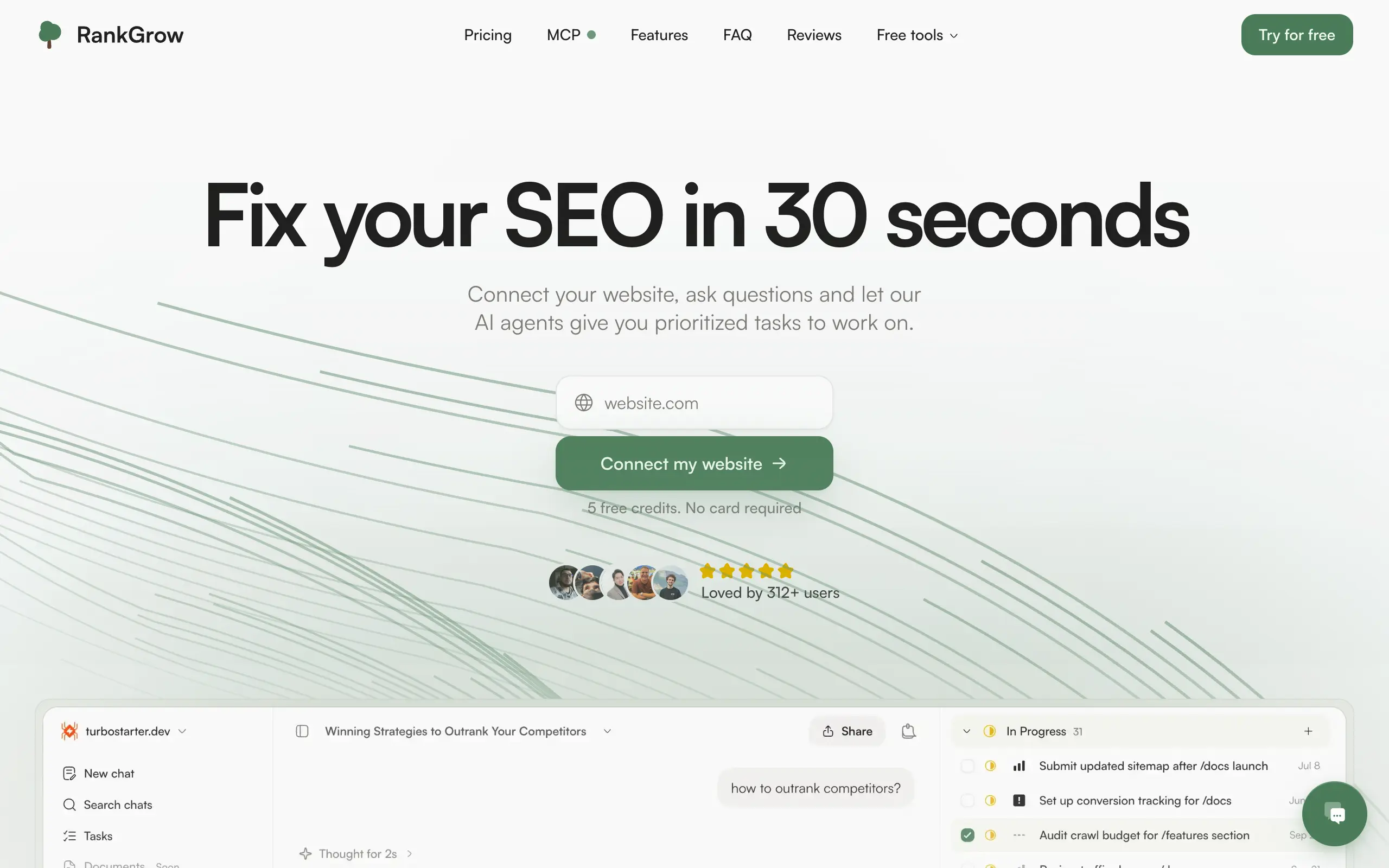
Fix your SEO with AI agents - connect Search Console, get prioritized tasks, and grow organic traffic 📈

Sync your favorite content for distraction-free reading, save time and replace multiple apps. Anytime, anywhere 🔄

Get clean, structured data from 21 platforms like TikTok, Instagram, and YouTube with a single request 📊
Monitor any Telegram channel in real time - track posts, edits, deletions, and growth with AI recaps 📡
AI website builder - describe your business, pick a niche template, edit by chatting, and publish instantly ✨
Find verified home service professionals, compare quotes, and pay securely through escrow - built for Brazilians across the US 🏠
Fix your SEO with AI agents - connect Search Console, get prioritized tasks, and grow organic traffic 📈
Sync your favorite content for distraction-free reading, save time and replace multiple apps. Anytime, anywhere 🔄
Get clean, structured data from 21 platforms like TikTok, Instagram, and YouTube with a single request 📊
Monitor any Telegram channel in real time - track posts, edits, deletions, and growth with AI recaps 📡
AI website builder - describe your business, pick a niche template, edit by chatting, and publish instantly ✨
Find verified home service professionals, compare quotes, and pay securely through escrow - built for Brazilians across the US 🏠
Fix your SEO with AI agents - connect Search Console, get prioritized tasks, and grow organic traffic 📈
Sync your favorite content for distraction-free reading, save time and replace multiple apps. Anytime, anywhere 🔄
Get clean, structured data from 21 platforms like TikTok, Instagram, and YouTube with a single request 📊
Monitor any Telegram channel in real time - track posts, edits, deletions, and growth with AI recaps 📡
AI website builder - describe your business, pick a niche template, edit by chatting, and publish instantly ✨
Find verified home service professionals, compare quotes, and pay securely through escrow - built for Brazilians across the US 🏠
Fix your SEO with AI agents - connect Search Console, get prioritized tasks, and grow organic traffic 📈
Sync your favorite content for distraction-free reading, save time and replace multiple apps. Anytime, anywhere 🔄
Get clean, structured data from 21 platforms like TikTok, Instagram, and YouTube with a single request 📊

Personalized AI apps that automate research, data extraction, and content creation without code 🤖

Enjoy a magical live video chat or receive a unique AI-generated video greeting from Santa Claus 🎅

Scalable blog for food journalist, focused on performance and user experience 🌭

Personal blog and portfolio of Bart Zagrodzki, where he shares his knowledge and work 💼

Ship your startup everywhere. In minutes.

Convert HTML to Markdown with ease, directly in your browser 📄
Personalized AI apps that automate research, data extraction, and content creation without code 🤖
Enjoy a magical live video chat or receive a unique AI-generated video greeting from Santa Claus 🎅
Scalable blog for food journalist, focused on performance and user experience 🌭
Personal blog and portfolio of Bart Zagrodzki, where he shares his knowledge and work 💼
Ship your startup everywhere. In minutes.
Convert HTML to Markdown with ease, directly in your browser 📄
Personalized AI apps that automate research, data extraction, and content creation without code 🤖
Enjoy a magical live video chat or receive a unique AI-generated video greeting from Santa Claus 🎅
Scalable blog for food journalist, focused on performance and user experience 🌭
Personal blog and portfolio of Bart Zagrodzki, where he shares his knowledge and work 💼
Ship your startup everywhere. In minutes.
Convert HTML to Markdown with ease, directly in your browser 📄
Personalized AI apps that automate research, data extraction, and content creation without code 🤖
Enjoy a magical live video chat or receive a unique AI-generated video greeting from Santa Claus 🎅
Scalable blog for food journalist, focused on performance and user experience 🌭
Personal blog and portfolio of Bart Zagrodzki, where he shares his knowledge and work 💼
Ship your startup everywhere. In minutes.
Convert HTML to Markdown with ease, directly in your browser 📄

Chat with 50+ AI models, including ChatGPT and Claude, in one place - switch models anytime without losing context 🤖

Supercharge your Claude Code with 6x effective context window and specialized AI agents 🤖

AI-powered emoji picker with smart, context-aware suggestions 🤖

Autonomous company launcher - AI agents work 24/7, escalate what matters, and you stay in control 🤖

Practice storytelling daily with instant feedback to sound clearer, more engaging, and confident 🎤
Chat with 50+ AI models, including ChatGPT and Claude, in one place - switch models anytime without losing context 🤖
Supercharge your Claude Code with 6x effective context window and specialized AI agents 🤖
AI-powered emoji picker with smart, context-aware suggestions 🤖
Autonomous company launcher - AI agents work 24/7, escalate what matters, and you stay in control 🤖
Practice storytelling daily with instant feedback to sound clearer, more engaging, and confident 🎤
Chat with 50+ AI models, including ChatGPT and Claude, in one place - switch models anytime without losing context 🤖
Supercharge your Claude Code with 6x effective context window and specialized AI agents 🤖
AI-powered emoji picker with smart, context-aware suggestions 🤖
Autonomous company launcher - AI agents work 24/7, escalate what matters, and you stay in control 🤖
Practice storytelling daily with instant feedback to sound clearer, more engaging, and confident 🎤
Chat with 50+ AI models, including ChatGPT and Claude, in one place - switch models anytime without losing context 🤖
Supercharge your Claude Code with 6x effective context window and specialized AI agents 🤖
AI-powered emoji picker with smart, context-aware suggestions 🤖
Autonomous company launcher - AI agents work 24/7, escalate what matters, and you stay in control 🤖
Practice storytelling daily with instant feedback to sound clearer, more engaging, and confident 🎤

Connect with like-minded people
Join our community to get feedback, support, and grow together with 1,000+ builders on board, let's ship it!
Join usShip your startup everywhere. In minutes.
Don't burn tokens on setup and start building features on day one.