Tallybird
Reads receipts and invoices sent by text or email for bookkeepers handling many small clients. Each batch is coded to the right ledger accounts, with exceptions flagged for review.
Tallybird is an AI receipt and invoice coding tool for bookkeepers who manage many small clients. Clients text or email their receipts, Tallybird reads each one, codes it to the right ledger accounts, and flags anything doubtful for human review. It has potential in 2026 because document extraction is now cheap and accurate enough to be a feature, while the real pain, chasing and sorting paper from dozens of small clients, is still mostly manual. This guide treats AI receipt coding for bookkeepers as a buildable business, with the risks stated plainly.
Key takeaways
- Target customer: solo and small-firm bookkeepers handling roughly 15 to 80 small clients (sole traders, trades, small shops, restaurants) who still receive receipts as photos, texts and forwarded emails.
- Pricing angle: per-bookkeeper subscription with a usage tier, for example a base plan plus a per-client or per-document fee, so cost scales with the bookkeeper's revenue.
- Biggest risk: accounting platforms and incumbent receipt tools adding "good enough" capture, which makes the wedge a workflow and trust problem, not an OCR problem.
- Time to MVP: about 4 to 6 weeks for one developer using a starter kit, if you limit the first version to one accounting integration and one intake channel pair (email and SMS).
What problem does AI receipt coding solve for bookkeepers?
It removes the weekly ritual of collecting, reading, typing and categorizing small-client paperwork. For a bookkeeper with dozens of tiny clients, the margin is not in the judgment calls. It is in how fast the routine 90% of documents can be processed so time goes to the 10% that needs thinking.
Who feels it most
The ideal customer is a solo or two-person bookkeeping practice serving 20 to 60 small businesses: a plumber, a hair salon, a food truck, a freelance consultant. Each client pays a modest monthly fee, so every minute of data entry eats directly into profit.
These clients are not going to learn new software. They send a blurry photo by text, forward a supplier invoice from a personal address, or hand over a shoebox at quarter end.
The current workaround and why it fails
Most bookkeepers combine a few things:
- A shared inbox or phone number where clients dump documents.
- A capture app from their accounting platform, which clients rarely install or use consistently.
- Manual entry or semi-automated extraction tools, followed by hand-coding to accounts.
- Spreadsheets or notes to track which clients are missing documents.
The failure is not extraction. It is the last mile: the document arrives in the wrong channel, the vendor is new, the category depends on what the client's business does, and nobody remembers the rule used last quarter. So the bookkeeper re-decides the same questions again and again.
Why is now the right time for an AI bookkeeping assistant?
Three shifts make this practical in 2026, and each one is qualitative rather than a number to quote.
- Document understanding is commodity. General-purpose multimodal models read messy photos, multi-page PDFs and foreign-language receipts well enough that extraction is no longer the moat.
- Structured outputs are reliable. You can force a model to return a strict schema, validate it, and route failures to review. That makes a "flag exceptions" product design realistic.
- Bookkeepers are under capacity pressure. Many practices struggle to hire, so tools that raise clients-per-bookkeeper are easier to sell than tools that merely save a little time.
Where existing solutions leave a gap
The market already has receipt capture and expense tools such as Dext, Hubdoc and Expensify, plus the capture features built into QuickBooks Online and Xero. They are credible. Most are designed around the client capturing or the firm managing a standard workflow.
The gap is a tool built around the bookkeeper's multi-client queue: messy intake by text and email, per-client coding memory, and a review screen designed for clearing exceptions fast. That is a narrower, sharper position than "AI expense management," and it is where a small team can win.
What should the first version of Tallybird include?
The MVP should do one thing end to end: take a batch of raw documents for a client and produce coded, reviewable entries ready to push to the ledger. Everything else waits.
The aha moment
A bookkeeper forwards a week of one client's receipts, then opens a single review screen where 85% of lines are already coded correctly with confidence marks, and the rest are flagged with a reason. The moment is seeing a client's pile become a short exceptions list in minutes. Build everything toward that screen.
The four core features
Multi-channel intake
A dedicated email address and phone number per client, so receipts sent by text or forwarded email land in the right queue automatically.
Extraction and coding
Reads vendor, date, totals, tax and line items, then proposes a ledger account using the client's chart of accounts.
Exception review queue
Flags low confidence, duplicates, missing tax details and unknown vendors, with one-click accept or recode.
Per-client memory
Learns vendor-to-account rules from each correction so the same decision is never made twice for that client.
What to cut from version one
- Client-facing mobile apps. Text and email are the product's advantage because clients already use them.
- Bank feed matching and reconciliation. It is valuable, but it triples the scope.
- Multiple accounting integrations. Pick the platform most used by your first ten bookkeepers and export CSV for the rest.
- Reporting dashboards. A simple count of processed, accepted and flagged documents is enough.
How is Tallybird different from existing tools?
Tallybird's position is a bookkeeper-first inbox that turns client chaos into a short review list. It does not ask clients to change behavior, and it treats corrections as training data for that specific client.
| Option | Works with texted photos | Per-client coding memory | Built for many small clients | Exception-first review |
|---|---|---|---|---|
| Tallybird | ✅ | ✅ | ✅ | ✅ |
| Spreadsheets and manual entry | ❌ | ❌ | Painful | ❌ |
| Platform capture apps | Partly | Limited | Depends | Limited |
| Receipt capture incumbents | Partly | Varies | Varies | Varies |
| DIY with a general AI model | Possible | ❌ | ❌ | ❌ |
The DIY row matters. Some technical bookkeepers will script their own pipeline. Your answer is the parts a script does not give them: intake routing, audit trail, review UI, ledger sync and ongoing maintenance.
How would Tallybird make money?
Charge the bookkeeper, not the client, and tie price to something that grows with the practice. Three realistic options:
- Per-client tiers: for example a base fee plus a small amount per active client per month. It matches how bookkeepers price their own services, so the cost is easy to pass through.
- Usage-based documents: a bundle of documents per month with overage pricing. It aligns with your AI costs but makes bills less predictable, which small practices dislike.
- Flat plans by firm size: simple tiers by client count. It is easiest to sell and the weakest on margin if a few clients send huge volumes.
A reasonable starting assumption: if you charge $49 per month for a practice with up to 20 clients and convert 10% of trial users, 100 trials a month gives about 10 paying practices. Measure your real cost per document before committing, because margins depend on model choice and retry rate.
The first growth channel
Go where bookkeepers already gather: accounting platform communities, bookkeeping Facebook and LinkedIn groups, and practice-management forums. Offer to process one real client batch for free in exchange for feedback. Direct outreach and partnerships with bookkeeping trainers typically beat paid ads in a niche this small.
How do you validate Tallybird before building it?
Spend one to two weeks proving that bookkeepers will hand over real documents and pay for the result.
Interview ten bookkeepers
Ask how receipts reach them, how long a typical client batch takes, and what they did the last time a client sent something unreadable. Listen for the channel mix and who they would trust to code automatically.
Run a manual concierge test
Take real documents from two or three bookkeepers, process them with a script and a spreadsheet, and return coded results. Track the accuracy and the time it saved them.
Publish a landing page
Promise one outcome: "Forward your clients' receipts, review only the exceptions." Collect emails and ask which accounting platform they use.
Ask for a pre-sale
Offer a founding price to the people who completed the concierge test. Even three or four paid commitments tell you more than a long waitlist.
What tech stack do you need to build Tallybird?
Tallybird is a conventional SaaS with an unusual intake pipeline. The undifferentiated parts, accounts, billing, teams, email and storage, should not take your first month. A starter kit like TurboStarter ships those, plus a monorepo for web and mobile, so you spend time on extraction, coding and review.
What TurboStarter covers for you
- Accounts and firms: authentication and organizations let a bookkeeper invite a staff member and separate each practice's data.
- Subscriptions: billing handles plans and trials, so you can test the pricing options above quickly.
- Documents: storage keeps originals for the audit trail, and background tasks run extraction without blocking the UI.
Database, emails, AI, admin panel, analytics and monitoring are also part of the kit, so you start with an admin view of your own customers and error tracking from day one.
Choosing the AI approach
Send the image or PDF directly to a multimodal model and request a strict JSON schema. It is the fastest to build and handles odd layouts well. The trade-offs are higher cost per document and less predictable latency, which you can manage with batching and caching.
Run OCR first, then ask a language model to interpret the text. It can be cheaper at scale and gives you the raw text for debugging. It adds a pipeline stage and tends to struggle with crumpled thermal receipts and handwriting.
Start with the hosted multimodal approach. Switch only when your measured cost per document makes a hybrid worthwhile.
A minimal data model
Keep the ledger mapping explicit, so every coded line is traceable and correctable.
type CodedLine = {
  id: string;
  documentId: string;
  clientId: string;
  vendor: string;
  amount: number;
  taxAmount: number | null;
  accountId: string;
  confidence: number;
  status: "auto" | "flagged" | "approved";
  flagReason?: "low_confidence" | "duplicate" | "unknown_vendor" | "missing_tax";
};
Intake and sync
For intake, use an inbound email service and an SMS provider that supports media messages, mapping each address or number to a client. For output, start with one accounting platform's API or a CSV export. Check the API's rate limits and approval process early, because partner access can take longer than the code.
What could make Tallybird fail?
Four risks matter, and the first is the one to plan around.
Biggest risk: wrong codes that look right
If the tool miscodes entries confidently, a bookkeeper loses trust after one bad month-end and churns. Never auto-post by default. Start every client in review-all mode, graduate vendors to auto-accept only after repeated correct approvals, and keep a full audit trail of every change.
- Incumbents add the feature: platforms can improve their own capture. Mitigate by owning the multi-client workflow and messy-channel intake they underserve.
- Integration dependence: one platform's API change can break you. Keep CSV export as a fallback and avoid depending on a single integration.
- Margins from AI costs: heavy clients can erode a flat price. Track cost per document per client and add fair-use limits.
- Data sensitivity: you handle financial documents. Use encryption, clear retention rules and access controls, and check the requirements in the regions you sell to.
What are the next steps? A 30-day launch plan
- Days 1 to 5: interview bookkeepers and collect real sample documents, including bad ones.
- Days 6 to 10: run the concierge test manually and measure accuracy by document type.
- Days 11 to 15: set up the project on TurboStarter, with authentication, organizations, billing and storage working.
- Days 16 to 22: build intake, extraction and the coded-line data model, with the schema validation described above.
- Days 23 to 26: build the exception review screen and the CSV or single-platform export.
- Days 27 to 30: onboard five pilot bookkeepers, price the founding plan and review every correction they make.
Start with the review screen's real data, not a perfect model. Your first ten users will teach you more about coding rules than any prompt tuning. If you want the fastest path to a billable first version of AI receipt coding for bookkeepers, build it on TurboStarter and spend your time on accuracy.
FAQ
Demand exists wherever bookkeepers handle many low-fee clients, because time per document drives profit. Confirm it by asking ten practices how long a typical client batch takes and whether they would pay to cut it. Pre-sales to your concierge-test users are the strongest signal.
Price by practice size or active clients, since that tracks the bookkeeper's own revenue. A starting point might be a base plan for a small practice with higher tiers by client count. Adjust after measuring your cost per document and how many documents each client really sends.
Do not compete on extraction. Compete on the bookkeeper's multi-client workflow: text and email intake, per-client coding memory and a fast exception queue. Incumbents may match some of this, so move quickly with a narrow group of users.
A TypeScript web app with a relational database, file storage for originals, background jobs for extraction and a multimodal AI model is sufficient. Use a starter kit for authentication, billing and teams so you focus on the pipeline and review interface.
One developer can usually reach a usable MVP in four to six weeks if scope is limited to one integration and two intake channels. Costs are mainly your time, AI usage during testing, and the email and SMS providers, all of which stay small before you have paying users.
More 🤖 AI Startup SaaS ideas
Discover more innovative ai startup SaaS ideas that are trending in 2026. Each idea is AI-generated with market validation and growth potential to help you find your next profitable venture faster than competitors.
Your competitors are building with TurboStarter
Below are some of the SaaS ideas that have been generated and built with our starter kit.

Monitor any Telegram channel in real time - track posts, edits, deletions, and growth with AI recaps 📡

AI website builder - describe your business, pick a niche template, edit by chatting, and publish instantly ✨

Find verified home service professionals, compare quotes, and pay securely through escrow - built for Brazilians across the US 🏠
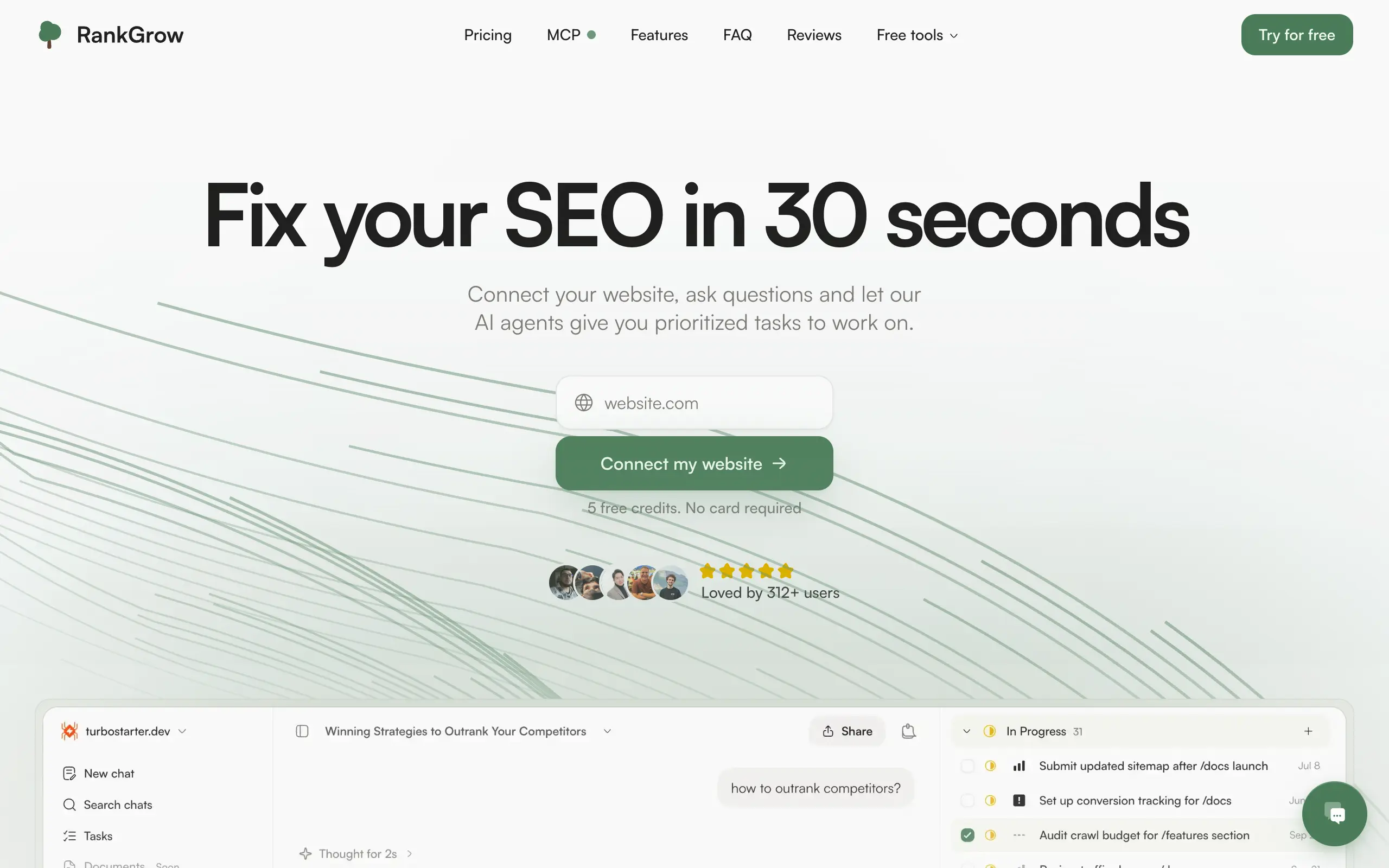
Fix your SEO with AI agents - connect Search Console, get prioritized tasks, and grow organic traffic 📈

Sync your favorite content for distraction-free reading, save time and replace multiple apps. Anytime, anywhere 🔄

Get clean, structured data from 21 platforms like TikTok, Instagram, and YouTube with a single request 📊
Monitor any Telegram channel in real time - track posts, edits, deletions, and growth with AI recaps 📡
AI website builder - describe your business, pick a niche template, edit by chatting, and publish instantly ✨
Find verified home service professionals, compare quotes, and pay securely through escrow - built for Brazilians across the US 🏠
Fix your SEO with AI agents - connect Search Console, get prioritized tasks, and grow organic traffic 📈
Sync your favorite content for distraction-free reading, save time and replace multiple apps. Anytime, anywhere 🔄
Get clean, structured data from 21 platforms like TikTok, Instagram, and YouTube with a single request 📊
Monitor any Telegram channel in real time - track posts, edits, deletions, and growth with AI recaps 📡
AI website builder - describe your business, pick a niche template, edit by chatting, and publish instantly ✨
Find verified home service professionals, compare quotes, and pay securely through escrow - built for Brazilians across the US 🏠
Fix your SEO with AI agents - connect Search Console, get prioritized tasks, and grow organic traffic 📈
Sync your favorite content for distraction-free reading, save time and replace multiple apps. Anytime, anywhere 🔄
Get clean, structured data from 21 platforms like TikTok, Instagram, and YouTube with a single request 📊
Monitor any Telegram channel in real time - track posts, edits, deletions, and growth with AI recaps 📡
AI website builder - describe your business, pick a niche template, edit by chatting, and publish instantly ✨
Find verified home service professionals, compare quotes, and pay securely through escrow - built for Brazilians across the US 🏠
Fix your SEO with AI agents - connect Search Console, get prioritized tasks, and grow organic traffic 📈
Sync your favorite content for distraction-free reading, save time and replace multiple apps. Anytime, anywhere 🔄
Get clean, structured data from 21 platforms like TikTok, Instagram, and YouTube with a single request 📊

Personalized AI apps that automate research, data extraction, and content creation without code 🤖

Enjoy a magical live video chat or receive a unique AI-generated video greeting from Santa Claus 🎅

Scalable blog for food journalist, focused on performance and user experience 🌭

Personal blog and portfolio of Bart Zagrodzki, where he shares his knowledge and work 💼

Ship your startup everywhere. In minutes.

Convert HTML to Markdown with ease, directly in your browser 📄
Personalized AI apps that automate research, data extraction, and content creation without code 🤖
Enjoy a magical live video chat or receive a unique AI-generated video greeting from Santa Claus 🎅
Scalable blog for food journalist, focused on performance and user experience 🌭
Personal blog and portfolio of Bart Zagrodzki, where he shares his knowledge and work 💼
Ship your startup everywhere. In minutes.
Convert HTML to Markdown with ease, directly in your browser 📄
Personalized AI apps that automate research, data extraction, and content creation without code 🤖
Enjoy a magical live video chat or receive a unique AI-generated video greeting from Santa Claus 🎅
Scalable blog for food journalist, focused on performance and user experience 🌭
Personal blog and portfolio of Bart Zagrodzki, where he shares his knowledge and work 💼
Ship your startup everywhere. In minutes.
Convert HTML to Markdown with ease, directly in your browser 📄
Personalized AI apps that automate research, data extraction, and content creation without code 🤖
Enjoy a magical live video chat or receive a unique AI-generated video greeting from Santa Claus 🎅
Scalable blog for food journalist, focused on performance and user experience 🌭
Personal blog and portfolio of Bart Zagrodzki, where he shares his knowledge and work 💼
Ship your startup everywhere. In minutes.
Convert HTML to Markdown with ease, directly in your browser 📄

Chat with 50+ AI models, including ChatGPT and Claude, in one place - switch models anytime without losing context 🤖

Supercharge your Claude Code with 6x effective context window and specialized AI agents 🤖

AI-powered emoji picker with smart, context-aware suggestions 🤖

Autonomous company launcher - AI agents work 24/7, escalate what matters, and you stay in control 🤖

Practice storytelling daily with instant feedback to sound clearer, more engaging, and confident 🎤
Chat with 50+ AI models, including ChatGPT and Claude, in one place - switch models anytime without losing context 🤖
Supercharge your Claude Code with 6x effective context window and specialized AI agents 🤖
AI-powered emoji picker with smart, context-aware suggestions 🤖
Autonomous company launcher - AI agents work 24/7, escalate what matters, and you stay in control 🤖
Practice storytelling daily with instant feedback to sound clearer, more engaging, and confident 🎤
Chat with 50+ AI models, including ChatGPT and Claude, in one place - switch models anytime without losing context 🤖
Supercharge your Claude Code with 6x effective context window and specialized AI agents 🤖
AI-powered emoji picker with smart, context-aware suggestions 🤖
Autonomous company launcher - AI agents work 24/7, escalate what matters, and you stay in control 🤖
Practice storytelling daily with instant feedback to sound clearer, more engaging, and confident 🎤
Chat with 50+ AI models, including ChatGPT and Claude, in one place - switch models anytime without losing context 🤖
Supercharge your Claude Code with 6x effective context window and specialized AI agents 🤖
AI-powered emoji picker with smart, context-aware suggestions 🤖
Autonomous company launcher - AI agents work 24/7, escalate what matters, and you stay in control 🤖
Practice storytelling daily with instant feedback to sound clearer, more engaging, and confident 🎤

Connect with like-minded people
Join our community to get feedback, support, and grow together with 1,000+ builders on board, let's ship it!
Join usShip your startup everywhere. In minutes.
Don't burn tokens on setup and start building features on day one.