Brewlog
Helps specialty coffee roasters track each batch's roast curve and cupping notes in one place. It gives them a searchable history so they can repeat their best profiles on demand.
Brewlog is a roast batch tracking tool for specialty coffee roasters: it stores each batch's roast curve and cupping notes in one searchable place, so a roaster can repeat the profile that tasted best. It has potential in 2026 because small roasters are growing in number and complexity (more origins, more wholesale accounts, more staff on the drum) while their records still live in roaster software exports, notebooks and spreadsheets. The opportunity for a roast batch tracking software for specialty coffee roasters is to connect the two things that currently live apart: what the roast did and how it tasted.
Key takeaways
- Target customer: small and mid-size specialty roasters (roughly one to five roasters on staff) who sell wholesale and retail and care about consistency across batches.
- Pricing angle: a flat monthly subscription per roastery, with a price tied to the number of roasting machines or seats rather than to batch volume.
- Biggest risk: roast curve data import. If getting curves out of existing roasting machines and software is painful, the "one place" promise breaks.
- Time to MVP: about 4 to 6 weeks for a solo founder using a starter kit, assuming the first version imports files rather than integrating live with machines.
Who is Brewlog for?
Brewlog is for the head roaster at a specialty roastery who is responsible for hitting the same flavor profile every time a coffee is roasted. Think of a roastery with a 5 to 30 kg drum roaster, a handful of staff, wholesale accounts that expect the same house espresso each month, and a rotating lineup of single origins.
The current workaround
Most roasters use some mix of the following:
- The roasting software that came with the machine, which logs curves but rarely holds meaningful tasting data.
- A spreadsheet of cupping scores and notes, usually maintained by one person.
- Paper logs next to the roaster, photographed or typed up later.
- Memory, which is the most common and least reliable option.
Why the workaround fails
The curve lives in one system and the tasting lives in another, so answering "which roast of this Ethiopian tasted best, and what did we do differently?" means opening two tools and guessing which rows match. When the head roaster leaves or goes on holiday, the knowledge leaves with them.
It also breaks at scale. A roastery that adds a second roaster or a second shift quickly finds that notes are written in different vocabularies and that nobody can search them.
Is there a market for roast tracking software in 2026?
Yes, but it is a niche, and you should treat it as one. The realistic goal is a profitable tool for thousands of small roasteries worldwide, not a venture-scale platform. Specialty coffee is a category with many small independent businesses, and that fragmentation is exactly what suits a focused subscription product.
The gap in existing solutions
The existing options fall into a few categories:
- Roaster-bound software, such as Cropster and Artisan, which capture roast data very well. Cropster is a commercial platform with broad scope, and Artisan is a widely used open-source roast logger. Neither is primarily designed around a fast, searchable tasting history for a small team, in most cases.
- General tools, such as spreadsheets, Notion and Airtable, which are flexible but have no concept of a roast curve.
- Inventory and ERP tools for roasters, which focus on green coffee stock and orders rather than profile repeatability.
The gap is a lightweight layer that sits on top of whichever roast logger the customer already uses and makes the history useful.
Why now
- Cheaper AI for text and structure. Free-text cupping notes can be normalized into consistent flavor tags without a data science team.
- Better file and API options. Many roasting tools export curve data in common formats, which makes import-first products viable.
- Roasters competing on consistency and transparency. Wholesale buyers and subscribers increasingly expect the same coffee every time, and the story of how it was roasted is part of the brand.
- Cheap, fast SaaS foundations. A solo founder can ship billing, auth and teams in days, so a small niche is economical to serve.
What should the Brewlog MVP include?
The MVP should do one thing: let a roaster open any past batch, see its curve next to its cupping notes, and find the best earlier batch of the same coffee in seconds. Everything else is optional.
The aha moment
The aha moment is when a roaster searches "washed Ethiopia, bright, jasmine" and sees the three best-scoring batches overlaid on one chart, with the exact differences in charge temperature, development time and drop temperature. That is something a spreadsheet cannot do.
The four core features
Curve import
Upload roast logs from the roasting software or machine the roastery already uses and attach them to a batch.
Cupping notes and scores
Structured cupping forms with scores, flavor tags and free text, filled in by anyone on the team.
Searchable batch history
Filter by origin, process, score, flavor tag or date and open any batch in one click.
Curve comparison
Overlay two or more batches to see where the profiles differ and which changes lined up with better cupping.
What to cut from version one
- Live machine integrations. Start with file import.
- Green coffee inventory and order management.
- Mobile apps. A responsive web app is enough for a cupping table with a tablet.
- AI roast recommendations. Prove the history is useful before promising advice.
- Customer-facing story pages or QR codes for packaging.
How is Brewlog different from spreadsheets and roast software?
Brewlog's position is the memory of the roastery: it is not another way to record a roast, it is the place where roasts and tasting results meet. It works alongside roast loggers rather than replacing them, which lowers the switching cost.
| Option | Stores roast curves | Structured cupping notes | Curve comparison by taste | Low setup effort |
|---|---|---|---|---|
| Brewlog | ✅ | ✅ | ✅ | ✅ |
| Spreadsheets | ❌ | Manual | ❌ | ✅ |
| Roast logging software | ✅ | Limited | Limited | Medium |
| Notebook and memory | ❌ | Manual | ❌ | ✅ |
| Full roastery platforms | ✅ | Varies | Varies | ❌ |
Be honest about the weak spot: a larger roastery already invested in a full platform has less reason to switch. Your best buyer is the one who has a logger and a messy spreadsheet, not a complete system.
How would Brewlog make money?
The simplest model is a flat monthly subscription per roastery, because roasters understand and budget for software this way.
Option 1: tiered subscription by team size
Charge for the number of users or roasting machines. If you charge $39 per month for one machine and a small team, and $79 for several machines and unlimited cupping users, a roastery pays the cost of a few bags of green coffee. Assume a trial-to-paid conversion of 10 to 20 percent for a niche tool with a clear pain, and measure your own.
Option 2: per-machine pricing
Pricing per roasting machine aligns cost with the size of the operation, and it is easy to explain. The drawback is that roasters with one machine may stay on the cheapest plan indefinitely.
Option 3: paid onboarding for data migration
Offer to import a roastery's spreadsheets and old logs for a one-time fee. It is not scalable, but it funds early development and builds relationships with the first customers. TurboStarter supports both subscriptions and one-time payments, so both can live in the same billing setup.
The first growth channel
Go where roasters already talk: coffee professional communities, roasting forums, and direct outreach to roasteries you can find locally and online. Cold outreach to head roasters with a short video of the comparison view is likely to beat paid ads, because the audience is small and reachable by name.
How do you validate Brewlog before building it?
You can test the demand in about two weeks, mostly by talking to roasters and by showing a concrete preview of the comparison screen.
Interview eight to ten roasters
Ask how they record roasts and cupping today, and ask them to show you the last time they tried to repeat a good batch. Listen for specific pain, such as lost notes or inconsistent results.
Collect sample data
Ask three or four roasters for exported roast files and a cupping spreadsheet. This tells you which formats you must support first and whether the data is clean enough to match.
Build a mockup of the comparison view
Use a design tool or a static page showing two curves overlaid with tasting notes. It is the single screen that explains the product.
Launch a landing page and waitlist
State one promise: repeat your best roasts. Drive traffic only from the people you interviewed and from the communities you plan to sell in.
Ask for pre-orders or a paid pilot
Offer three to five roasteries a discounted founding plan in exchange for feedback. If none will pay before the product exists, revisit the pain you are solving.
What tech stack should you use to build Brewlog?
Use a standard web stack with a relational database, file storage for roast logs and a charting library. The hard part is the data model and the import parsers, not the infrastructure, so spend as little time as possible on the rest.
Where TurboStarter saves time
TurboStarter is a starter kit that already includes web and mobile apps, authentication, organizations and teams, billing, a database, emails, file storage, AI, background tasks, an admin panel, analytics, internationalization and monitoring. For Brewlog, that means you start with the multi-user roastery account model rather than building it. Concretely:
- Roasteries map to organizations, with invited roasters and cuppers as members.
- Roast log uploads go through storage.
- Plans and trials run on billing.
- Parsing large files and normalizing notes can run as background tasks.
Choosing how to store curve data
Store each curve sample as a row (batch, seconds, temperature). Querying and comparing are flexible, but a roast can have hundreds of points, so tables grow quickly. Pick this if you want to query across curves, for example the average charge temperature of your top-scoring batches.
Store the sampled curve as a JSON column on the batch and extract key metrics (charge temp, drop temp, development time) into normal columns. It is simple and fast for the MVP, and still lets you search by the metrics that matter. This is the best default for a first version.
Keep the raw uploaded file in storage and parse on demand. It preserves the original data, but searching and comparing becomes slower and more complex. Keep the raw file anyway as a backup, but do not make it the only copy.
A starting data model
type Batch = {
  id: string;
  organizationId: string;
  coffeeId: string;
  roastedAt: Date;
  chargeTempC: number;
  dropTempC: number;
  developmentSeconds: number;
  curve: { t: number; bt: number }[];
  rawFileKey: string;
};

type Cupping = {
  id: string;
  batchId: string;
  cupperId: string;
  score: number;
  flavorTags: string[];
  notes: string;
};
Keep the fields that roasters actually compare as real columns. Everything else can stay inside the raw file until a customer asks for it.
Using AI sparingly
AI is useful for turning free-text cupping notes into consistent flavor tags and for suggesting which batches to compare. It should not be the product. TurboStarter includes AI support, but only add it after the structured data is working.
What could make Brewlog fail?
Biggest risk: data import
If importing roast logs from the formats roasters actually use is unreliable, the product loses its main promise. Roasters will not retype curves, and a half-working import creates mistrust quickly. Mitigate it by supporting the one or two most common formats first, testing with real files from your interviewees before writing the UI, and offering to fix imports by hand for early customers.
Other reasons it could fail:
- Small market. A niche tool must stay cheap to run. Keep the scope narrow and costs low, and do not hire ahead of revenue.
- Incumbents add the feature. A roast platform could add better tasting history. Move faster on the workflow and build relationships with roasters they underserve.
- Inconsistent tasting habits. If cupping is done irregularly, there is nothing to compare. Make the cupping form fast, usable on a tablet, and pre-filled from the batch.
- Slow sales cycles. Roasters are busy and cautious with software. Offer a free import of their history to get them started.
What should you do in the first 30 days?
Week 1: interviews and sample data
Talk to eight to ten roasters and collect real log files. Decide on the first import format.
Week 2: scaffold and data model
Start from TurboStarter so auth, organizations and billing are already in place. Build the batch and cupping models and the import for your first format.
Week 3: the comparison view
Build search and the curve overlay, since this is the aha moment. Put it in front of two or three interviewees.
Week 4: pilot and pricing
Onboard three to five roasteries with their own data, switch on billing and ask for payment. Fix whatever breaks during import.
If you want to know whether roasters will pay to repeat their best roasts, you can find out within a month. Start with the interviews, then build the smallest version that shows two curves and two sets of tasting notes side by side.
FAQ
Interview eight to ten roasters, collect their real roast and cupping files, and show a mockup of the comparison screen. If a few will pay for a pilot before the product is finished, you have a stronger signal than any survey.
A reasonable starting range is a flat monthly fee per roastery, for example $39 to $79 depending on machines and users. Test it in interviews and pilots, since small roasters tend to compare the price with the cost of a few bags of coffee.
The main alternatives are roaster logging tools such as Cropster and Artisan, spreadsheets and Notion or Airtable setups, and simply relying on paper notes. Most of them capture either the curve or the tasting notes well, but rarely connect both in a searchable history.
A TypeScript web app with a Postgres database, file storage for uploads and a charting library covers the MVP. A starter kit such as TurboStarter provides authentication, teams, billing and emails, so your time goes into the import parsers and comparison view.
Assuming a solo developer, file-based import and a web-only app, about 4 to 6 weeks is realistic. The import parsers and the curve comparison chart usually take longer than expected, while accounts and billing should take days with a starter kit.
More 🏢 B2B Application SaaS ideas
Discover more innovative b2b application SaaS ideas that are trending in 2026. Each idea is AI-generated with market validation and growth potential to help you find your next profitable venture faster than competitors.
Your competitors are building with TurboStarter
Below are some of the SaaS ideas that have been generated and built with our starter kit.

Statiko
Monitor any Telegram channel in real time - track posts, edits, deletions, and growth with AI recaps 📡

Shibui
AI website builder - describe your business, pick a niche template, edit by chatting, and publish instantly ✨

Pro Service
Find verified home service professionals, compare quotes, and pay securely through escrow - built for Brazilians across the US 🏠
RankGrow
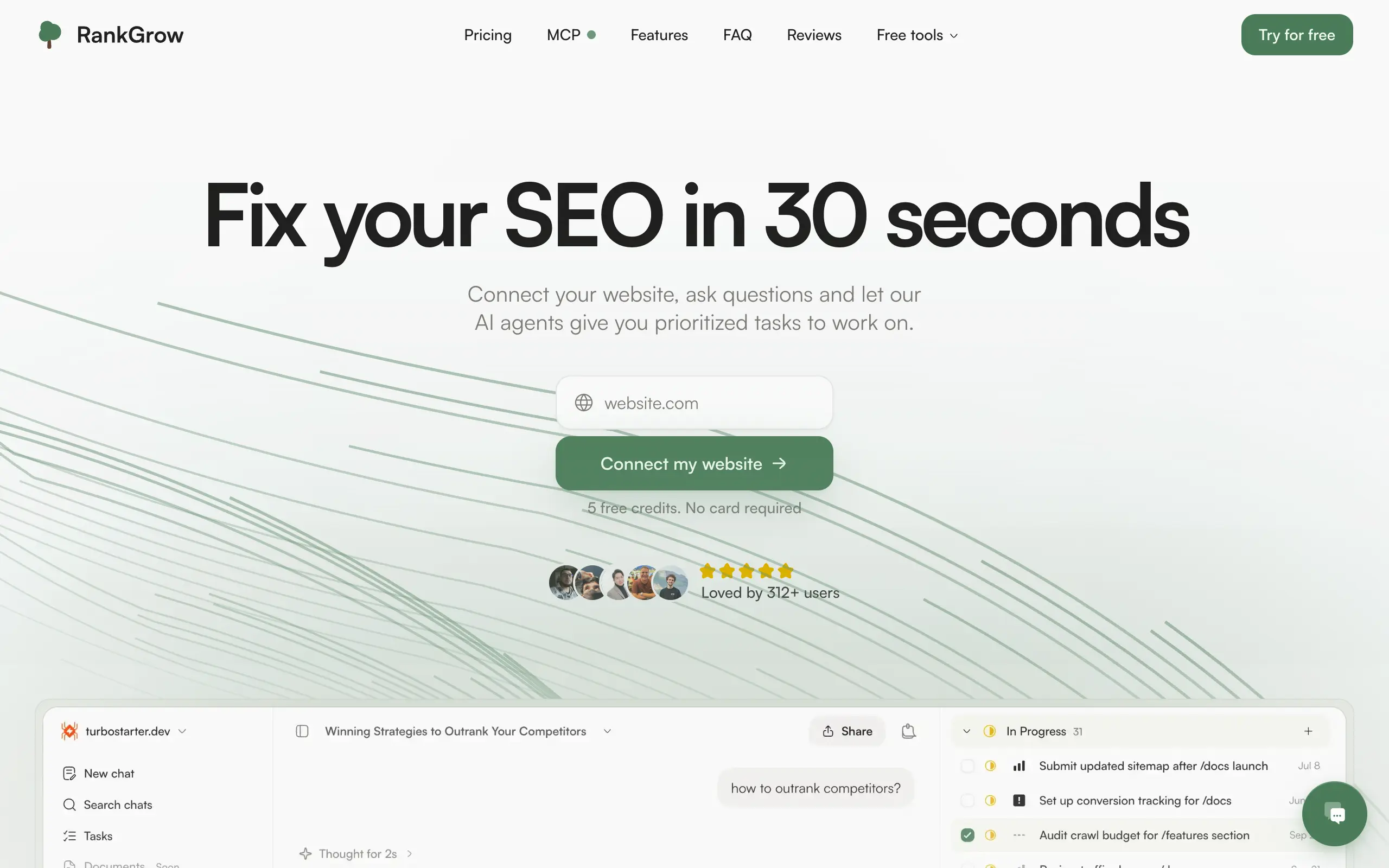
Fix your SEO with AI agents - connect Search Console, get prioritized tasks, and grow organic traffic 📈

SyncReads
Sync your favorite content for distraction-free reading, save time and replace multiple apps. Anytime, anywhere 🔄

Socialcrawl
Get clean, structured data from 21 platforms like TikTok, Instagram, and YouTube with a single request 📊
Statiko
Monitor any Telegram channel in real time - track posts, edits, deletions, and growth with AI recaps 📡
Shibui
AI website builder - describe your business, pick a niche template, edit by chatting, and publish instantly ✨
Pro Service
Find verified home service professionals, compare quotes, and pay securely through escrow - built for Brazilians across the US 🏠
RankGrow
Fix your SEO with AI agents - connect Search Console, get prioritized tasks, and grow organic traffic 📈
SyncReads
Sync your favorite content for distraction-free reading, save time and replace multiple apps. Anytime, anywhere 🔄
Socialcrawl
Get clean, structured data from 21 platforms like TikTok, Instagram, and YouTube with a single request 📊
Statiko
Monitor any Telegram channel in real time - track posts, edits, deletions, and growth with AI recaps 📡
Shibui
AI website builder - describe your business, pick a niche template, edit by chatting, and publish instantly ✨
Pro Service
Find verified home service professionals, compare quotes, and pay securely through escrow - built for Brazilians across the US 🏠
RankGrow
Fix your SEO with AI agents - connect Search Console, get prioritized tasks, and grow organic traffic 📈
SyncReads
Sync your favorite content for distraction-free reading, save time and replace multiple apps. Anytime, anywhere 🔄
Socialcrawl
Get clean, structured data from 21 platforms like TikTok, Instagram, and YouTube with a single request 📊
Statiko
Monitor any Telegram channel in real time - track posts, edits, deletions, and growth with AI recaps 📡
Shibui
AI website builder - describe your business, pick a niche template, edit by chatting, and publish instantly ✨
Pro Service
Find verified home service professionals, compare quotes, and pay securely through escrow - built for Brazilians across the US 🏠
RankGrow
Fix your SEO with AI agents - connect Search Console, get prioritized tasks, and grow organic traffic 📈
SyncReads
Sync your favorite content for distraction-free reading, save time and replace multiple apps. Anytime, anywhere 🔄
Socialcrawl
Get clean, structured data from 21 platforms like TikTok, Instagram, and YouTube with a single request 📊

Dotallio
Personalized AI apps that automate research, data extraction, and content creation without code 🤖

Talk to Santa
Enjoy a magical live video chat or receive a unique AI-generated video greeting from Santa Claus 🎅

pozywka.pl
Scalable blog for food journalist, focused on performance and user experience 🌭

zagrodzki.me
Personal blog and portfolio of Bart Zagrodzki, where he shares his knowledge and work 💼

TurboStarter
Ship your startup everywhere. In minutes.

HTML to Markdown
Convert HTML to Markdown with ease, directly in your browser 📄
Dotallio
Personalized AI apps that automate research, data extraction, and content creation without code 🤖
Talk to Santa
Enjoy a magical live video chat or receive a unique AI-generated video greeting from Santa Claus 🎅
pozywka.pl
Scalable blog for food journalist, focused on performance and user experience 🌭
zagrodzki.me
Personal blog and portfolio of Bart Zagrodzki, where he shares his knowledge and work 💼
TurboStarter
Ship your startup everywhere. In minutes.
HTML to Markdown
Convert HTML to Markdown with ease, directly in your browser 📄
Dotallio
Personalized AI apps that automate research, data extraction, and content creation without code 🤖
Talk to Santa
Enjoy a magical live video chat or receive a unique AI-generated video greeting from Santa Claus 🎅
pozywka.pl
Scalable blog for food journalist, focused on performance and user experience 🌭
zagrodzki.me
Personal blog and portfolio of Bart Zagrodzki, where he shares his knowledge and work 💼
TurboStarter
Ship your startup everywhere. In minutes.
HTML to Markdown
Convert HTML to Markdown with ease, directly in your browser 📄
Dotallio
Personalized AI apps that automate research, data extraction, and content creation without code 🤖
Talk to Santa
Enjoy a magical live video chat or receive a unique AI-generated video greeting from Santa Claus 🎅
pozywka.pl
Scalable blog for food journalist, focused on performance and user experience 🌭
zagrodzki.me
Personal blog and portfolio of Bart Zagrodzki, where he shares his knowledge and work 💼
TurboStarter
Ship your startup everywhere. In minutes.
HTML to Markdown
Convert HTML to Markdown with ease, directly in your browser 📄

Omichat
Chat with 50+ AI models, including ChatGPT and Claude, in one place - switch models anytime without losing context 🤖

Claude Fast
Supercharge your Claude Code with 6x effective context window and specialized AI agents 🤖

EmojAI
AI-powered emoji picker with smart, context-aware suggestions 🤖

Solohacker
Autonomous company launcher - AI agents work 24/7, escalate what matters, and you stay in control 🤖

BeRawi: Storytelling Coach
Practice storytelling daily with instant feedback to sound clearer, more engaging, and confident 🎤
Omichat
Chat with 50+ AI models, including ChatGPT and Claude, in one place - switch models anytime without losing context 🤖
Claude Fast
Supercharge your Claude Code with 6x effective context window and specialized AI agents 🤖
EmojAI
AI-powered emoji picker with smart, context-aware suggestions 🤖
Solohacker
Autonomous company launcher - AI agents work 24/7, escalate what matters, and you stay in control 🤖
BeRawi: Storytelling Coach
Practice storytelling daily with instant feedback to sound clearer, more engaging, and confident 🎤
Omichat
Chat with 50+ AI models, including ChatGPT and Claude, in one place - switch models anytime without losing context 🤖
Claude Fast
Supercharge your Claude Code with 6x effective context window and specialized AI agents 🤖
EmojAI
AI-powered emoji picker with smart, context-aware suggestions 🤖
Solohacker
Autonomous company launcher - AI agents work 24/7, escalate what matters, and you stay in control 🤖
BeRawi: Storytelling Coach
Practice storytelling daily with instant feedback to sound clearer, more engaging, and confident 🎤
Omichat
Chat with 50+ AI models, including ChatGPT and Claude, in one place - switch models anytime without losing context 🤖
Claude Fast
Supercharge your Claude Code with 6x effective context window and specialized AI agents 🤖
EmojAI
AI-powered emoji picker with smart, context-aware suggestions 🤖
Solohacker
Autonomous company launcher - AI agents work 24/7, escalate what matters, and you stay in control 🤖
BeRawi: Storytelling Coach
Practice storytelling daily with instant feedback to sound clearer, more engaging, and confident 🎤

Connect with like-minded people
Join our community to get feedback, support, and grow together with 1,000+ builders on board, let's ship it!
Join usShip your startup everywhere. In minutes.
Don't burn tokens on setup and start building features on day one.