Dockwise
Lets freight brokers track missing shipping documents across carriers in one inbox. Dispatchers stop losing hours to manual follow-up emails each week.
Dockwise is a document-chasing tool for freight brokers: it tracks missing proof of delivery (POD), bills of lading (BOL), rate confirmations and lumper receipts across every carrier in one inbox, and automates the follow-ups dispatchers now send by hand. In 2026, freight brokerage margins stay tight and brokers keep pushing back on headcount, so removing a repetitive, high-volume chore is an easier sell than adding another dashboard. This is the kind of narrow workflow tool that fits the b2b application SaaS ideas worth building this year.
Key takeaways
- Target customer: small and mid-size freight brokerages (roughly 5 to 50 employees) where dispatchers and carrier reps chase documents by email and phone.
- Pricing angle: per-seat or per-load-volume subscription, plausibly starting around $99 to $299 per month per brokerage, justified by hours saved and faster invoicing.
- Biggest risk: email parsing accuracy and brokers' reluctance to change how they work inside their existing TMS.
- Time to MVP: about 4 to 6 weeks for one developer using a starter kit, assuming you scope to email ingestion, document matching and automated reminders.
What problem does Dockwise solve for freight brokers?
Brokers can't invoice shippers until they hold the paperwork, and carriers send it late, incomplete or to the wrong person. A load can be delivered on Monday and still sit unbilled two weeks later because the POD never arrived. That delay is trapped cash, and the effort to recover it is mostly manual.
Who is the ideal customer?
The sharpest starting profile is an operations manager at a 10 to 40 person brokerage that moves a few hundred loads a week across dozens of small and mid-size carriers. Large brokers have in-house automation teams and enterprise tools. Solo agents don't have enough volume to feel the pain.
The daily user is the dispatcher or carrier rep. The buyer is the operations manager or owner, who cares about days-to-invoice and about how many people are needed to keep the back office running.
What is the current workaround, and why does it fail?
Most teams use a shared inbox, a spreadsheet of "loads missing docs" and a lot of memory. Someone scans the TMS for delivered loads, checks whether paperwork arrived, then emails or texts the carrier.
This breaks in predictable ways:
- Documents arrive in many places: personal inboxes, a shared mailbox, text photos, carrier portals and factoring company emails.
- Attachments are unlabeled: a blurry photo called
IMG_2231.jpghas to be opened and matched to a load by a human. - Follow-ups are inconsistent: the dispatcher who remembers to chase gets paid faster than the one who doesn't.
- Nobody sees the whole backlog: managers learn about missing PODs when accounting complains.
Why is the opportunity for freight document tracking software real in 2026?
The gap sits between the TMS, which records loads, and the inbox, where documents actually arrive. Most transportation management systems store documents well but are weak at chasing them across carriers who will never log into a broker's portal.
Where existing tools fall short
The relevant categories are TMS platforms, general document automation and OCR tools, email clients with shared inboxes, and freight-specific document capture add-ons. Each covers a piece:
- TMS platforms hold the load record but typically expect documents to be uploaded by staff.
- Generic OCR and intake tools can read a document but don't know which load it belongs to or which carrier owes you the next one.
- Shared inboxes (such as Gmail or Outlook shared mailboxes) collect everything and organize nothing.
Why now
Three trends make this timely, none of which require a made-up statistic:
- Document understanding with modern language and vision models is far more accurate on messy scans and phone photos than template-based OCR from a few years ago.
- Brokerages are under margin pressure, so tools that save back-office hours without new hires get budget.
- Faster payment matters more when cash flow is tight, and every day a POD is missing delays the invoice.
The honest counterpoint: incumbents can add this feature. Your window depends on shipping a better carrier-facing experience and tighter workflow before they bother.
What should the Dockwise MVP include?
Build the smallest loop that proves value: a delivered load is flagged, the system knows what is missing, it asks the carrier, and the document lands on the right load. Everything else is a distraction in the first release.
The aha moment is the first morning a dispatcher opens Dockwise and sees a short list of loads still missing documents, with reminders already sent overnight and three PODs already matched.
Unified document inbox
Forward or connect a mailbox so attachments from every carrier land in one queue, split by load.
Automatic load matching
Read load numbers, PRO numbers and carrier names from emails and files, then attach the document to the right load with a confidence score.
Missing-document tracker
A live board of delivered loads and which documents are still outstanding, sorted by age and invoice value.
Automated carrier follow-ups
Scheduled, polite reminders by email with a one-click upload link, so carriers never need an account.
What to cut from version one
- Native TMS integrations: start with CSV import or a single integration your first customers use.
- Carrier portals and logins: a tokenized upload link is enough.
- Factoring and invoicing workflows: export matched documents instead.
- SMS and voice: email first, add text once the core loop works.
- Analytics dashboards: one "average days to document" number is plenty.
How is Dockwise different from a TMS or a shared inbox?
Dockwise is carrier-facing and exception-driven. It doesn't try to be the system of record; it makes sure the system of record gets complete paperwork without humans chasing it. That positioning also reduces the switching cost, because brokers keep their TMS.
| Option | Matches docs to loads | Chases carriers automatically | Works without carrier login |
|---|---|---|---|
| Dockwise | ✅ | ✅ | ✅ |
| Spreadsheet plus shared inbox | ❌ | ❌ | ✅ |
| TMS document module | Partial | Rarely | Depends |
| Generic OCR or intake tool | Partial | ❌ | ✅ |
| Offshore back-office staff | ✅ | ✅ | ✅ |
The offshore or in-house back-office option is your real competitor. It works, but it scales linearly with load volume. Your pitch is that Dockwise handles the routine 80 percent so people only touch exceptions, and you should measure that ratio with early customers rather than promise it.
How would Dockwise make money?
Charge the brokerage, not the carrier, and tie price to something the owner already tracks.
Option 1: flat tiers by monthly load volume
For example, $149 per month up to 500 loads, $299 up to 1,500. It is easy to forecast and easy to explain. The downside is that growing customers feel punished unless tiers are generous.
Option 2: per-seat pricing
Something like $39 per dispatcher per month. This is familiar, but value doesn't scale with seats, since one manager might watch a large book of loads.
Option 3: base fee plus usage
A low platform fee plus a small charge per document matched or reminder sent. It aligns with value but makes bills unpredictable, which many small brokers dislike.
As an assumption to test: if you charge $199 per month and convert 20 percent of pilot brokerages after a 30-day trial, you need roughly 50 paying customers to reach about $10,000 monthly recurring revenue. Whether that is realistic depends on your demo-to-trial rate, which you should measure early.
Which growth channel works first?
Direct outreach to brokerages
Cold email and LinkedIn to operations managers, with a concrete offer to process a week of their missing PODs.
Freight communities
Broker groups, forums and LinkedIn communities where back-office pain is discussed openly.
Industry events and associations
Local broker meetups and trade events where owners compare tools and ask peers for recommendations.
TMS and factoring partners
Referral relationships with consultants and factoring contacts who see the document problem daily.
Direct outreach usually wins first, because the buyer list is findable and the pain is specific. Partnerships come later, after you have proof.
How do you validate Dockwise before building it?
Spend one to two weeks proving that brokers feel this pain enough to pay, before writing production code.
Interview 10 to 15 operations managers
Ask how many loads per week lack documents at day three, who chases them and how many days it delays invoicing. Listen for hours and dollars, not enthusiasm.
Collect real examples
Ask two or three brokers to share anonymized samples of messy carrier emails and photos. This tells you whether matching is feasible before you commit.
Launch a one-page site with a waitlist
Promise one outcome: stop chasing PODs by hand. Send interview participants and targeted outreach to it, and track how many ask for a demo.
Offer a manual pilot
Process one broker's documents semi-manually for a week, with scripts and your own review. Measure time saved and how many missing documents were recovered.
Ask for a paid commitment
Request a small pre-payment or signed letter of intent for the first three months. Three paying pilots is a stronger signal than fifty waitlist signups.
How do you build Dockwise, and what tech stack should you use?
The product is mostly a pipeline: ingest email, extract data, match to loads, schedule reminders, and show a board. The hard work is in extraction quality and workflow, not in generic SaaS plumbing. That is where a starter kit saves the most time.
TurboStarter gives you the undifferentiated parts in a ready-made monorepo: web app, optional mobile app, authentication, organizations and teams, billing, database, emails, file storage, AI, background tasks, an admin panel, analytics, internationalization and monitoring. You start from a working SaaS and build the freight logic on top.
Which parts map to what you need?
- Brokerage accounts and dispatcher roles: use authentication and organizations so each brokerage is a workspace with multiple users.
- Subscriptions: set up tiers with billing instead of building payment flows yourself.
- Reminders and ingestion: run email polling, extraction and scheduled follow-ups as background tasks.
- Document extraction: use the AI integration for classification and field extraction.
A minimal data model
create table loads (
  id uuid primary key,
  organization_id uuid not null,
  load_number text not null,
  carrier_name text not null,
  delivered_at timestamptz,
  status text not null default 'open'
);

create table required_documents (
  id uuid primary key,
  load_id uuid references loads(id),
  type text not null, -- pod, bol, rate_confirmation, lumper
  received_at timestamptz,
  last_reminder_at timestamptz
);

create table documents (
  id uuid primary key,
  load_id uuid references loads(id),
  file_url text not null,
  match_confidence numeric,
  needs_review boolean default false
);
Keeping a needs_review flag and a confidence score from day one is important: low-confidence matches go to a human queue instead of being silently wrong.
Which AI approach should you pick?
Send the document image or PDF to a hosted vision-capable model and ask for structured fields such as load number, carrier and document type. It handles messy phone photos best and ships fastest. Trade-offs are per-document cost, latency and sending customer documents to a third party, which some brokers will ask about.
Run conventional OCR and match load numbers with regular expressions and carrier-specific rules. It is cheaper per document and more predictable, but brittle on poor scans and handwriting. It makes sense as a first pass that falls back to a model only when confidence is low.
In most cases, a hybrid works best: rules first for clean PDFs, a model for the messy remainder. Store originals in file storage and keep an audit trail of every match decision.
What could make Dockwise fail?
Biggest risk: matching errors destroy trust
If Dockwise attaches a POD to the wrong load, or tells a carrier a document is missing when it was already sent, brokers will stop trusting it within days. Mitigate this by showing confidence scores, routing uncertain matches to a review queue, and starting with a human-in-the-loop mode where the dispatcher confirms matches before reminders go out. Track your correction rate from the first pilot and don't expand until it is consistently low.
- Workflow inertia: brokers live in their TMS. Mitigate by requiring no change for carriers, offering CSV import first, and building one integration for the TMS your first customers share.
- Incumbents add the feature: a TMS vendor could ship basic document chasing. Mitigate by going deeper on carrier experience, exceptions and reporting, and by moving quickly in a niche segment.
- Small buyers, small contracts: low price points mean you need efficient sales. Mitigate with a narrow outbound motion, annual plans and a short time to first value.
- Sensitive data: shipping documents contain customer and pricing details. Mitigate with clear access controls, per-organization data separation and a plain-language data policy.
What are the next steps for the first 30 days?
Days 1 to 7: talk to brokers
Complete 10 or more interviews, collect sample documents and decide on one target segment, such as brokerages of 10 to 30 people.
Days 8 to 12: set up the foundation
Start from TurboStarter so accounts, organizations, billing and emails work from day one, then add the load and document data model.
Days 13 to 21: build the core loop
Implement mailbox forwarding, extraction, load matching, the missing-document board and the first reminder email with an upload link.
Days 22 to 26: run a supervised pilot
Onboard two or three design partners, review every match manually and log corrections and time saved.
Days 27 to 30: charge and iterate
Convert pilots into paid plans, fix the top three accuracy or workflow issues and set a target for days-to-document.
Freight document tracking software is a narrow bet, and narrow is a strength when the buyer feels the pain every day. Validate with real brokers, ship the smallest working loop and let the correction data tell you what to build next.
FAQ
Interview operations managers, collect real examples of messy carrier emails, then run a manual pilot for one brokerage. The strongest signal is a broker paying a small amount to continue after the pilot week. Waitlist signups alone are weak evidence.
Small brokerages typically accept pricing they can justify against a fraction of one back-office salary, so a few hundred dollars per month is a reasonable starting range to test. Anchor the price to days-to-invoice and hours saved rather than seats. Adjust after your first ten customers.
The main alternatives are TMS document modules, generic OCR and intake tools, shared inboxes with spreadsheets, and outsourced back-office staff. Few tools focus on automatically chasing carriers and matching replies to loads. Expect incumbents to respond if you gain traction.
You need a web app with multi-tenant accounts, a database, file storage, a job queue for email polling and reminders, transactional email and an AI or OCR service for extraction. A starter kit such as TurboStarter covers most of the non-differentiating parts, so your time goes into matching accuracy.
A single developer can typically ship a working MVP in four to six weeks if scope stays at ingestion, matching, a tracking board and reminders. Integrations, SMS and advanced reporting should wait. Extraction tuning with real documents will likely take longer than the interface.
Not at the start. CSV import or a simple load list lets you test the core value, and integrations are worth building only after several customers on the same TMS ask for them. Choose the first integration based on your pilot customers, not on market share guesses.
More 🏢 B2B Application SaaS ideas
Discover more innovative b2b application SaaS ideas that are trending in 2026. Each idea is AI-generated with market validation and growth potential to help you find your next profitable venture faster than competitors.
Your competitors are building with TurboStarter
Below are some of the SaaS ideas that have been generated and built with our starter kit.

Monitor any Telegram channel in real time - track posts, edits, deletions, and growth with AI recaps 📡

AI website builder - describe your business, pick a niche template, edit by chatting, and publish instantly ✨

Find verified home service professionals, compare quotes, and pay securely through escrow - built for Brazilians across the US 🏠
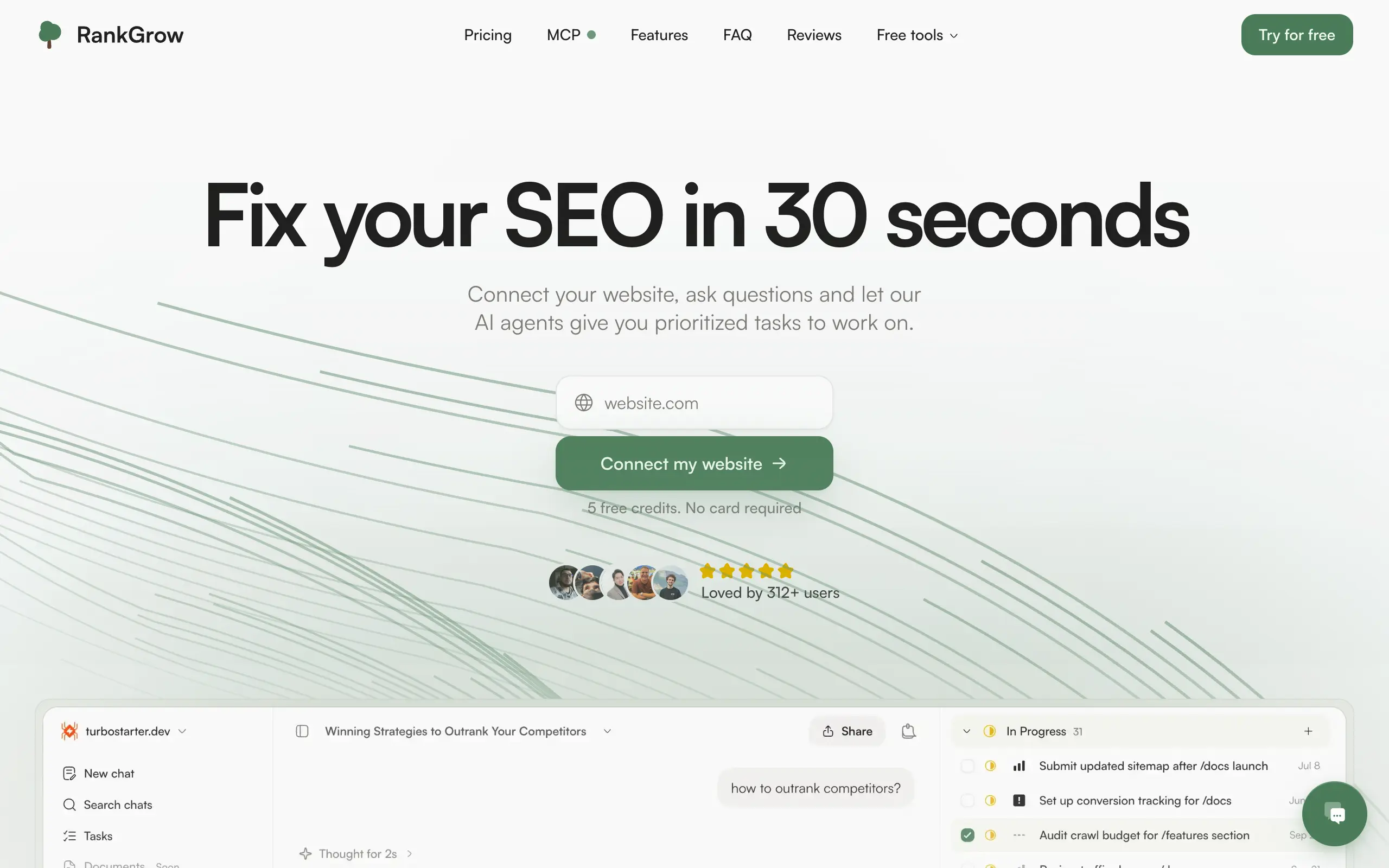
Fix your SEO with AI agents - connect Search Console, get prioritized tasks, and grow organic traffic 📈

Sync your favorite content for distraction-free reading, save time and replace multiple apps. Anytime, anywhere 🔄

Get clean, structured data from 21 platforms like TikTok, Instagram, and YouTube with a single request 📊
Monitor any Telegram channel in real time - track posts, edits, deletions, and growth with AI recaps 📡
AI website builder - describe your business, pick a niche template, edit by chatting, and publish instantly ✨
Find verified home service professionals, compare quotes, and pay securely through escrow - built for Brazilians across the US 🏠
Fix your SEO with AI agents - connect Search Console, get prioritized tasks, and grow organic traffic 📈
Sync your favorite content for distraction-free reading, save time and replace multiple apps. Anytime, anywhere 🔄
Get clean, structured data from 21 platforms like TikTok, Instagram, and YouTube with a single request 📊
Monitor any Telegram channel in real time - track posts, edits, deletions, and growth with AI recaps 📡
AI website builder - describe your business, pick a niche template, edit by chatting, and publish instantly ✨
Find verified home service professionals, compare quotes, and pay securely through escrow - built for Brazilians across the US 🏠
Fix your SEO with AI agents - connect Search Console, get prioritized tasks, and grow organic traffic 📈
Sync your favorite content for distraction-free reading, save time and replace multiple apps. Anytime, anywhere 🔄
Get clean, structured data from 21 platforms like TikTok, Instagram, and YouTube with a single request 📊
Monitor any Telegram channel in real time - track posts, edits, deletions, and growth with AI recaps 📡
AI website builder - describe your business, pick a niche template, edit by chatting, and publish instantly ✨
Find verified home service professionals, compare quotes, and pay securely through escrow - built for Brazilians across the US 🏠
Fix your SEO with AI agents - connect Search Console, get prioritized tasks, and grow organic traffic 📈
Sync your favorite content for distraction-free reading, save time and replace multiple apps. Anytime, anywhere 🔄
Get clean, structured data from 21 platforms like TikTok, Instagram, and YouTube with a single request 📊

Personalized AI apps that automate research, data extraction, and content creation without code 🤖

Enjoy a magical live video chat or receive a unique AI-generated video greeting from Santa Claus 🎅

Scalable blog for food journalist, focused on performance and user experience 🌭

Personal blog and portfolio of Bart Zagrodzki, where he shares his knowledge and work 💼

Ship your startup everywhere. In minutes.

Convert HTML to Markdown with ease, directly in your browser 📄
Personalized AI apps that automate research, data extraction, and content creation without code 🤖
Enjoy a magical live video chat or receive a unique AI-generated video greeting from Santa Claus 🎅
Scalable blog for food journalist, focused on performance and user experience 🌭
Personal blog and portfolio of Bart Zagrodzki, where he shares his knowledge and work 💼
Ship your startup everywhere. In minutes.
Convert HTML to Markdown with ease, directly in your browser 📄
Personalized AI apps that automate research, data extraction, and content creation without code 🤖
Enjoy a magical live video chat or receive a unique AI-generated video greeting from Santa Claus 🎅
Scalable blog for food journalist, focused on performance and user experience 🌭
Personal blog and portfolio of Bart Zagrodzki, where he shares his knowledge and work 💼
Ship your startup everywhere. In minutes.
Convert HTML to Markdown with ease, directly in your browser 📄
Personalized AI apps that automate research, data extraction, and content creation without code 🤖
Enjoy a magical live video chat or receive a unique AI-generated video greeting from Santa Claus 🎅
Scalable blog for food journalist, focused on performance and user experience 🌭
Personal blog and portfolio of Bart Zagrodzki, where he shares his knowledge and work 💼
Ship your startup everywhere. In minutes.
Convert HTML to Markdown with ease, directly in your browser 📄

Chat with 50+ AI models, including ChatGPT and Claude, in one place - switch models anytime without losing context 🤖

Supercharge your Claude Code with 6x effective context window and specialized AI agents 🤖

AI-powered emoji picker with smart, context-aware suggestions 🤖

Autonomous company launcher - AI agents work 24/7, escalate what matters, and you stay in control 🤖

Practice storytelling daily with instant feedback to sound clearer, more engaging, and confident 🎤
Chat with 50+ AI models, including ChatGPT and Claude, in one place - switch models anytime without losing context 🤖
Supercharge your Claude Code with 6x effective context window and specialized AI agents 🤖
AI-powered emoji picker with smart, context-aware suggestions 🤖
Autonomous company launcher - AI agents work 24/7, escalate what matters, and you stay in control 🤖
Practice storytelling daily with instant feedback to sound clearer, more engaging, and confident 🎤
Chat with 50+ AI models, including ChatGPT and Claude, in one place - switch models anytime without losing context 🤖
Supercharge your Claude Code with 6x effective context window and specialized AI agents 🤖
AI-powered emoji picker with smart, context-aware suggestions 🤖
Autonomous company launcher - AI agents work 24/7, escalate what matters, and you stay in control 🤖
Practice storytelling daily with instant feedback to sound clearer, more engaging, and confident 🎤
Chat with 50+ AI models, including ChatGPT and Claude, in one place - switch models anytime without losing context 🤖
Supercharge your Claude Code with 6x effective context window and specialized AI agents 🤖
AI-powered emoji picker with smart, context-aware suggestions 🤖
Autonomous company launcher - AI agents work 24/7, escalate what matters, and you stay in control 🤖
Practice storytelling daily with instant feedback to sound clearer, more engaging, and confident 🎤

Connect with like-minded people
Join our community to get feedback, support, and grow together with 1,000+ builders on board, let's ship it!
Join usShip your startup everywhere. In minutes.
Don't burn tokens on setup and start building features on day one.