Invoicewell
Helps freelance bookkeepers chase late client invoices across several companies at once. Each reminder goes out on schedule, and overdue balances get recovered faster.
Invoicewell is a multi-client accounts receivable chasing tool built for freelance bookkeepers who manage collections for several small companies at once. It sends overdue-invoice reminders on a schedule, in the client company's name, and shows the bookkeeper one queue of what needs a human touch. In 2026 the opportunity is real because small businesses still pay late, accounting platforms only handle reminders inside a single company file, and the bookkeeper who actually does the chasing has no tool designed around their workflow.
Key takeaways
- Target customer: solo and small-practice freelance bookkeepers managing receivables for roughly 5 to 30 small business clients.
- Pricing angle: a flat monthly fee per bookkeeper with tiers by number of client companies, for example $29 to $99 a month, assuming bookkeepers value recovered cash over seat count.
- Biggest risk: deep dependence on accounting platform integrations (QuickBooks Online, Xero) and email deliverability.
- Time to MVP: about 4 to 6 weeks for one developer using a starter kit, with a single accounting integration.
What problem does Invoicewell solve for freelance bookkeepers?
Freelance bookkeepers lose hours every week to a task nobody pays them well for: nudging clients' customers about unpaid invoices. This is the core pain behind any accounts receivable automation for bookkeepers product, and it gets worse with every client added.
Who is the ideal customer?
The ideal customer is a solo bookkeeper or two-person practice with 8 to 25 small business clients, mostly service businesses, tradespeople, agencies and small wholesalers. They log into each client's QuickBooks Online or Xero file, review the aged receivables report, and write follow-ups by hand. Their clients usually hired them partly so they would never have to think about collections.
What is the current workaround, and why does it fail?
Most bookkeepers use a mix of three things:
- Built-in reminders: invoicing tools can send automatic reminders, but they are configured per company file, with generic wording, and rarely visible across clients.
- Spreadsheets and calendar alerts: a master sheet of who to chase this week. It goes stale the moment someone pays.
- Manual emails and calls: personal and effective, but they depend on the bookkeeper remembering, and they eat unbilled time.
The failure is not lack of reminders. It is lack of a cross-client view, consistent escalation rules, and a record of what was sent, to whom, and what happened next. When a customer disputes an invoice, the bookkeeper needs that history in seconds.
Why is now a good time for a multi-client invoice reminder tool?
The gap is structural. Accounting platforms are designed around one business per file, while the bookkeeper's job is spread across many. Tools aimed at collections are typically built for in-house finance teams at larger companies, with pricing and complexity to match.
What has changed by 2026?
- Fractional finance work keeps growing: more small businesses outsource bookkeeping to independents rather than hiring staff.
- Cash flow pressure is constant: small business owners care about getting paid faster, and bookkeepers who can show recovered cash justify higher retainers.
- Writing is cheap now: AI makes it practical to draft polite, context-aware reminders per customer, as long as a human approves the tone.
- Accounting APIs are mature: QuickBooks Online and Xero both offer public developer APIs, so reading invoices and balances is a solved problem.
Where are the incumbents weak?
Large accounting suites handle reminders as a feature, not a workflow. Dedicated collections software exists, but it targets finance departments. Nobody has focused on the freelancer who works inside twenty client files and bills hourly or by retainer. That narrow focus is the wedge.
What should the Invoicewell MVP include?
Build the smallest thing that gets a bookkeeper to say: "I did not have to think about chasing this week, and money came in." That is the aha moment: opening a single dashboard on Monday and seeing reminders already sent, replies logged and only the real exceptions waiting for them.
Multi-client receivables inbox
One queue of overdue invoices across every client company, sorted by amount and days late.
Scheduled reminder sequences
Reusable cadences, such as a friendly nudge, a firm follow-up and a final notice, sent automatically at set intervals.
Send as the client
Reminders go out under each client company's name and reply-to address, so customers see a familiar sender.
Activity log and pause rules
A per-invoice history of every message, with automatic stop when payment lands or a dispute is flagged.
What should you cut from version one?
Skip payment processing, customer portals, credit scoring, SMS, phone dialers and multi-currency edge cases. Support one accounting integration first, ideally the one most of your interviewed bookkeepers use. A CSV import can cover everyone else during early testing.
Skip AI-written messages at launch too, or limit them to a suggested rewrite the bookkeeper edits. Templates with merge fields get you most of the value, and they avoid sending an embarrassing message to a client's best customer.
How is Invoicewell different from spreadsheets and accounting software?
The unique selling point is simple: built for the person who chases invoices for many companies, not for the company itself. Everything, from the data model to pricing, follows from that.
| Option | Cross-client view | Custom sequences per client | Sent as client brand | Built for bookkeepers |
|---|---|---|---|---|
| Invoicewell | ✅ | ✅ | ✅ | ✅ |
| Spreadsheet plus calendar | Manual | ❌ | ❌ | ❌ |
| Built-in accounting reminders | ❌ | Limited | ✅ | ❌ |
| Enterprise collections software | ✅ | ✅ | Varies | ❌ |
| Manual emails | ❌ | ❌ | Depends | ❌ |
Be honest about the counterargument: if a bookkeeper has only three clients, built-in reminders may be enough. Your best customers have enough clients that the context switching hurts, which is why the 8 to 25 range is the target.
How would Invoicewell make money?
Charge the bookkeeper, not the end client, and price around client companies connected. That aligns cost with value and keeps the plan simple.
Pricing options
- Tiered flat fee: for example $29 for up to 5 clients, $59 for up to 15, $99 for up to 30. Predictable, easy to expense, and easy for bookkeepers to bake into retainers.
- Per-client-company pricing: around $3 to $5 per connected company. Scales smoothly, but invites bookkeepers to under-connect to save money.
- Flat fee plus success fee: a base subscription and a small percentage of recovered balances. It sounds attractive, but it complicates billing and attribution, so treat it as a later experiment.
As an assumption: if you charge $59 a month and convert 20% of 100 trial bookkeepers, that is roughly $1,180 in monthly recurring revenue. Measure activation (first sequence live) before worrying about price tuning.
Which growth channel works first?
Start in places bookkeepers already gather: accounting software communities, practitioner Facebook and LinkedIn groups, and bookkeeping certification networks. A short, useful teardown of "how to set up a late-payment cadence that does not annoy customers" earns trust faster than ads. Referrals matter too, since bookkeepers talk to each other.
How do you validate Invoicewell before building it?
Spend one to two weeks proving that bookkeepers feel this pain and will pay to remove it.
Interview eight to ten bookkeepers
Ask them to walk through the last time they chased a late invoice, how long it took, and which tools they touched. Listen for workarounds and frustration, not feature requests.
Quantify the time cost
Have each person estimate weekly hours spent on chasing and what they would bill for that time. This gives you a defensible value anchor for pricing.
Ship a landing page
State one promise, such as "Chase late invoices across all your clients from one place," with a clear waitlist form. Share it in two or three communities where you have already been helpful.
Run a manual concierge test
For two or three bookkeepers, run the reminder cadence yourself using their exports and a shared inbox. If they keep asking you to continue, the workflow matters.
Ask for a pre-sale
Offer a discounted founding-member price for three to six months. Even three paid commitments are a stronger signal than fifty waitlist signups.
What tech stack should you use to build Invoicewell?
Use a standard TypeScript web stack with a relational database, a job queue for scheduled sends, and an email provider with good deliverability controls. The unique work is the sync engine and the reminder scheduler. Everything else should be off the shelf.
TurboStarter covers the undifferentiated parts in a ready-made monorepo: authentication, subscription billing, a database layer, transactional email and background tasks for scheduled jobs. It also includes organizations and teams, an admin panel and analytics, which helps if you later add a bookkeeping firm with several staff members. A mobile app is also possible later if bookkeepers want push alerts on replies.
Which architecture fits?
- Sync worker: pulls invoices, balances and payment status from the accounting API on a schedule, plus webhooks where available.
- Scheduler: evaluates each overdue invoice against its sequence and enqueues sends.
- Sender: delivers emails through a provider, with per-client sender domains where possible.
- Inbox handler: captures replies so the bookkeeper sees them in context.
Which email approach should you pick?
Send from your domain with the client's name as the display name and their address as reply-to. It is fast to launch and easy to maintain, but some customers may notice the mismatch, and your domain reputation is shared across all users.
Authenticate each client's domain with SPF and DKIM so mail truly comes from them. It looks better and isolates reputation, but setup requires DNS access from the client, which adds friction. Offer it as an upgrade after the MVP.
What does the core data model look like?
Keep it small. The key idea is that a bookkeeper owns many client companies, and each invoice belongs to one company.
create table client_company (
  id uuid primary key,
  bookkeeper_id uuid not null,
  name text not null,
  reply_to_email text not null,
  accounting_connection_id uuid
);

create table invoice (
  id uuid primary key,
  client_company_id uuid not null references client_company(id),
  customer_email text not null,
  amount_due_cents integer not null,
  due_date date not null,
  status text not null default 'open',
  sequence_id uuid,
  paused boolean not null default false
);

create table reminder_event (
  id uuid primary key,
  invoice_id uuid not null references invoice(id),
  step integer not null,
  sent_at timestamptz,
  outcome text
);
Starting from a kit keeps your first weeks focused on the sync and scheduler, which are the parts customers will actually judge. The docs cover setup if you want to check the structure before committing.
What are the biggest risks, and how do you reduce them?
Biggest risk: platform dependence
Your product depends on read access to QuickBooks Online or Xero data. If an API changes, rate limits tighten, or app review is slow, your core sync can break. Reduce this by supporting CSV import from day one, starting with one platform, and keeping your sync layer behind a clean interface so a second provider is an addition, not a rewrite.
Will emails land in spam?
Collections emails are sensitive. Use authenticated sending, plain-text-friendly templates, sensible frequency caps and an easy way for recipients to reply. Monitor bounces and complaints from the first week.
Will bookkeepers trust automation with client relationships?
Some will worry about an awkward message going to an important customer. Offer approval mode, preview-before-send, and per-customer exclusions. Trust grows when the bookkeeper stays in control.
Is the market too small or too price sensitive?
Freelance bookkeepers are cost conscious. The answer is a clear return story: if the tool saves a few billable hours a month or recovers one overdue balance, the fee pays for itself. If interviews do not support that, reconsider the audience, perhaps bookkeeping firms with several staff.
What is a 30-day launch plan for Invoicewell?
Days 1 to 7: validate
Complete interviews, publish the landing page and secure your first pre-sale commitments.
Days 8 to 14: build the sync
Set up the project with TurboStarter, connect one accounting platform and display overdue invoices in a multi-client inbox.
Days 15 to 21: build sequences
Add reminder templates, schedules, pause rules and the activity log, then send real reminders for one friendly beta user.
Days 22 to 26: add billing and onboarding
Turn on subscriptions, a three-step onboarding flow and email deliverability checks.
Days 27 to 30: launch to the waitlist
Invite beta users in small batches, watch where they stall, and measure first-sequence activation and recovered balances.
If you are serious about building accounts receivable automation for bookkeepers, start with the interviews this week and let the answers decide your first integration.
FAQ
Interview eight to ten bookkeepers about their last late-payment follow-up, then test a landing page in their communities. A concierge run, where you manage reminders manually for two or three users, tells you more than surveys. A few paid pre-orders are the strongest signal.
Start with tiers by number of client companies, such as $29 to $99 a month, and adjust after you learn how many hours users save. Anchor to the billable time a bookkeeper recovers, not to feature count.
Accounting platforms such as QuickBooks Online and Xero include basic reminders, and dedicated collections tools target larger finance teams. Spreadsheets and manual emails are the real default for freelancers. Your edge is the cross-client workflow.
A TypeScript web app, a relational database, a job queue for scheduled sends, an email provider and an accounting API integration. A starter kit like TurboStarter handles authentication, billing and background tasks so you can focus on sync and scheduling.
A solo developer can usually ship a usable MVP in four to six weeks with one integration. Early costs are mostly hosting, email sending and your time, typically modest until you have meaningful volume. Expect integration review and deliverability tuning to take longer than the UI.
More 🏢 B2B Application SaaS ideas
Discover more innovative b2b application SaaS ideas that are trending in 2026. Each idea is AI-generated with market validation and growth potential to help you find your next profitable venture faster than competitors.
Your competitors are building with TurboStarter
Below are some of the SaaS ideas that have been generated and built with our starter kit.

Monitor any Telegram channel in real time - track posts, edits, deletions, and growth with AI recaps 📡

AI website builder - describe your business, pick a niche template, edit by chatting, and publish instantly ✨

Find verified home service professionals, compare quotes, and pay securely through escrow - built for Brazilians across the US 🏠
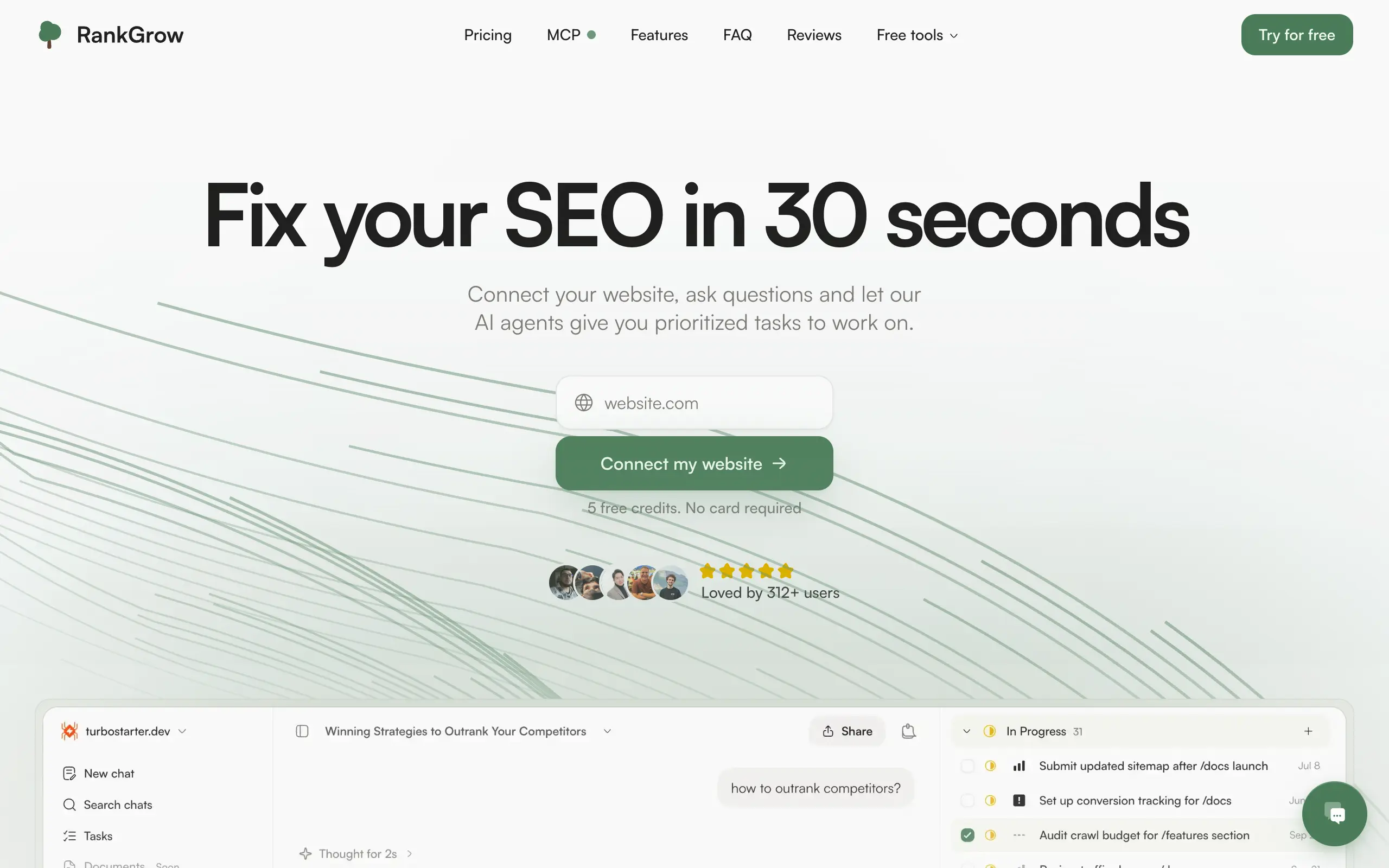
Fix your SEO with AI agents - connect Search Console, get prioritized tasks, and grow organic traffic 📈

Sync your favorite content for distraction-free reading, save time and replace multiple apps. Anytime, anywhere 🔄

Get clean, structured data from 21 platforms like TikTok, Instagram, and YouTube with a single request 📊
Monitor any Telegram channel in real time - track posts, edits, deletions, and growth with AI recaps 📡
AI website builder - describe your business, pick a niche template, edit by chatting, and publish instantly ✨
Find verified home service professionals, compare quotes, and pay securely through escrow - built for Brazilians across the US 🏠
Fix your SEO with AI agents - connect Search Console, get prioritized tasks, and grow organic traffic 📈
Sync your favorite content for distraction-free reading, save time and replace multiple apps. Anytime, anywhere 🔄
Get clean, structured data from 21 platforms like TikTok, Instagram, and YouTube with a single request 📊
Monitor any Telegram channel in real time - track posts, edits, deletions, and growth with AI recaps 📡
AI website builder - describe your business, pick a niche template, edit by chatting, and publish instantly ✨
Find verified home service professionals, compare quotes, and pay securely through escrow - built for Brazilians across the US 🏠
Fix your SEO with AI agents - connect Search Console, get prioritized tasks, and grow organic traffic 📈
Sync your favorite content for distraction-free reading, save time and replace multiple apps. Anytime, anywhere 🔄
Get clean, structured data from 21 platforms like TikTok, Instagram, and YouTube with a single request 📊
Monitor any Telegram channel in real time - track posts, edits, deletions, and growth with AI recaps 📡
AI website builder - describe your business, pick a niche template, edit by chatting, and publish instantly ✨
Find verified home service professionals, compare quotes, and pay securely through escrow - built for Brazilians across the US 🏠
Fix your SEO with AI agents - connect Search Console, get prioritized tasks, and grow organic traffic 📈
Sync your favorite content for distraction-free reading, save time and replace multiple apps. Anytime, anywhere 🔄
Get clean, structured data from 21 platforms like TikTok, Instagram, and YouTube with a single request 📊

Personalized AI apps that automate research, data extraction, and content creation without code 🤖

Enjoy a magical live video chat or receive a unique AI-generated video greeting from Santa Claus 🎅

Scalable blog for food journalist, focused on performance and user experience 🌭

Personal blog and portfolio of Bart Zagrodzki, where he shares his knowledge and work 💼

Ship your startup everywhere. In minutes.

Convert HTML to Markdown with ease, directly in your browser 📄
Personalized AI apps that automate research, data extraction, and content creation without code 🤖
Enjoy a magical live video chat or receive a unique AI-generated video greeting from Santa Claus 🎅
Scalable blog for food journalist, focused on performance and user experience 🌭
Personal blog and portfolio of Bart Zagrodzki, where he shares his knowledge and work 💼
Ship your startup everywhere. In minutes.
Convert HTML to Markdown with ease, directly in your browser 📄
Personalized AI apps that automate research, data extraction, and content creation without code 🤖
Enjoy a magical live video chat or receive a unique AI-generated video greeting from Santa Claus 🎅
Scalable blog for food journalist, focused on performance and user experience 🌭
Personal blog and portfolio of Bart Zagrodzki, where he shares his knowledge and work 💼
Ship your startup everywhere. In minutes.
Convert HTML to Markdown with ease, directly in your browser 📄
Personalized AI apps that automate research, data extraction, and content creation without code 🤖
Enjoy a magical live video chat or receive a unique AI-generated video greeting from Santa Claus 🎅
Scalable blog for food journalist, focused on performance and user experience 🌭
Personal blog and portfolio of Bart Zagrodzki, where he shares his knowledge and work 💼
Ship your startup everywhere. In minutes.
Convert HTML to Markdown with ease, directly in your browser 📄

Chat with 50+ AI models, including ChatGPT and Claude, in one place - switch models anytime without losing context 🤖

Supercharge your Claude Code with 6x effective context window and specialized AI agents 🤖

AI-powered emoji picker with smart, context-aware suggestions 🤖

Autonomous company launcher - AI agents work 24/7, escalate what matters, and you stay in control 🤖

Practice storytelling daily with instant feedback to sound clearer, more engaging, and confident 🎤
Chat with 50+ AI models, including ChatGPT and Claude, in one place - switch models anytime without losing context 🤖
Supercharge your Claude Code with 6x effective context window and specialized AI agents 🤖
AI-powered emoji picker with smart, context-aware suggestions 🤖
Autonomous company launcher - AI agents work 24/7, escalate what matters, and you stay in control 🤖
Practice storytelling daily with instant feedback to sound clearer, more engaging, and confident 🎤
Chat with 50+ AI models, including ChatGPT and Claude, in one place - switch models anytime without losing context 🤖
Supercharge your Claude Code with 6x effective context window and specialized AI agents 🤖
AI-powered emoji picker with smart, context-aware suggestions 🤖
Autonomous company launcher - AI agents work 24/7, escalate what matters, and you stay in control 🤖
Practice storytelling daily with instant feedback to sound clearer, more engaging, and confident 🎤
Chat with 50+ AI models, including ChatGPT and Claude, in one place - switch models anytime without losing context 🤖
Supercharge your Claude Code with 6x effective context window and specialized AI agents 🤖
AI-powered emoji picker with smart, context-aware suggestions 🤖
Autonomous company launcher - AI agents work 24/7, escalate what matters, and you stay in control 🤖
Practice storytelling daily with instant feedback to sound clearer, more engaging, and confident 🎤

Connect with like-minded people
Join our community to get feedback, support, and grow together with 1,000+ builders on board, let's ship it!
Join usShip your startup everywhere. In minutes.
Don't burn tokens on setup and start building features on day one.