30x faster linting and formatting - ESLint and Prettier replaced with OXC
TurboStarter replaces ESLint and Prettier with OXC's Rust toolchain, cutting lint and format times from minutes to seconds across the whole monorepo.
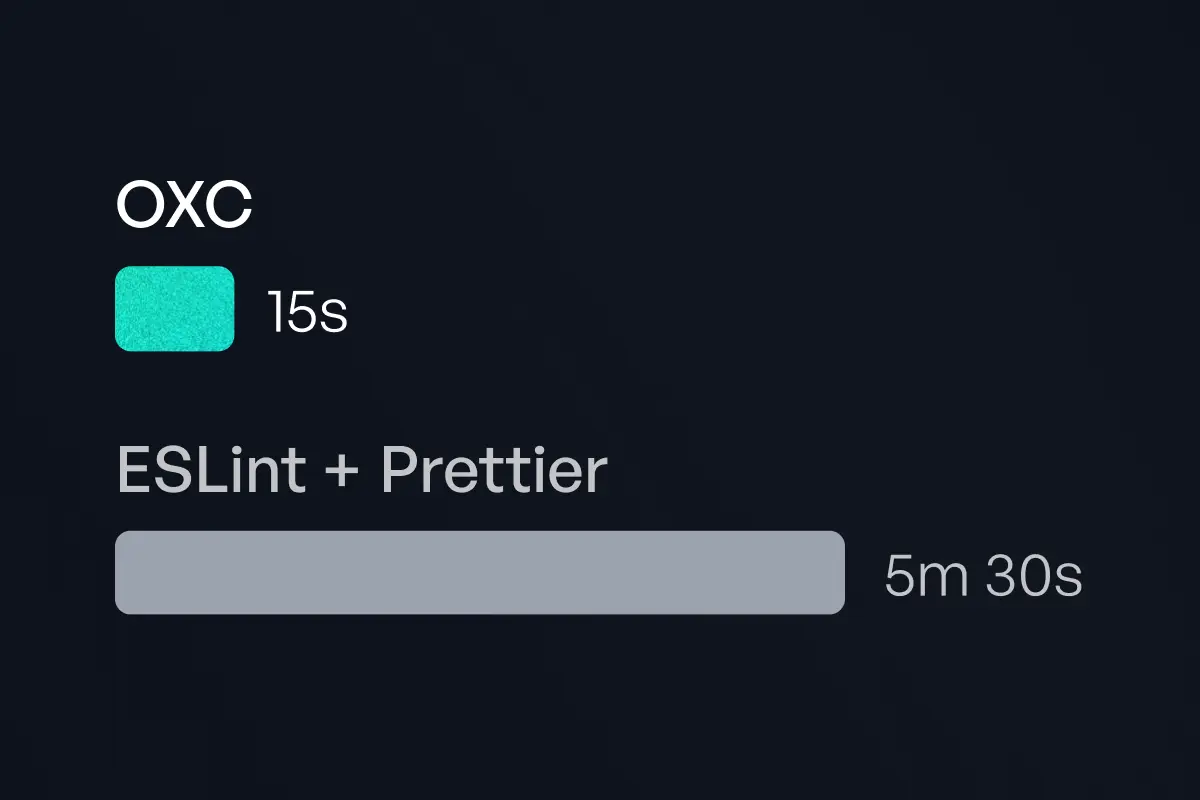
In a monorepo that spans web apps, mobile apps, and browser extensions, every second spent waiting on tooling adds up. That's why we migrated from ESLint and Prettier to OXC — a Rust-based toolchain for JavaScript and TypeScript.
The result: linting and formatting that used to take minutes now complete in under 20 seconds across the entire codebase, with near-instant feedback during development.
The numbers
Real numbers from the TurboStarter monorepo:
- Linting: ~14 seconds — down from 3+ minutes with ESLint in comparable monorepos
- Formatting: ~500 milliseconds — down from 35+ seconds with Prettier
- Type checking: 0 seconds (included in linting) — down from 3+ minutes with TypeScript
These numbers include full monorepo coverage across all apps and packages.
What faster tooling means in practice?
- AI agents no longer wait. If you use Cursor, Claude Code, or other AI coding assistants, every lint/format cycle used to cost 10–30 seconds of idle time. At sub-10-second speeds, agents get quick feedback and move on. This compounds when an agent runs dozens of iterations in a single session.
- Developer experience and CI improve. Locally, you get near-instant feedback on every save. In CI, the lint + format step shrinks from a meaningful chunk of your pipeline to a small fraction. Our Lefthook pre-commit hooks run format and lint on staged files in parallel — and they finish before you notice.
- Configuration stays manageable. Instead of dozens of per-package ESLint configs, we use a shared config architecture. One
tooling/oxlintpackage exports composable configs (base, Next.js, React, Expo), and each app extends what it needs. Same story for formatting: a singletooling/oxfmtconfig at the root. - Fewer scripts, simpler setup. Typecheck is included in the lint command, so you no longer need a separate
tsc --noEmitortypecheckscript. One command covers linting and type checking — fewer scripts to maintain and fewer steps in CI.
The tooling swap
oxlint replaces ESLint. It includes built-in support for React, Next.js, and import rules. We use oxlint-tsgolint to run selected ESLint plugins (Turbo, React Query, unused-imports) so we keep framework-specific rules without the full ESLint overhead.
oxfmt replaces Prettier. It's mostly compatible with Prettier's output. After migrating, you may see many files reformatted — the changes are cosmetic and safe to commit in bulk.
We have two new tooling packages in the monorepo:
tooling/oxlint- linting rules (replacingeslint)tooling/oxfmt- formatting settings (replacingprettier)
And two config files at the root:
oxfmt.config.ts— extends shared configs fromtooling/oxfmtoxlint.config.ts- extends shared configs fromtooling/oxlint
The commands stay familiar:
pnpm lint          # Run oxlint
pnpm lint:fix      # Auto-fix lint issues
pnpm format        # Check formatting with oxfmt
pnpm format:fix    # Format with oxfmt
We ship .vscode/settings.json with OXC as the default formatter and format-on-save. Install the Oxc VSCode extension for the best experience.
Try it in TurboStarter
TurboStarter ships with OXC out of the box. When you create a new project with our CLI or clone the repo, you get oxlint and oxfmt pre-configured for web, mobile, and extension apps. No extra setup — just run pnpm lint and pnpm format:fix and enjoy the speed.
New to TurboStarter? Use the TurboStarter CLI to scaffold a project with OXC, Turborepo, and our full stack in seconds.
Next.js API Router: Route Handlers guide
Next.js API Router explained: App Router route.ts handlers, vs Pages API and Server Actions, plus when to mount tRPC.
Renovate vs Dependabot - best tool to automate your dependency updates (2026)
Which should you pick for a monorepo in 2026? Compare Renovate and Dependabot on features, monorepo support, and automation.