For the complete documentation index, see llms.txt. Prefer markdown by appending.mdto documentation URLs or sendingAccept: text/markdown.
Configuration
Choose an OpenFeature provider for Expo flags: in-memory for local defaults, or PostHog / GrowthBook for remote rollouts.
The @workspace/flags-mobile package wraps OpenFeature providers behind a single client strategy. Swap the active provider by changing the re-exports in packages/flags/mobile/src/providers/index.ts, then set any env vars that provider needs.
The default provider is in-memory. You can evaluate Flag.DEMO in the simulator with no third-party account. Connect PostHog or GrowthBook when you need remote targeting or a dashboard.
Providers
Feature flags let you control product rollouts, experiments, and UI toggles—without shipping new code. In Expo, you can choose a simple in-memory provider for hardcoded defaults, or connect a remote provider (like PostHog or GrowthBook) to target segments and manage flags centrally.
This guide explains each provider and how to enable it for your app.
Use this for local development and simple toggles that live in code. Flag definitions come from packages/flags/shared/src/in-memory.ts:
export const inMemoryConfig = {
  [Flag.DEMO]: {
    disabled: false,
    variants: {
      on: true,
      off: false,
    },
    defaultVariant: "on",
  },
} as const;
With this config, Flag.DEMO evaluates to true. Flip defaultVariant to "off" to hide the demo banner without changing UI code.
Activate the provider (already the default):
export * from "./in-memory";
export * from "./in-memory/env";
No environment variables are required. Customize under packages/flags/mobile/src/providers/in-memory.
Reuse your PostHog project
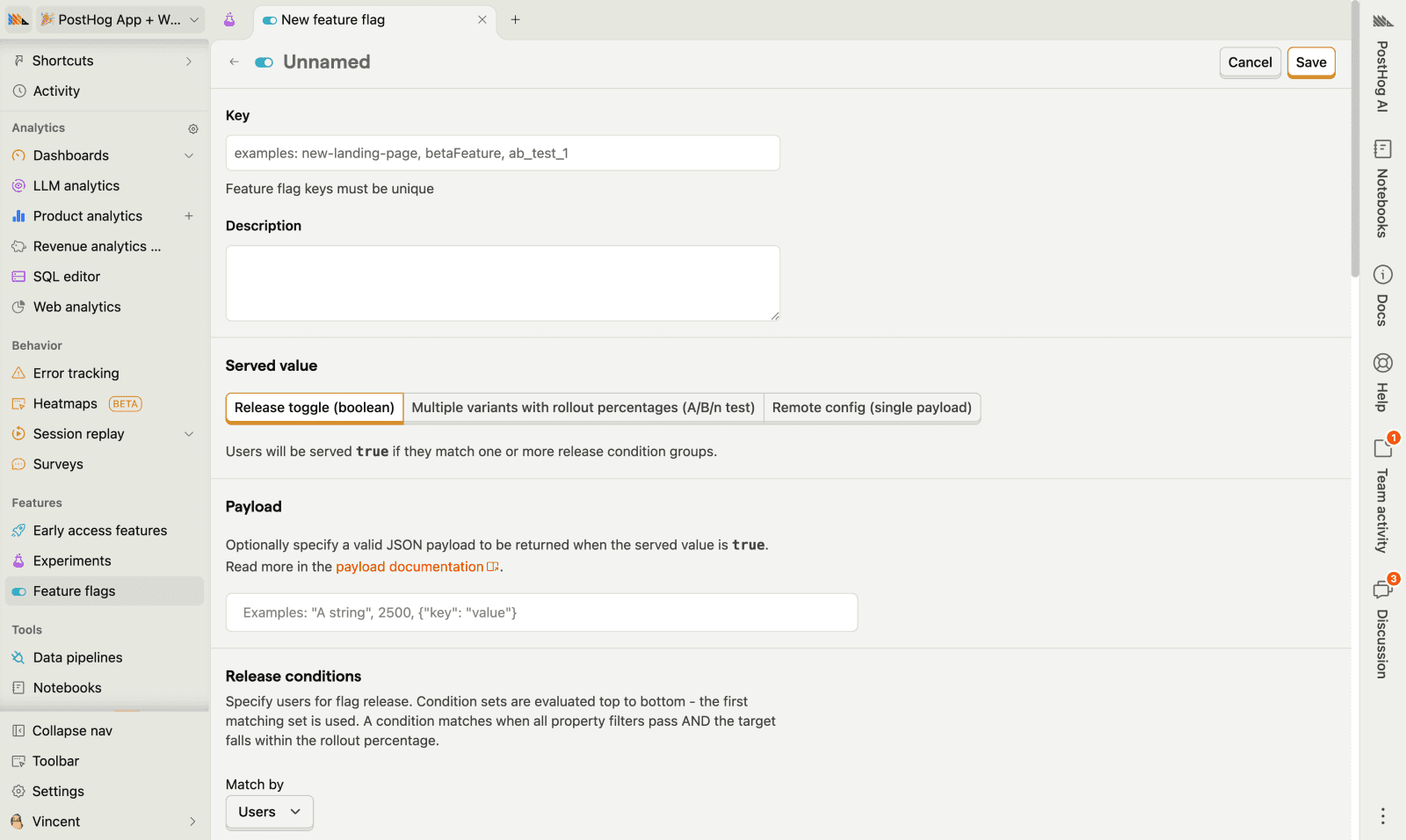
If you already use PostHog for analytics or monitoring, the same EXPO_PUBLIC_POSTHOG_KEY and host power feature flags.
- Create or open a PostHog project (Cloud or self-hosted).
- Copy the project API key and host from project settings.
- Create a feature flag whose key matches your app constant (for example
demoforFlag.DEMO).
Set the env vars in apps/mobile/.env.local and your EAS / deployment config:
EXPO_PUBLIC_POSTHOG_KEY="your-posthog-api-key"
EXPO_PUBLIC_POSTHOG_HOST="https://us.i.posthog.com"
Activate PostHog as the flags provider:
export * from "./posthog";
export * from "./posthog/env";
Mobile uses a React Native OpenFeature provider on top of posthog-react-native. When targeting context is set, the strategy identifies the user and reloads feature flags so rules apply on the next evaluation.
Customize under packages/flags/mobile/src/providers/posthog.
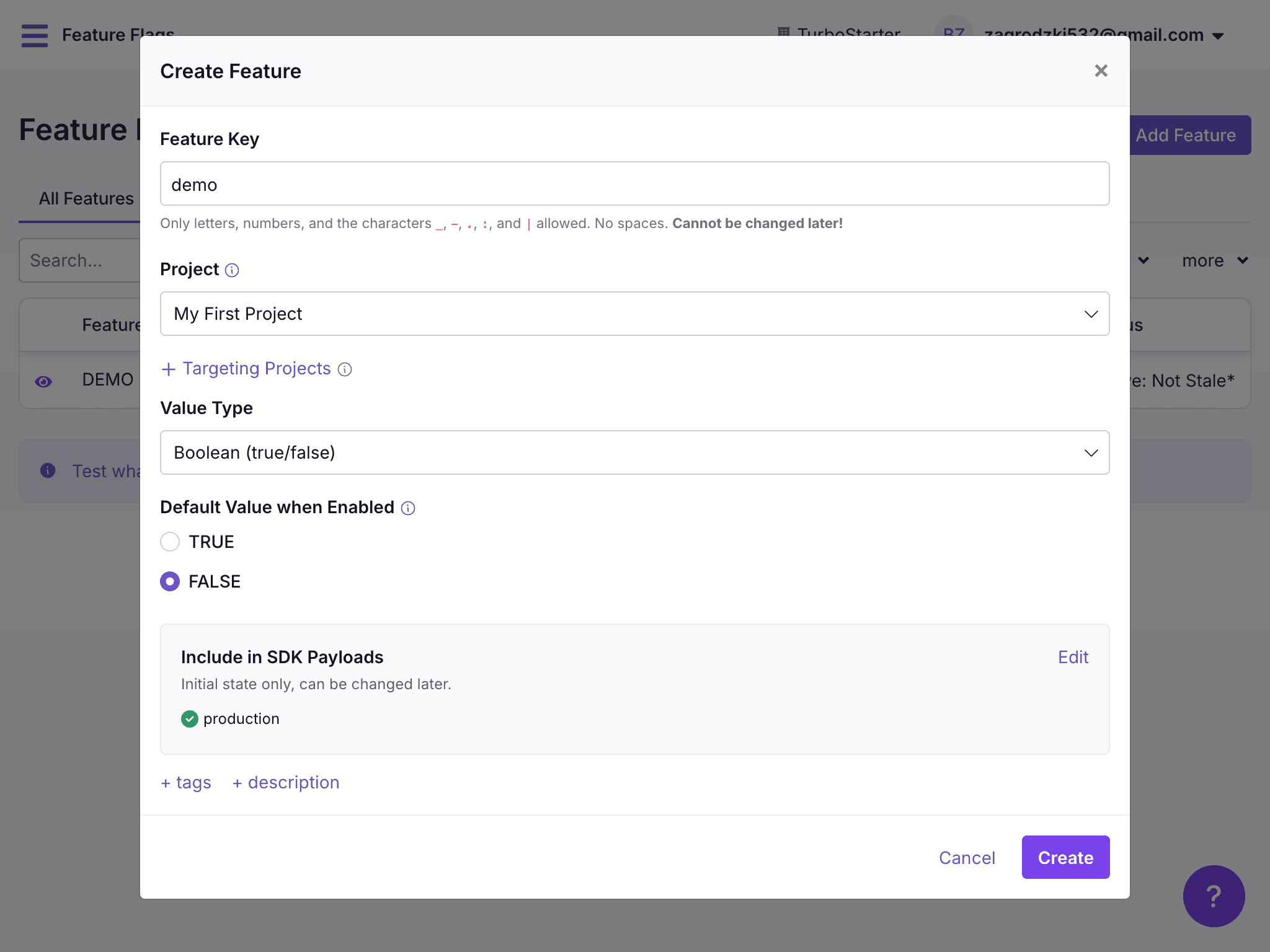
GrowthBook is a dedicated feature-flag and experimentation platform. Use it when you want rich targeting without tying flags to analytics.
- Create a GrowthBook account (or self-host).
- Create an SDK connection and copy the client key.
- Create a feature whose key matches your app constant (for example
demo).
Set the env vars in apps/mobile/.env.local and your EAS / deployment config:
EXPO_PUBLIC_GROWTHBOOK_CLIENT_KEY="your-growthbook-client-key"
EXPO_PUBLIC_GROWTHBOOK_API_HOST="https://cdn.growthbook.io"
Activate GrowthBook as the flags provider:
export * from "./growthbook";
export * from "./growthbook/env";
Evaluation uses @openfeature/growthbook-client-provider. Customize under packages/flags/mobile/src/providers/growthbook.
GrowthBook docs
docs.growthbook.io
Flags provider
Hooks need OpenFeature in the React tree. The kit already mounts FlagsProvider from apps/mobile/src/lib/providers/flags.tsx inside the root providers. It also syncs the signed-in user into targeting context:
import { useEffect } from "react";

import {
  clearContext,
  FlagsProvider as Provider,
  setContext,
} from "@workspace/flags-mobile";

import { authClient } from "~/lib/auth";

export const FlagsProvider = ({ children }: { children: React.ReactNode }) => {
  const session = authClient.useSession();

  useEffect(() => {
    if (session.isPending) {
      return;
    }

    if (session.data?.user) {
      const { id, email, name } = session.data.user;
      void setContext({ targetingKey: id, email, name });
      return;
    }

    void clearContext();
  }, [session]);

  return <Provider>{children}</Provider>;
};
After that, useBooleanFlagValue and the other hooks from @workspace/flags are safe to use in screens. More detail in Usage.
How is this guide?
Last updated on