How to build multi-tenant SaaS - complete guide
How to build multi-tenant SaaS: pick shared DB + org_id, wire auth, RBAC, billing, and isolation. Decision table, steps, and when a starter wins.
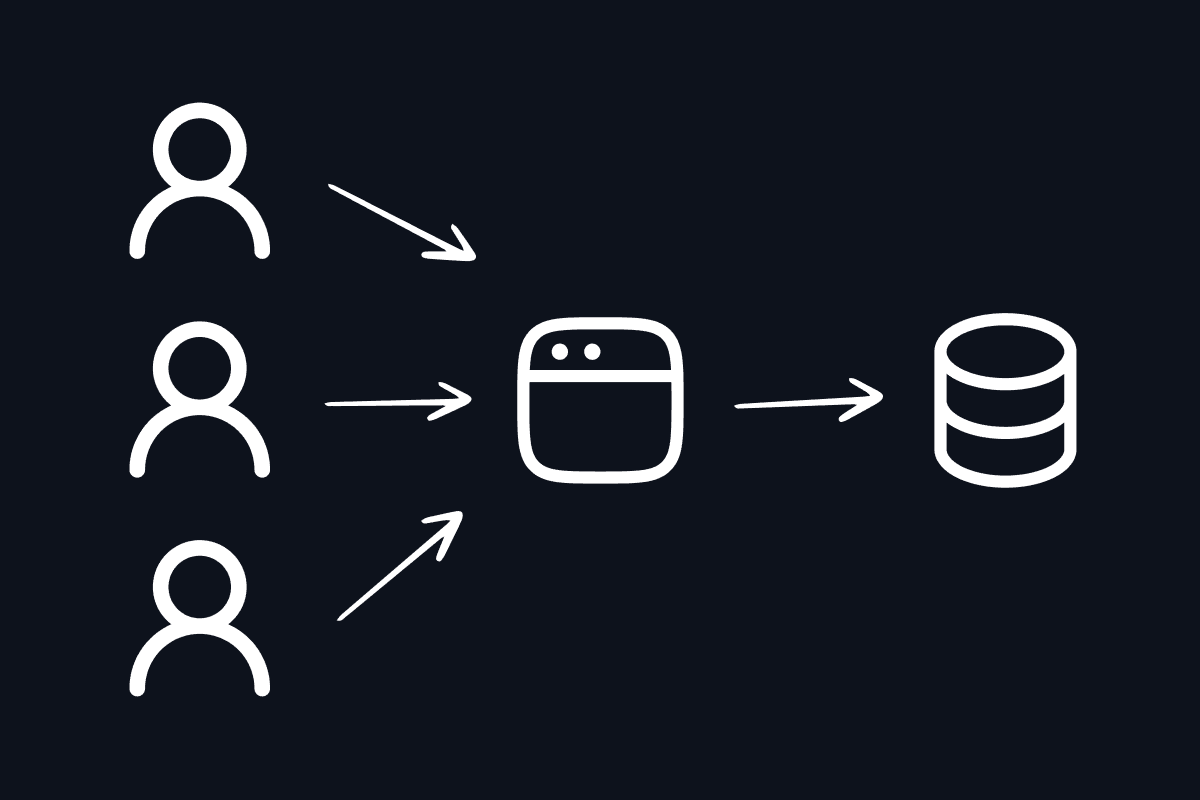
If you are figuring out how to build multi-tenant SaaS, you are choosing how one app serves many customers without mixing their data, billing, or permissions. Get this wrong early and you rewrite the core of the product. Get it right and teams, invites, and plan gates become boring infrastructure.
Short answer
Default to a shared PostgreSQL database and shared schema with an organizationId (tenant key) on every business table. Resolve the active organization from the session or URL slug, enforce membership + RBAC on every API route, and bill against the organization as referenceId. Escalate to schema-per-tenant or database-per-tenant only when a contract or regulator demands physical isolation. For most B2B SaaS, a kit like TurboStarter already ships orgs, invites, roles, and billing scoped to the tenant so you build product features instead of tenancy plumbing.
Key takeaways
- Multi-tenancy means one app instance, many customers, with hard data and permission boundaries.
- Shared DB +
organizationIdis the right default for indie and early B2B SaaS in 2026. - Isolation must live in auth context + query filters + role checks, not only UI hiding.
- Wire invites, active org, and org-scoped billing before you scale marketing.
- Skip RLS-as-primary if your stack is Hono/Drizzle with app-level guards (common Next.js pattern); add RLS later if auditors demand it.
What is multi-tenant SaaS?
Multi-tenant SaaS is software where a single deployed application serves multiple customers (tenants). Each tenant sees only its own data and settings, while you operate one codebase, one deploy pipeline, and usually one database.
Quotable definition: A tenant is the isolation boundary (usually an organization or workspace). Users are people; they can belong to many tenants through memberships with roles.
This is different from:
| Model | What it means | When you see it |
|---|---|---|
| Single-tenant app | One customer per deploy or database | Regulated enterprise, white-label deals |
| Multi-user B2C | Users share the product, not company workspaces | Consumer apps without teams |
| Multi-tenant B2B | Orgs own data; members collaborate inside the org | Most SaaS dashboards |
If you sell to companies, you almost always need multi-tenancy even if day one is "just me and a co-founder."
Choose the tenancy model (before you write features)
| Model | Isolation | Ops cost | Migrations | Best for |
|---|---|---|---|---|
| Shared DB + shared schema | Logical (organizationId + auth) | Lowest | One schema | Default for most SaaS |
| Schema-per-tenant | Schema boundary | Medium | Per tenant | Rare; strong isolation without new DBs |
| Database-per-tenant | Full physical | Highest | Per tenant | Compliance, residency, noisy-neighbor enterprise |
Decision rule: start shared. Design your app so the tenant key is always explicit. Later you can route a VIP customer to a dedicated database behind the same API without rewriting product code.
Industry guides from Shopify and Postgres-focused architecture writeups converge on the same default: shared schema first, silo only when required.
TurboStarter follows shared schema: one Postgres database, organizationId as the tenant separator, users joined via memberships.
Prerequisites
You need:
- A web app (typically Next.js App Router)
- PostgreSQL
- Session-based auth you control (or a self-hosted auth library such as Better Auth)
- An API layer that can run middleware (Hono, tRPC, or route handlers)
- Clear product language: Organization / Team / Workspace (pick one for UI; keep one internal name)
Optional but recommended:
- Email provider for invites
- Billing provider that supports a customer reference per org (Stripe, Lemon Squeezy, Polar, etc.)
- Wildcard DNS if you want
acme.yourapp.comrouting (subdomain recipe)
Build multi-tenant SaaS in seven steps
Create three core entities:
- Organization - tenant with
name, uniqueslug, optional logo/metadata - Member -
(userId, organizationId, role)join row - Invitation - email + intended role + expiry + status
Rules that prevent pain later:
- Unique
(organizationId, userId)on memberships - Globally unique
slugfor URLs and subdomains - Cascade delete memberships/invites when an org is removed
- Keep global user roles (e.g. super-admin) separate from org roles (owner/admin/member)
This matches the Better Auth organization plugin and TurboStarter's data model.
Every project, document, API key, file metadata row, and usage event that belongs to a customer gets:
organizationId: text("organization_id")
  .notNull()
  .references(() => organization.id, { onDelete: "cascade" }),
Then:
- Lead composite indexes with
organizationId - Never accept
organizationIdfrom the client as the sole authority; derive it from the verified session or a slug lookup you already authorized - Pass
organizationIdinto background jobs explicitly (do not rely on ambient request state)
Missing this column on one table is how cross-tenant leaks start.
Pick a primary signal and stick to it:
| Signal | Example | Pros | Cons |
|---|---|---|---|
| Path slug | /dashboard/acme/... | Explicit, cache-friendly | Longer URLs |
Session activeOrganizationId | User switches workspace in UI | Simple for SPA-style apps | Easy to desync from URL |
| Subdomain | acme.yourapp.com | Feels white-label | DNS + cookie complexity |
Best practice for dashboards: URL slug is source of truth, then sync session activeOrganizationId so APIs and clients agree. TurboStarter documents this as active organization and optional subdomain multi-tenancy.
Pseudocode for a layout:
const slug = (await params).organization;
const organization = await getOrganization({ slug });
if (!organization) notFound();

const membership = await getMembership({
  organizationId: organization.id,
  userId: session.user.id,
});
if (!membership) redirect("/unauthorized");
UI checks are for UX. Server checks are for security.
Two questions on every mutation:
- Can this user access this tenant? (membership exists)
- Can they perform this action? (role/permission)
Example permission check shape (Better Auth style):
await auth.api.hasPermission({
  headers: await headers(),
  body: {
    permissions: {
      invitation: ["create"],
    },
  },
});
Default role set that works for most B2B products:
| Role | Typical powers |
|---|---|
owner | Billing, delete org, transfer ownership |
admin | Invite/remove members, manage settings |
member | Create/edit product resources inside the org |
Document the difference between org admin and platform super-admin so you never confuse them. See RBAC docs and security overview.
On shared schema, every read/write must filter by the resolved organizationId.
const projects = await db.query.project.findMany({
  where: eq(project.organizationId, organization.id),
});
Defense in depth options:
- Application middleware that injects tenant context and rejects missing membership (TurboStarter's default for Hono + Drizzle)
- Postgres Row Level Security (RLS) as a safety net when auditors demand database-enforced isolation
Both are valid. Do not mix half-implemented RLS with half-implemented app filters. Pick a primary enforcement path and test it. Many architecture posts push RLS-first; that is excellent on Supabase-style stacks. On an owned Postgres + Hono API, consistent server authorization is the non-negotiable, and RLS is optional hardening.
B2B pricing almost always needs a tenant-owned customer:
- Checkout
referenceId= organization id - Webhooks update entitlements for that org
- Seat sync when members join/leave (per-seat billing)
- Feature gates check the org's plan, not the individual user's personal sub
If you only bill users, you will rebuild org billing the week your first team plan sells.
Also decide early:
| Pattern | Use when |
|---|---|
| Flat team plan | Simple pricing, unlimited seats or soft caps |
| Per-seat | Value scales with headcount |
| Metered / credits | Usage-heavy AI or API products |
Before launch:
- Invite email + accept flow that creates membership idempotently (invitations)
- Prevent removing the last owner
- Operator path: find a user, see their orgs, impersonate carefully (admin)
- Automated tests that assert user A cannot read org B's rows by ID guessing
- Cache keys and storage prefixes include
organizationIdor slug
Verification checklist:
- Create two orgs, two users, swap sessions, confirm empty cross-tenant lists
- Hit APIs with another org's UUID in the body; expect 403/404
- Accept an invite twice; still one membership
- Cancel a subscription for org A; org B features untouched
Architecture cheat sheet
| Layer | Responsibility |
|---|---|
| Auth | Identity, sessions, org plugin, active org id |
| Routing | Slug or subdomain → organization |
| API middleware | Auth + membership + permission |
| Data access | Always filter by organizationId |
| Billing | Org as customer reference; seats/entitlements |
| Jobs / webhooks | Carry tenant id; re-check membership for user-triggered jobs |
| Clients | Web / mobile / extension share the same org contracts |
For a full production stack around this model, see best SaaS stack 2026. For whether to DIY the scaffolding, see boilerplate vs building from scratch.
Common mistakes
- Trusting the client
organizationId: always resolve tenant from session/slug, then authorize. - Filtering in the UI only: hidden buttons do not stop crafted API calls.
- Forgetting background jobs: cron and queues need an explicit tenant id and the same guards.
- Billing users while selling teams: you will rewrite checkout within months.
- Schema-per-tenant too early: ops cost explodes before product-market fit.
- Colliding global admin and org admin: platform operators and workspace admins are different roles.
- Caches without tenant keys: stale CDN or React Query keys can leak across orgs.
- Allowing reserved slugs (
www,api,admin) when using subdomains.
When to use a starter instead of DIY
Build tenancy yourself when isolation is the product (compliance platform, multi-DB broker) or auditors require you to author every control.
Use a production starter when:
- You need paying B2B users in weeks, not months
- Orgs, invites, RBAC, and org billing are table stakes
- You want the same tenant model on web and later mobile/extension
TurboStarter ships organizations powered by Better Auth, path-based active org, invitations, RBAC, org-aware billing (including per-seat), admin tooling, and a documented path to subdomain tenancy. You still design your domain tables and product permissions; you skip rebuilding membership graphs and invite emails.
Frequently asked questions
For most products: shared Postgres + shared schema + organizationId, with server-side membership and RBAC on every request. Move specific enterprise tenants to dedicated databases only when contracts require it.
Not always. RLS is a strong database safety net. Application-level enforcement (session → membership → filtered queries) is mandatory either way. Choose RLS when your platform (or auditor) expects policies at the DB; choose consistent API middleware when you own Hono/Drizzle end to end, as described in TurboStarter's security model.
If customers are individuals and never share a workspace, a personal account model can be enough. The moment two people collaborate under one bill or one data silo, introduce organizations.
Start with path-based /dashboard/[organization] for speed. Add subdomains when branding or white-label matters. Keep the same slug → organization resolution underneath (recipe).
Never trust client-supplied tenant ids. Resolve the org, verify membership, filter every query, include tenant keys in caches, and add automated IDOR tests. Review new endpoints against the security checklist.
Bill the organization. Use org id as the billing reference, sync seats with membership changes when needed, and gate features on the org's entitlements (per-seat docs).
Yes. That is the standard B2B pattern: global user identity, many memberships, one active organization per session or URL context.
Final verdict: how to build multi-tenant SaaS
Ship multi-tenant SaaS by treating the organization as the tenant, putting organizationId on every business row, resolving the active org from the URL or session, and enforcing membership + RBAC + billing on the server. Keep a shared database until a real customer pays for stronger isolation.
If you want that foundation already wired in a TypeScript monorepo (web, optional mobile and extension), start from TurboStarter organizations, skim the SaaS stack guide, and spend your first sprint on the workflow only your product can own.
Get started with Turborepo CLI and ship your project to production in seconds
Learn how to use Turborepo CLI to quickly bootstrap, develop, and deploy your web, mobile, and browser extension projects with our comprehensive Turbo CLI.
Introducing Edge Kit: TanStack Start SaaS starter for Cloudflare
Edge Kit is a TanStack Start SaaS starter kit for Cloudflare Workers, with auth, Stripe billing, D1, R2, Queues, email, and AI deployed as one Worker.