For the complete documentation index, see llms.txt. Prefer markdown by appending.mdto documentation URLs or sendingAccept: text/markdown.
Superwall
Switch to Superwall for no-code paywall experiments and A/B testing. Configure entitlements, products, and webhooks without releasing app updates.
Superwall is a paywall experimentation platform for mobile apps. You can build and deploy paywalls without coding, run targeted A/B tests, and track conversion and revenue analytics - all while using native in-app purchases. It's a great choice when you want to iterate on monetization quickly.
To switch to Superwall, update the exports in the @workspace/billing-mobile package:
export * from "./superwall";export * from "./superwall/server";export * from "./superwall/server/env";These exports tell TurboStarter to use the Superwall implementation (instead of the default provider) for mobile billing.
In the sections below, you'll configure Superwall and set it up as the billing provider for your app.
Prerequisite: Store configuration
First complete the store configuration and create your products in the native stores before configuring Superwall.
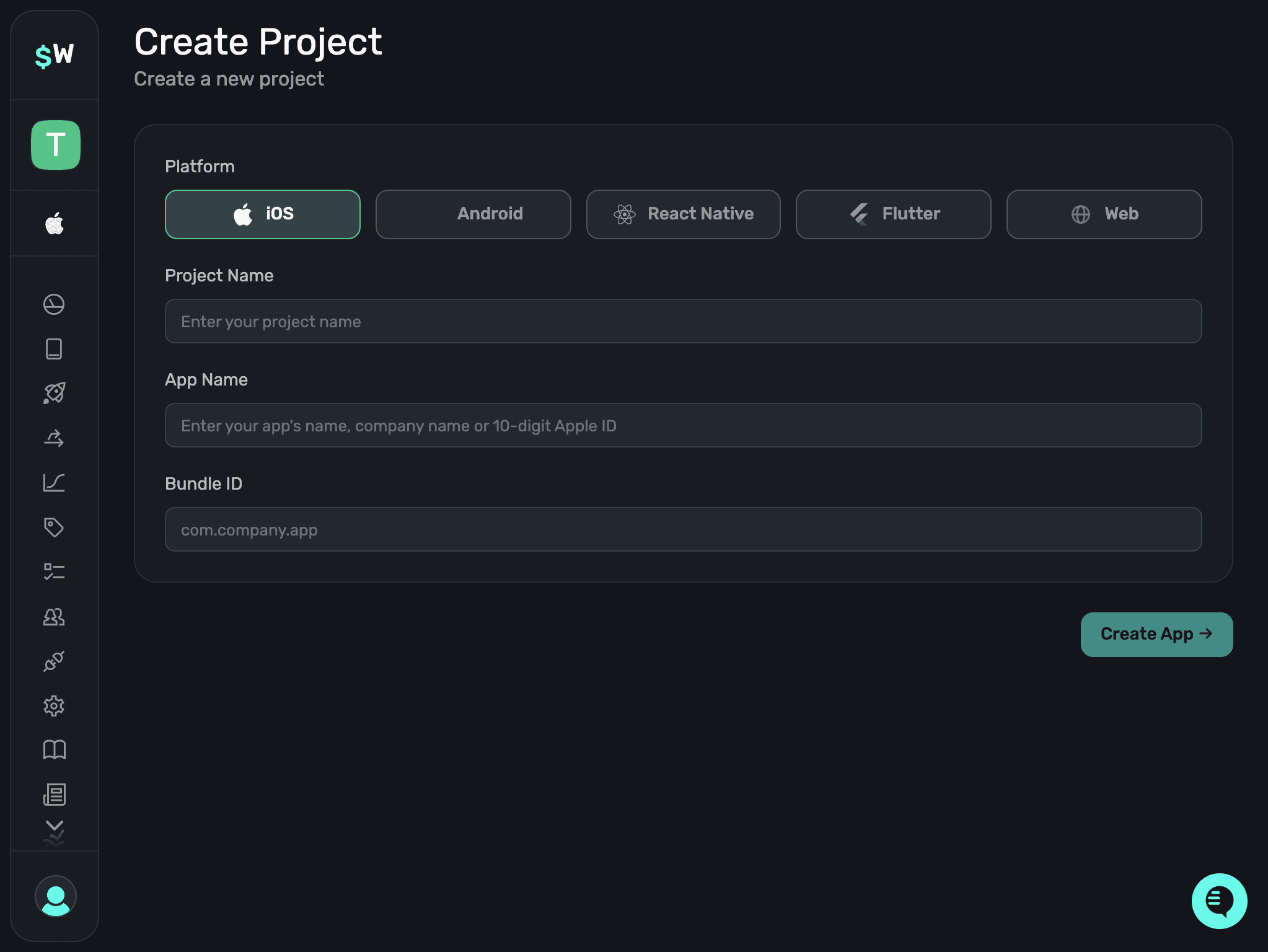
Configure a new project
Start by creating a new project in the Superwall dashboard. Projects let you manage your apps, paywalls, entitlements, and integrations in one place.
Connect to a store
Link your app to the appropriate stores (Apple App Store and/or Google Play) in Superwall. This lets Superwall access your in-app purchase products and keep paywalls and entitlements in sync across platforms.
You can find the required keys (and how to obtain them) under Revenue Tracking in your project's Settings.
Superwall uses this connection to attribute revenue and to help validate purchase data coming from the stores.

Get API keys
Open your project settings and copy the API keys you need to integrate Superwall in your app. You'll use these keys to initialize the SDK and connect your app to your Superwall project.
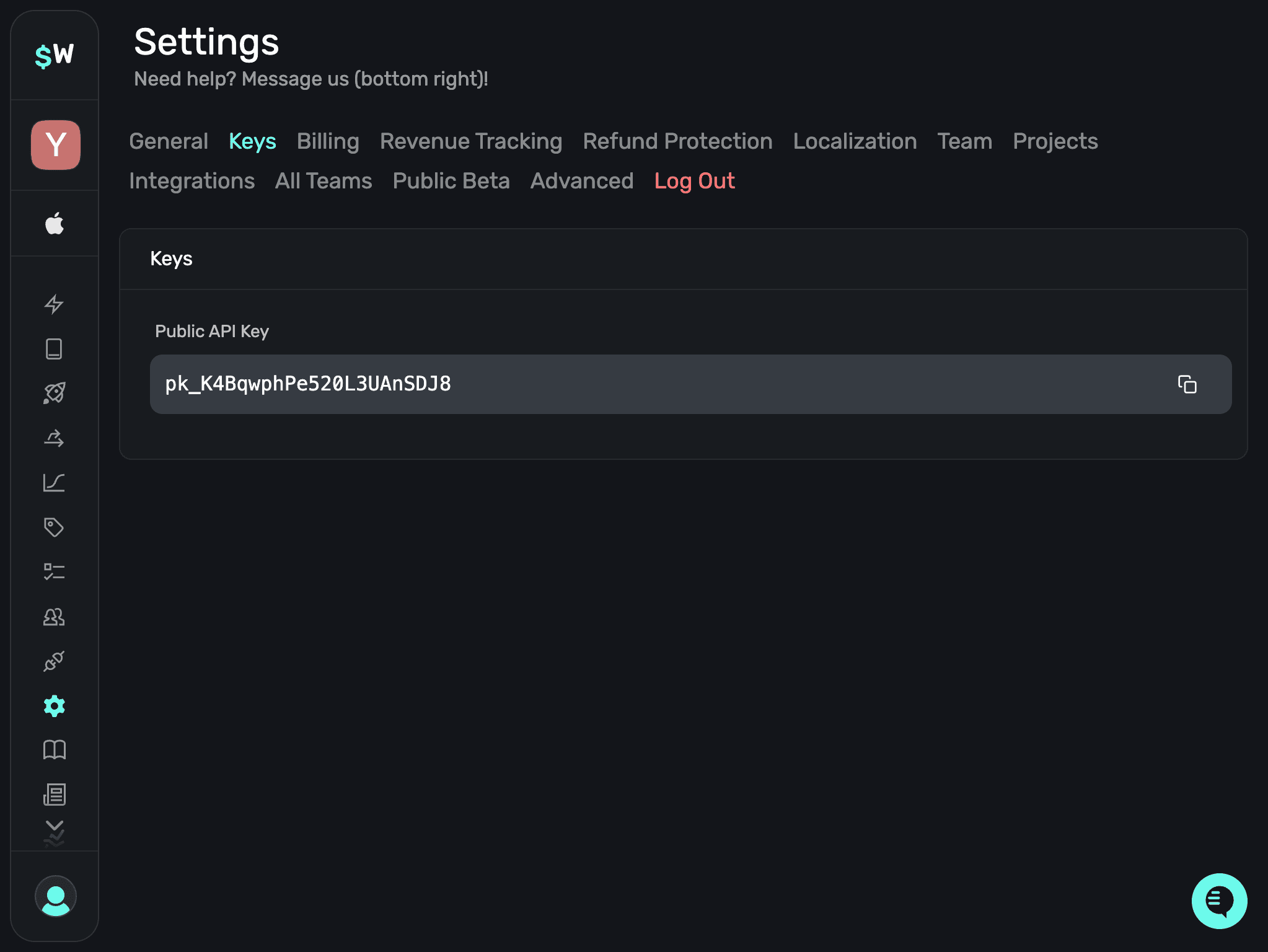
Make sure to copy keys for both iOS and Android. To test the purchase flow, see Superwall's blog post.
Set environment variables
Add the Superwall API keys as environment variables for your app so they're available securely at build and runtime.
EXPO_PUBLIC_SUPERWALL_APPLE_API_KEY="" # Your Superwall Apple API key
EXPO_PUBLIC_SUPERWALL_GOOGLE_API_KEY="" # Your Superwall Google API key
Even though these are used on the client, keep them out of git. During development, put them in .env.local (it's not committed). In production, set them via your hosting provider (e.g. EAS).
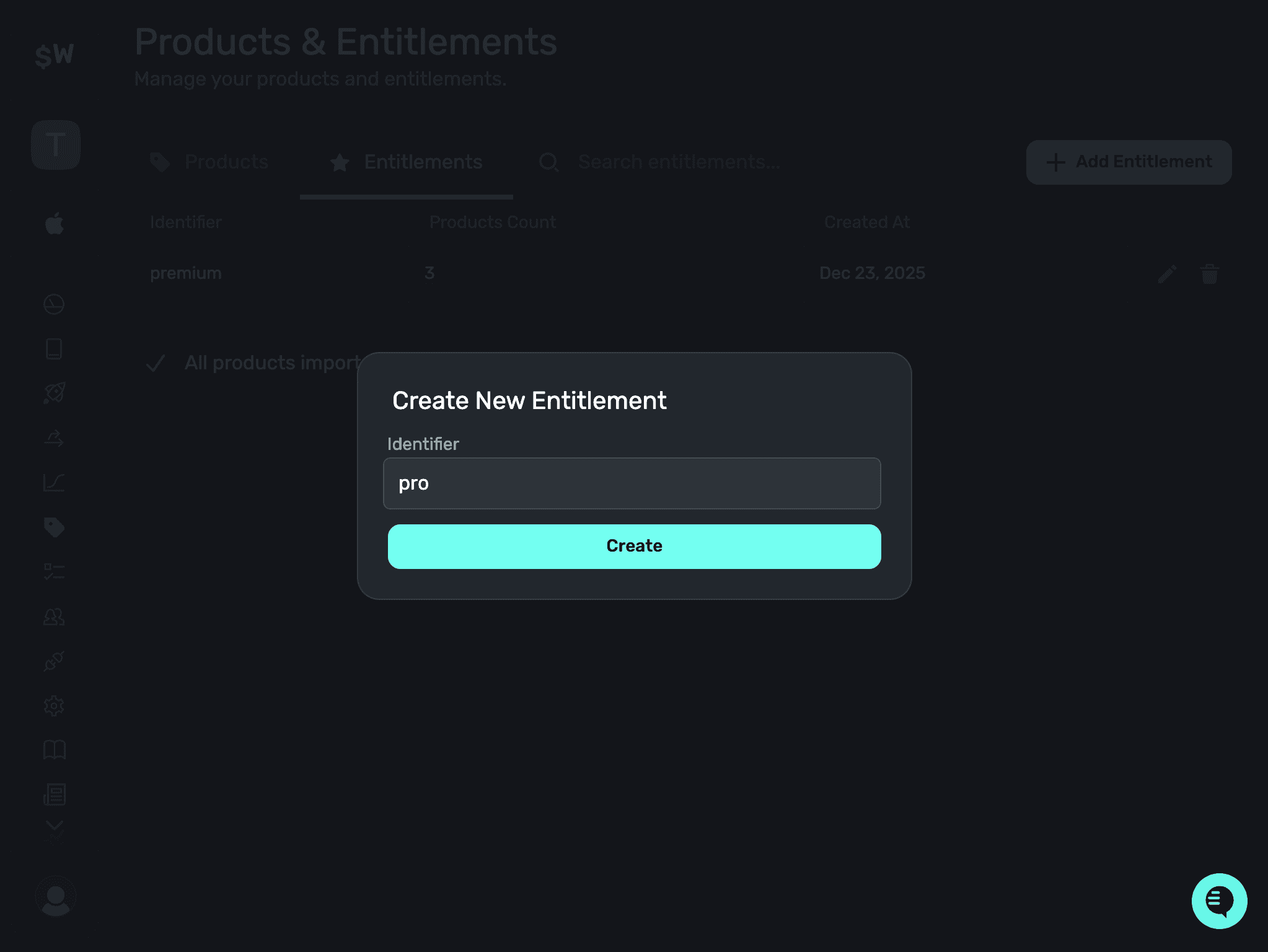
Create an entitlement
Define entitlements in Superwall to represent what a user gets after purchasing a product or subscription. Your app uses entitlements to gate premium features/content.
Create products
In the Superwall dashboard, create the same products (subscriptions, consumables, etc.) as you have in the App Store / Play Store. Make sure the product identifiers match exactly.
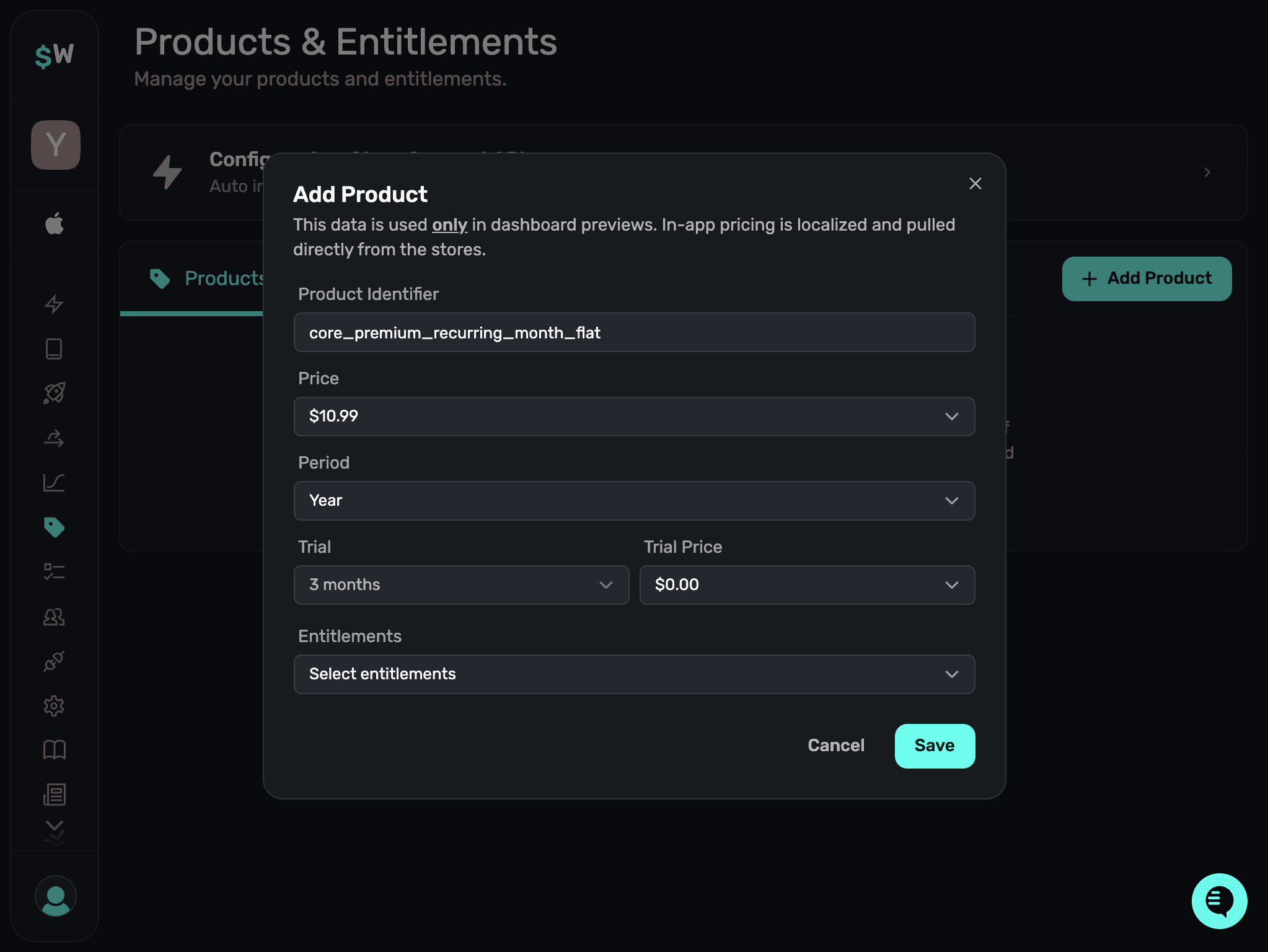
When you connect your app to a store, Superwall can automatically import products. That's usually the fastest way to get started.
For each product, select the entitlement it should unlock after purchase.
After creating/importing products, make sure they're all in the Active state so they can be shown on your paywall.
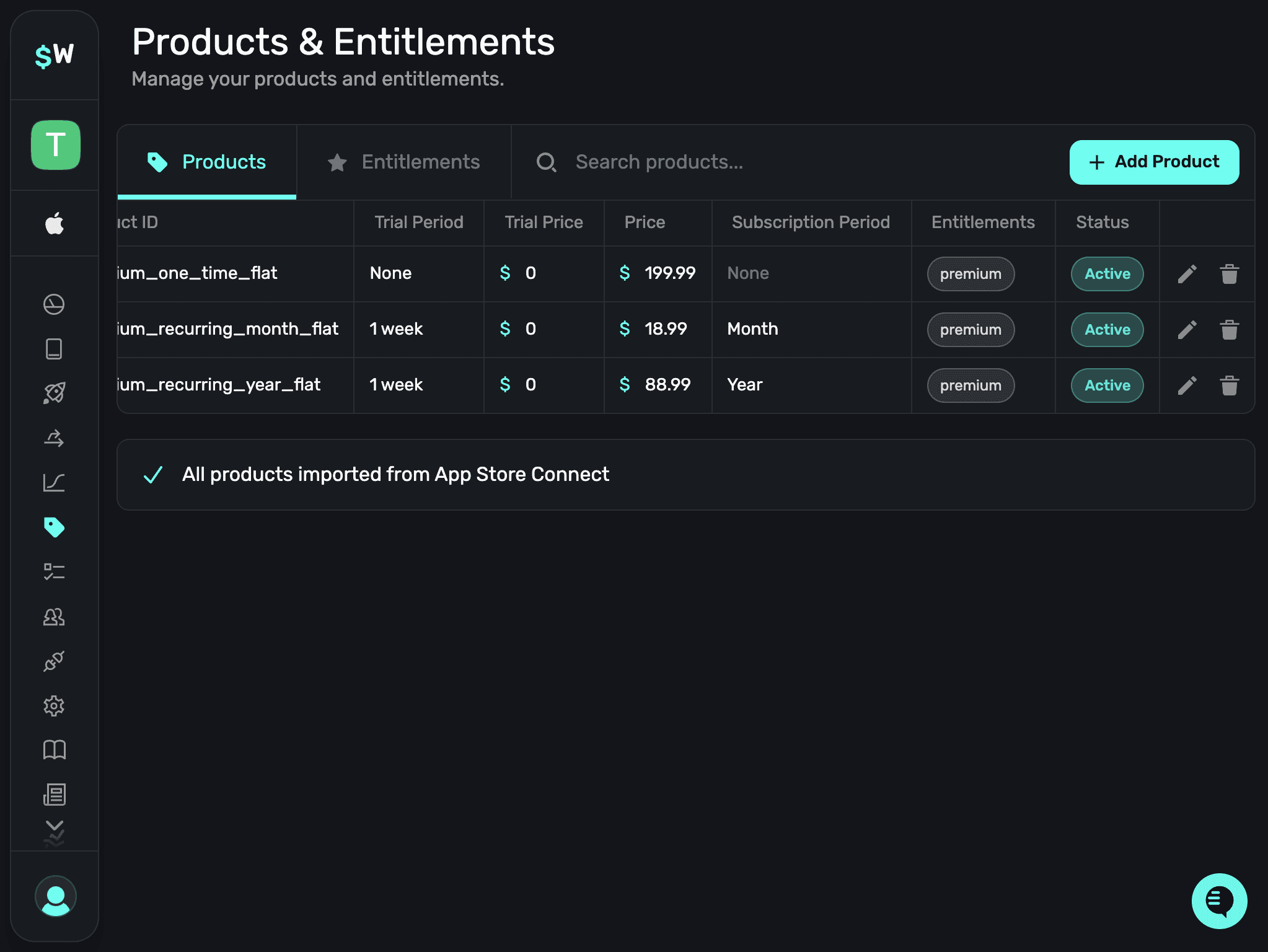
Products | Superwall Docs
superwall.com
Create a paywall
Design and configure paywalls in the Superwall editor. Paywalls control how products are presented to users, including A/B tests, price localization, promotions, and other monetization experiments.
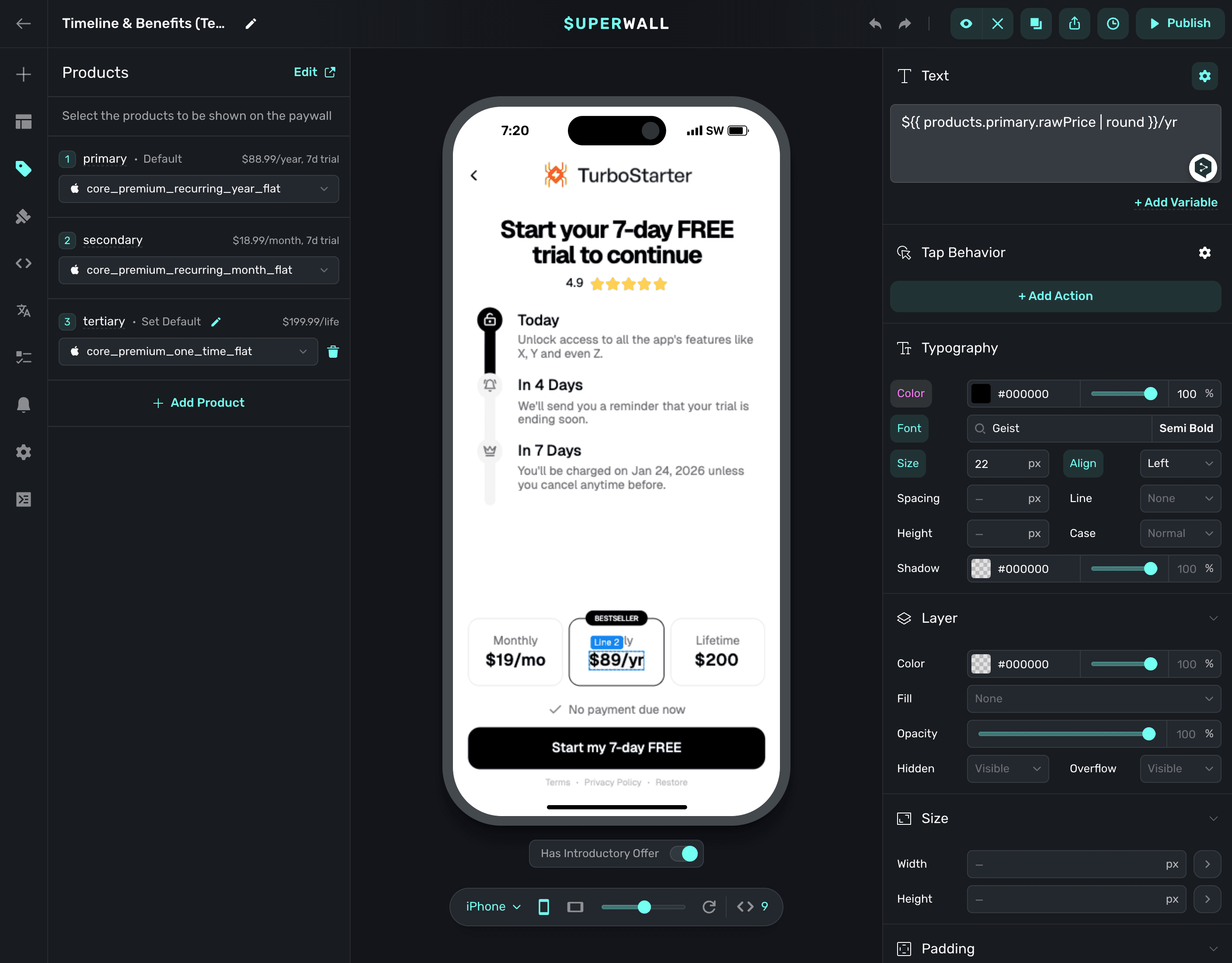
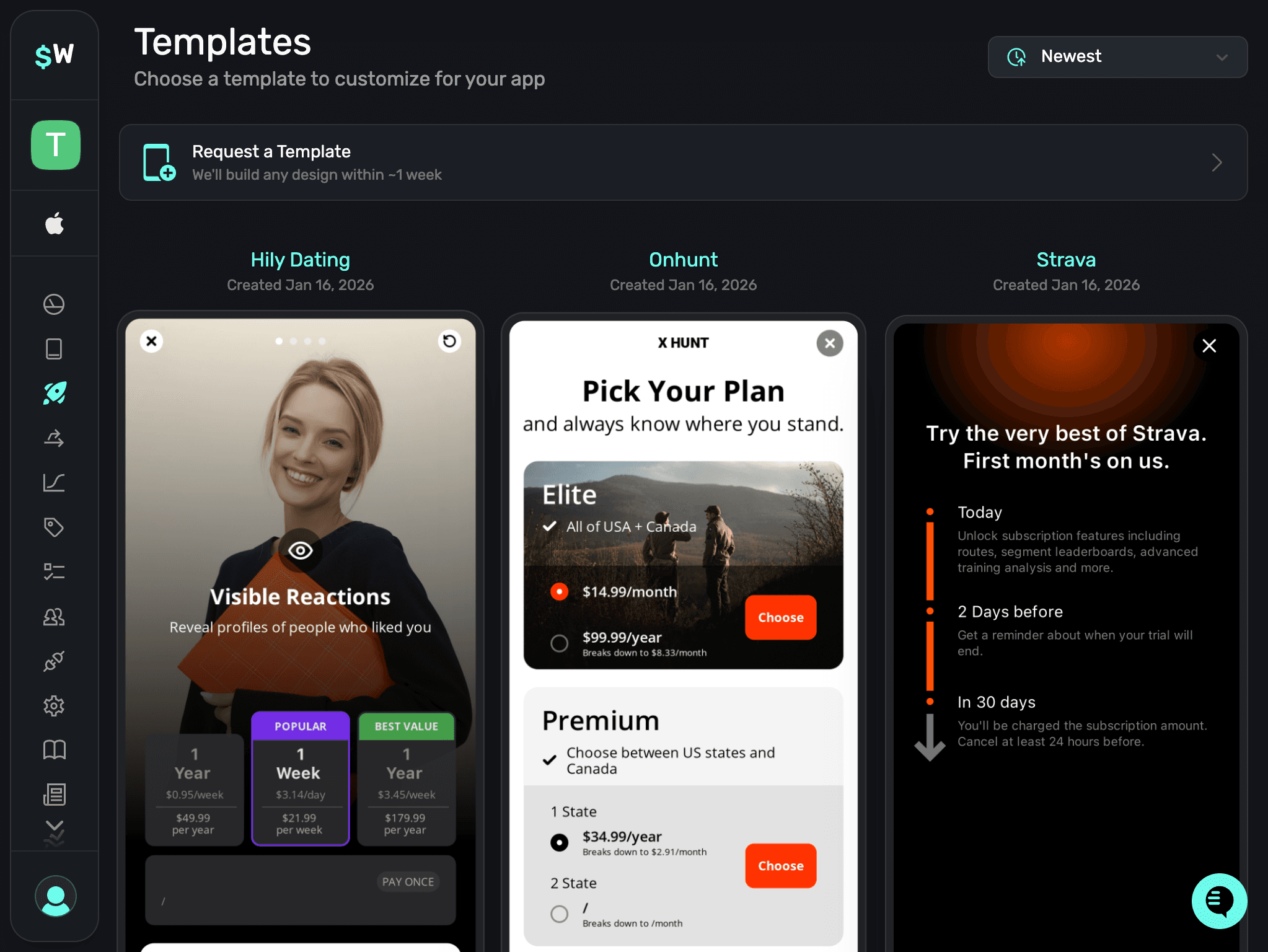
It's recommended to start with a template and customize it later, but you can also build one from scratch.
When you're ready to publish your paywall, click Publish in the top-right corner of the editor. Check Overview for details on how to display the paywall in your app.
Preview paywall before publishing
You can preview your paywall on your phone before publishing by clicking the Preview button in the top-right corner of the editor.
Create a webhook
To sync subscription status (and other purchase events) to your database, you need to set up a webhook.
TurboStarter includes the webhook handler out of the box - you just need to create the webhook in Superwall and paste in your callback URL.
To configure a webhook, go to the Integrations tab and choose Webhooks.
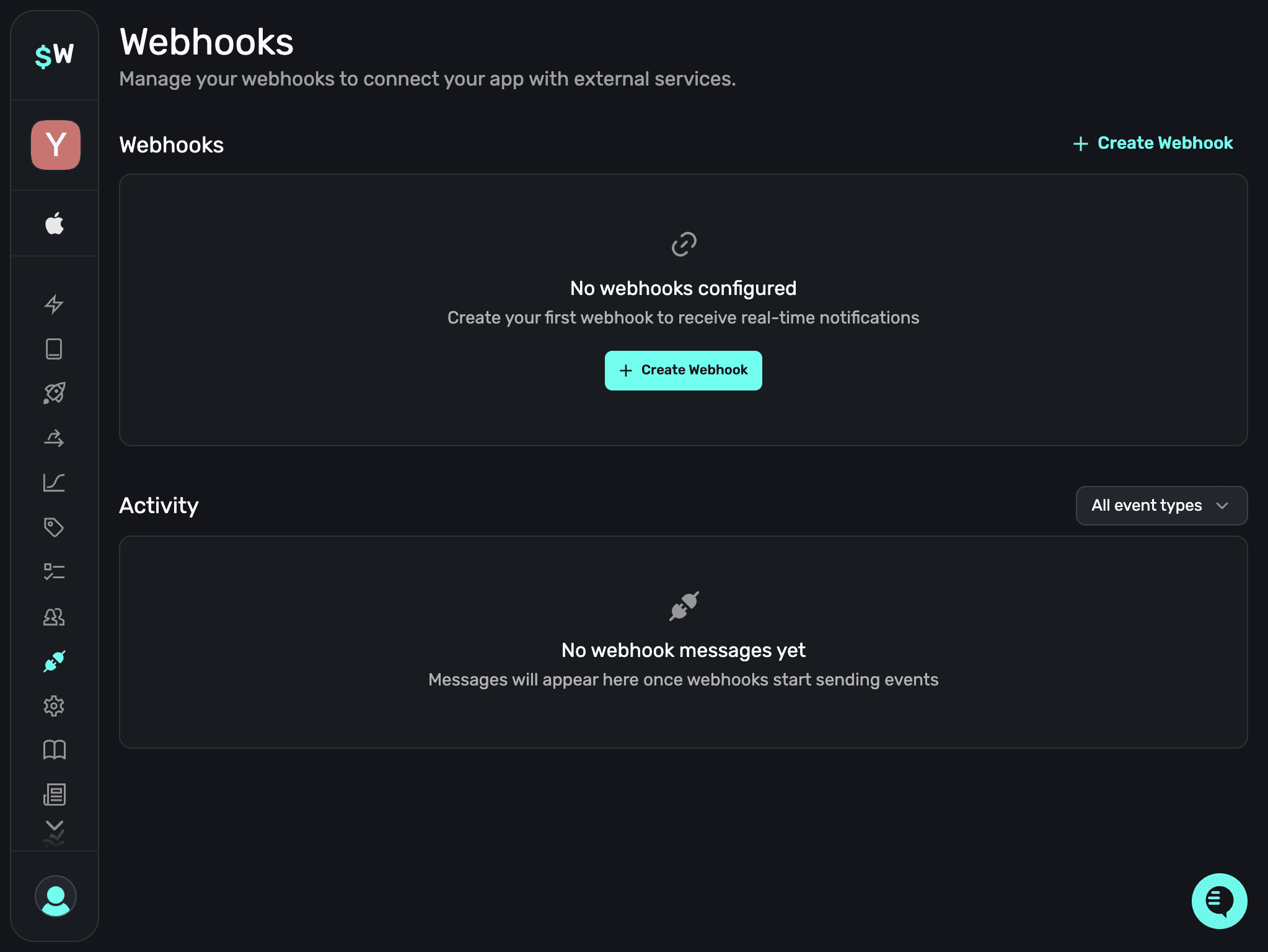
Click on the Create Webhook button to create a new webhook configuration.
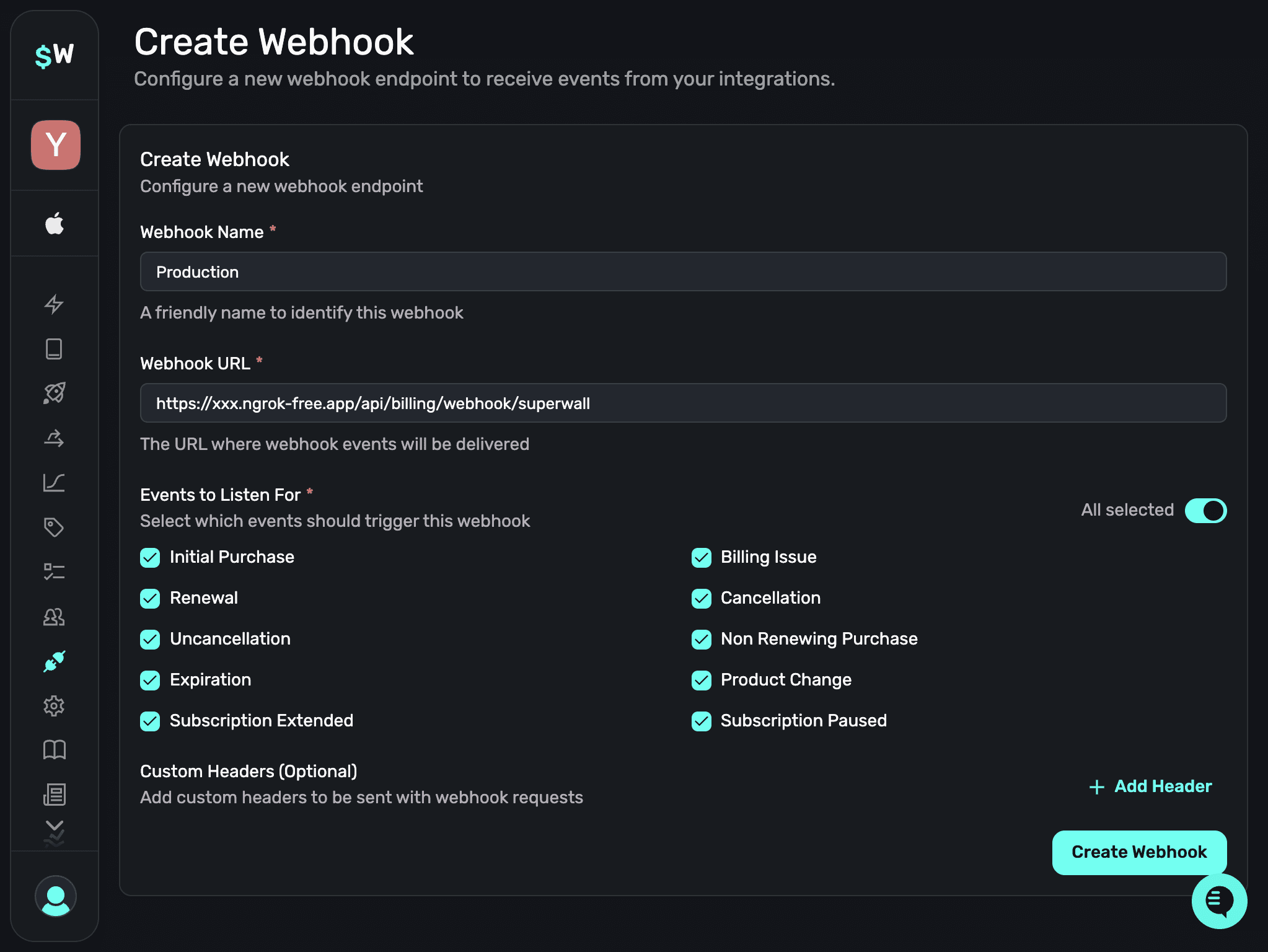
After creating the webhook, copy the generated secret and add it to your environment variables for your web app:
SUPERWALL_WEBHOOK_SECRET=<your-generated-secret>This secret is used by your server to verify incoming webhook requests.
To get the callback URL for the webhook, you can either use a local development URL or the URL of your deployed app:
Local development
If you want to test the webhook locally, you can use ngrok to create a tunnel to your local machine. Ngrok will then give you a URL that you can use to test the webhook locally.
To do so, install ngrok and run it with the following command (while your TurboStarter web development server is running):
ngrok http 3000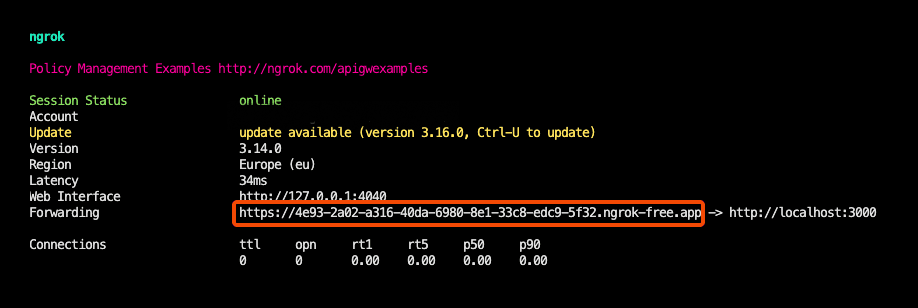
This will give you a URL (see the Forwarding output) that you can use to create a webhook in Superwall. Use that URL and append /api/billing/webhook/superwall.
Webhooks | Superwall Docs
superwall.com
Production deployment
When going to production, you will need to set the webhook URL and choose which events you want to listen to in Superwall.
The webhook path is /api/billing/webhook/superwall. If your app is hosted at https://myapp.com then you need to enter https://myapp.com/api/billing/webhook/superwall as the URL.
All the relevant events are automatically handled by TurboStarter, so you don't need to do anything else. If you want to handle more events, check Webhooks for more information.
API deployment required
To handle billing webhooks in production (and allow your Expo app to talk to your backend), you must first deploy the Hono API.
That's it! 🎉 You've successfully configured Superwall as your billing provider.
You can now add additional products, variants, or promotional offers, and manage your customers and subscriptions through Superwall.
How is this guide?
Last updated on