For the complete documentation index, see llms.txt. Prefer markdown by appending.mdto documentation URLs or sendingAccept: text/markdown.
Configuration
Choose an OpenFeature provider for web flags: in-memory for local defaults, or PostHog / GrowthBook for remote rollouts.
The @workspace/flags-web package wraps OpenFeature providers behind a single client and server strategy. Swap the active provider by changing the re-exports under packages/flags/web/src/providers, then set any env vars that provider needs.
The default provider is in-memory. You can ship and evaluate Flag.DEMO locally with no third-party account. Connect PostHog or GrowthBook when you need remote targeting, percentages, or a dashboard.
Providers
TurboStarter ships three flag providers. Open the accordion for the one you want to activate.
Use this for local development and simple on/off toggles that live in code. Flag definitions come from packages/flags/shared/src/in-memory.ts:
export const inMemoryConfig = {
  [Flag.DEMO]: {
    disabled: false,
    variants: {
      on: true,
      off: false,
    },
    defaultVariant: "on",
  },
} as const;
With this config, Flag.DEMO evaluates to true (the "on" variant). Flip defaultVariant to "off", or set disabled: true, to hide the demo banner without touching UI code.
Activate the provider (already the default) by exporting it from:
export * from "./in-memory";export * from "./in-memory/server";export * from "./in-memory/env";No environment variables are required. Customize the provider under packages/flags/web/src/providers/in-memory.
Reuse your PostHog project
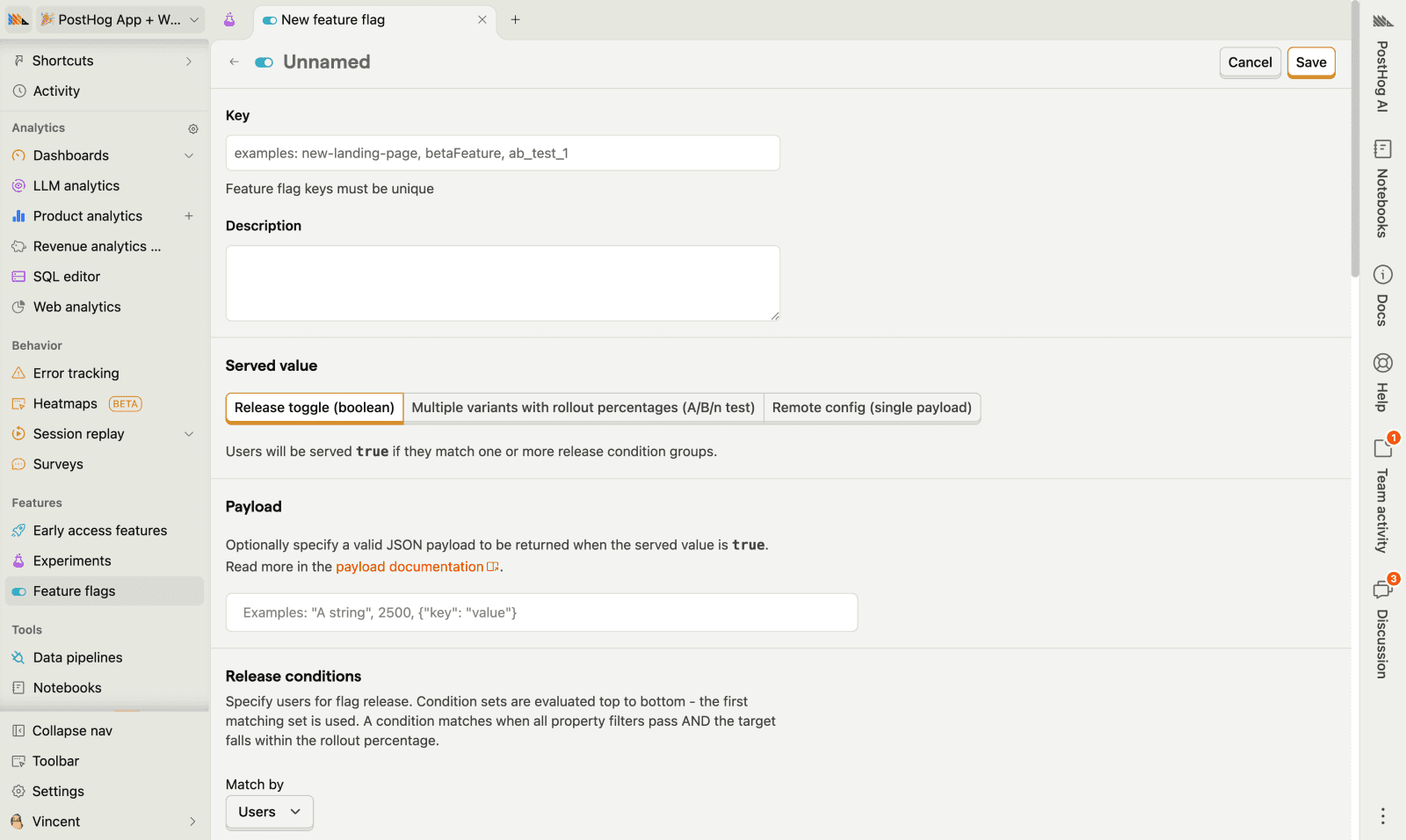
If you already use PostHog for analytics or monitoring, the same NEXT_PUBLIC_POSTHOG_KEY and host power feature flags. Create the flag once in PostHog and evaluate it through OpenFeature.
- Create or open a PostHog project (Cloud or self-hosted).
- Copy the project API key and host from project settings.
- Create a feature flag whose key matches your app constant (for example
demoforFlag.DEMO).
Set the env vars in apps/web/.env.local and your deployment environment:
NEXT_PUBLIC_POSTHOG_KEY="your-posthog-api-key"
NEXT_PUBLIC_POSTHOG_HOST="https://us.i.posthog.com"
Activate PostHog as the flags provider:
export * from "./posthog";export * from "./posthog/server";export * from "./posthog/env";The client strategy identifies users when targeting context is set (see Usage), so PostHog can apply person-based rules. Server evaluation uses posthog-node via @posthog/openfeature-node-provider.
Customize the provider under packages/flags/web/src/providers/posthog.
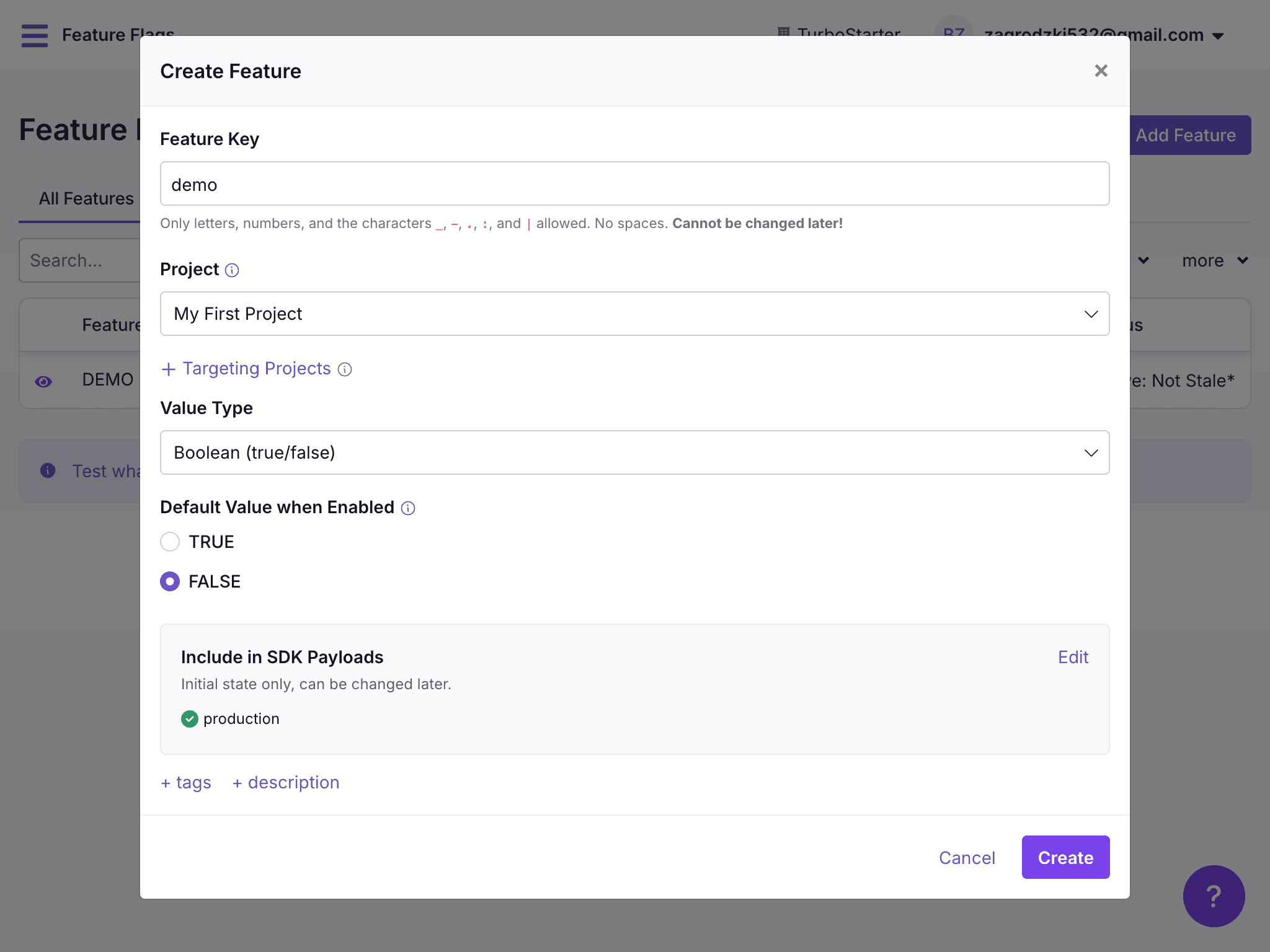
GrowthBook is a dedicated feature-flag and experimentation platform. Use it when you want rich targeting and experiments without tying flags to your analytics product.
- Create a GrowthBook account (or self-host).
- Create an SDK connection and copy the client key.
- Create a feature whose key matches your app constant (for example
demo).
Set the env vars in apps/web/.env.local and your deployment environment:
NEXT_PUBLIC_GROWTHBOOK_CLIENT_KEY="your-growthbook-client-key"
NEXT_PUBLIC_GROWTHBOOK_API_HOST="https://cdn.growthbook.io"
Activate GrowthBook as the flags provider:
export * from "./growthbook";export * from "./growthbook/server";export * from "./growthbook/env";Client evaluation uses @openfeature/growthbook-client-provider. Server evaluation uses @openfeature/growthbook-provider. Customize under packages/flags/web/src/providers/growthbook.
GrowthBook docs
docs.growthbook.io
Flags provider
Client-side evaluation needs OpenFeature mounted in the React tree. The kit already wraps the app with FlagsProvider in apps/web/src/lib/providers/providers.tsx. That wrapper also syncs the signed-in user into targeting context so remote rules can key off targetingKey, email, and name:
"use client";

import { useEffect } from "react";

import {
  clearContext,
  FlagsProvider as Provider,
  setContext,
} from "@workspace/flags-web";

import { authClient } from "~/lib/auth/client";

export const FlagsProvider = ({ children }: { children: React.ReactNode }) => {
  const session = authClient.useSession();

  useEffect(() => {
    if (session.isPending) {
      return;
    }

    if (session.data?.user) {
      const { id, email, name } = session.data.user;
      void setContext({ targetingKey: id, email, name });
      return;
    }

    void clearContext();
  }, [session]);

  return <Provider>{children}</Provider>;
};
With this in place, hooks from @workspace/flags work in Client Components. Server helpers from @workspace/flags-web/server do not depend on this React provider; pass targetingKey explicitly when you call them. See Usage for both paths.
How is this guide?
Last updated on