Superwall vs RevenueCat: which paywall stack for Expo in 2026
Superwall vs RevenueCat for Expo: entitlements, RevenueCat paywalls, Superwall pricing on MAR, experiments, and when to run one stack or both.
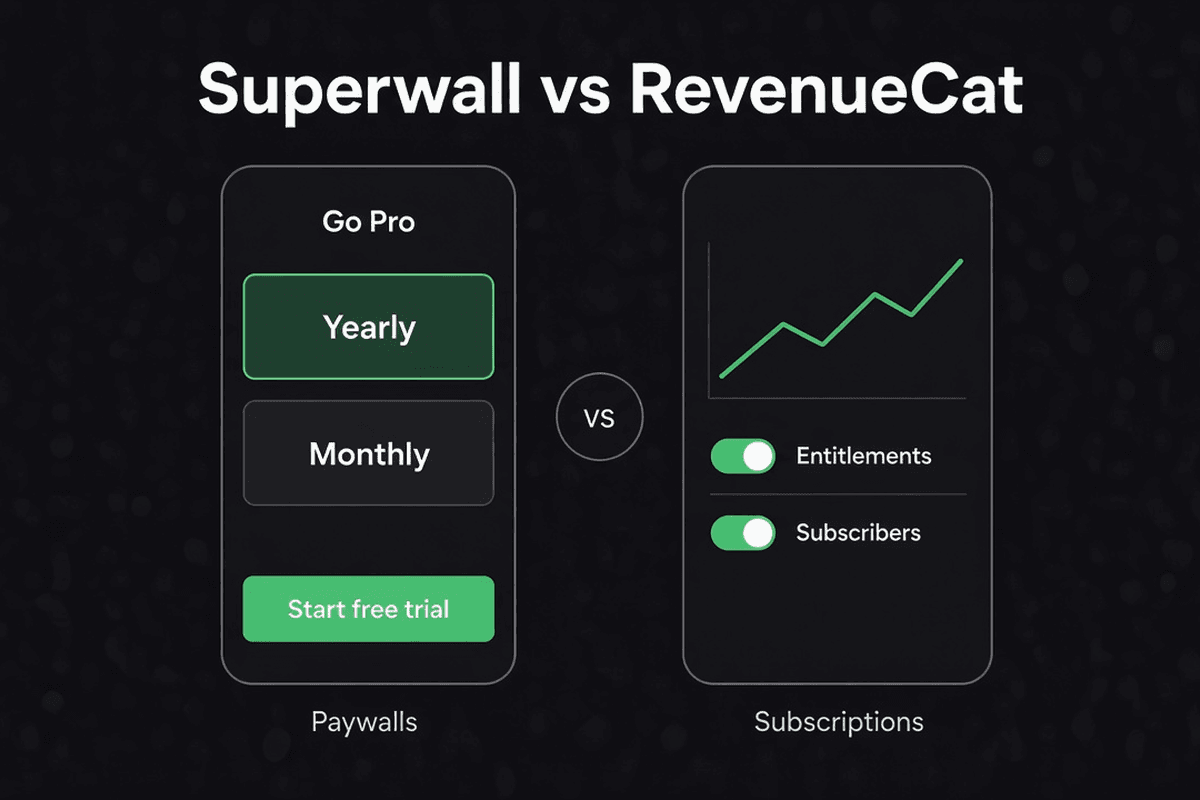
Superwall vs RevenueCat shows up the moment you ship a subscription in an Expo app and realize the hard part is not StoreKit or Play Billing. It is paywalls: copy, layout, trials, localization, and experiments you want to change without waiting on App Review. Both vendors sit on top of native in-app purchase. They are not payment processors. Apple and Google still take the sale.
This guide compares them as of 30 October 2026, checked against RevenueCat and Superwall docs and pricing pages. It also maps to how TurboStarter Core wires mobile billing: RevenueCat by default, Superwall as a documented swap behind the same @workspace/billing-mobile API.
Short answer
Pick RevenueCat when you want one subscription backend for entitlements, webhooks, cross-store subscriber state, and optionally RevenueCat Paywalls in the same dashboard. Pick Superwall when paywall velocity matters most: remote paywalls, campaigns, audiences, and experiments, especially if you want subscription infrastructure (entitlements, purchase APIs, webhooks) without a monthly tracked-revenue fee on revenue that never touched a Superwall paywall. Use both when RevenueCat (or your own backend) owns canonical entitlements and Superwall only renders and tests paywalls on top. For a greenfield Expo app in TurboStarter, start with RevenueCat unless you already standardize on Superwall; switching providers is an export change, not a rewrite of your app UI.
What RevenueCat and Superwall actually are
RevenueCat is a subscription and entitlement platform over store billing. You connect App Store Connect and Google Play, map products to entitlements, and use the SDK or REST API to answer "does this user have pro?" RevenueCat validates receipts, handles renewals and restores, sends webhooks, and aggregates revenue in one place. RevenueCat Paywalls add a native, remotely configured paywall editor tied to Offerings and Experiments, so you can change layout and copy without an app release when you ship the UI SDK.
Superwall is a monetization layer focused on paywall presentation and experimentation. Its dashboard is built around paywalls, campaigns, audiences, and templates. Purchases still run through Apple IAP and Google Play Billing. Superwall also ships subscription infrastructure (entitlements, purchase APIs, webhooks, SQL-style data access) that Superwall documents as free at any scale; the paid layer is the paywall product, billed on Monthly Attributed Revenue (MAR), meaning revenue that flowed through a Superwall-rendered paywall (Superwall pricing).
Neither replaces the stores. Both can reduce how much native billing code you maintain. They overlap on paywalls and analytics, but their default center of gravity differs: RevenueCat starts from subscriber truth; Superwall starts from conversion surfaces.
Superwall vs RevenueCat at a glance
| Dimension | RevenueCat | Superwall |
|---|---|---|
| Primary job | Subscription backend, entitlements, cross-platform subscriber state | Remote paywalls, campaigns, A/B tests, audience targeting |
| Store billing | Wraps StoreKit and Play Billing via SDK | IAP SDK triggers native store purchases from paywall UI |
| Entitlements | First-class; products map to entitlements in dashboard | Entitlements supported; infrastructure layer documented as free |
| Remote paywalls | RevenueCat Paywalls tied to Offerings; native UI SDK | Paywall editor, templates, campaigns; core product focus |
| Experiments | Offerings experiments, paywall experiments in dashboard | Campaigns, audiences, paywall-level tests |
| Pricing model | Free up to $2,500 monthly tracked revenue (MTR), then 1% of MTR; optional Growth Tools pricing if you bring your own IAP infra | Subscription infra $0; paywall product free up to $10k MAR on Indie, then 1% of MAR; paid tiers from $49/mo and $199/mo (pricing) |
| What triggers fees | Tracked subscription revenue (before store commission, per RevenueCat billing docs) | Paywall-attributed revenue only; purchases outside Superwall paywalls not billed on paywall tier |
| Webhooks | Yes, with auth header or HMAC | Yes; TurboStarter verifies with SUPERWALL_WEBHOOK_SECRET |
| Web checkout | RevenueCat Web, Billing engines, funnels | Web checkout and campaigns documented separately |
| Best at | One source of truth for subscribers, integrations (MMP, analytics), web + mobile | Fast paywall iteration, experimentation culture, minimizing fees on non-paywall revenue |
| Expo SDK | react-native-purchases + react-native-purchases-ui for paywalls | Expo SDK docs and @superwall/expo integration path |
RevenueCat paywalls vs Superwall paywalls
Both let you change paywall creative remotely. RevenueCat ties paywalls to Offerings and packages you already use for entitlement logic. Superwall ties paywalls to campaigns and placements, with stronger opinionated tooling for targeting and MAR-based pricing on paywall-attributed revenue. If you only need a simple native paywall on top of RevenueCat entitlements, RevenueCat Paywalls may be enough. If your team lives in experiment cadence and paywall-specific analytics, Superwall is the sharper tool.
Pricing: high level, no guesswork
Always read the live pages before you budget. Models change. The numbers below are what each vendor publishes today, not a quote for your account.
RevenueCat
- Core platform: Pay nothing up to $2,500 in monthly tracked revenue, then 1% of what you track once you pass that threshold.
- MTR counts subscription revenue RevenueCat tracks, measured before store fees and taxes (account management).
- Growth Tools: RevenueCat also offers paywalls and web-to-app funnels with a path to bring your own IAP infrastructure and pay on conversions from those tools only (pricing page). That matters if you compare "paywall-only" pricing across vendors.
- Enterprise: Custom volume pricing for large apps.
Superwall
Superwall splits pricing into two layers (pricing):
- Subscription infrastructure (entitlements, purchase APIs, webhooks, query access): documented as free on every plan, with no MTR-style charge on all subscription revenue.
- Paywall product: billed on MAR (revenue through a Superwall-rendered paywall). Indie is $0/mo with paywall features free up to $10k MAR, then 1% of total MAR. Startup ($49/mo + 1% MAR) and Scale ($199/mo + 1% MAR) add collaboration, localization, and operator features. Enterprise is custom flat-rate.
Practical tradeoff: if most revenue comes from paywalls you build yourself (or from web billing) and you only want Superwall for a slice of experiments, you may pay Superwall on MAR while keeping infrastructure features at $0. RevenueCat's 1% applies to tracked mobile (and optionally imported web) revenue once you exceed the free tier, regardless of which UI sold the subscription.
Store fees still apply
Both platforms sit above Apple and Google. A 1% platform fee does not replace the store's 15% to 30% (or your negotiated rate). Fee math for web vs mobile checkout is a different question; see RevenueCat vs Stripe for cross-platform SaaS billing.
When to pick Superwall, RevenueCat, or both
Choose RevenueCat when
- You want one entitlement model across iOS, Android, and optionally RevenueCat Web.
- Your backend already expects RevenueCat webhooks and the REST API for server-side checks.
- You prefer Offerings + entitlements as the mental model, with paywalls as an add-on in the same project.
- You are following TurboStarter's default path and only need to flip env vars and dashboard setup (RevenueCat docs).
Choose Superwall when
- Paywall experiments are weekly, not quarterly: new creatives, placements, and audiences without shipping binaries.
- You want campaign-driven monetization (onboarding placement, feature gates, win-back surfaces) documented in Superwall's dashboard.
- Superwall pricing on MAR fits your mix: lots of legacy subscribers, web-bought users, or custom native paywalls, with only part of revenue flowing through Superwall paywalls.
- You will use TurboStarter's Superwall provider swap (Superwall docs) and the Expo Superwall starter template.
Use both when
- RevenueCat (or your database) remains source of truth for entitlements and server webhooks, while Superwall presents paywalls and runs experiments. Superwall documents integrations with existing stacks; validate the exact integration path in their docs before you commit.
- You are mid-migration: Superwall for presentation, RevenueCat for historical subscriber records until you cut over webhooks to one primary backend.
Avoid running two conflicting entitlement writers without a clear owner. Pick one system that updates your database and treat the other as UI-only or read-only.
Paywall experiments, remote config, and analytics
Remote config here means: marketing and product can change paywall copy, packages shown, and test variants from a dashboard, and the app SDK fetches the active configuration at runtime.
| Topic | RevenueCat | Superwall |
|---|---|---|
| Config unit | Offerings, Packages, Paywalls attached to offerings | Campaigns, placements, paywalls, audiences |
| Native rendering | RevenueCatUI (react-native-purchases-ui) | Superwall SDK renders paywall; purchase API triggers store |
| Experimentation | Dashboard experiments on offerings / paywalls | Paywall and campaign experiments; audience splits |
| Analytics | RevenueCat charts, integrations to Amplitude, Mixpanel, etc. | Superwall charts; webhooks and integrations |
| Tradeoff | Fewer moving parts if you already use RC for everything | Deeper paywall ops tooling; MAR billing aligns cost to paywall lift |
Honest analytics tradeoff: paywall tools measure conversion on the surface they control. Revenue from a user who subscribed elsewhere may not appear in paywall experiment reports. Align experiment KPIs with trial starts, purchases attributed to placement, and your own entitlement activation events from webhooks, not only dashboard revenue tiles.
Expo and React Native integration shape
Real Expo IAP flows need a development build. Store billing uses native modules; Expo Go is not enough for production purchase testing (same constraint as in RevenueCat vs Stripe).
RevenueCat on Expo
- Add
react-native-purchases(and UI package if you use RevenueCat Paywalls). - Configure with your public Apple and Google API keys and an App User ID that matches your backend user or organization id.
- Present paywalls via
react-native-purchases-uior your own UI that callsPurchases.purchasePackage. - Point webhooks to your API; TurboStarter uses
/api/billing/webhook/revenuecatwith a shared secret.
TurboStarter's mobile kit wraps this in @workspace/billing-mobile hooks and server sync (overview).
Superwall on Expo
- Follow Superwall's Expo documentation for SDK install and config plugin steps.
- Set
EXPO_PUBLIC_SUPERWALL_APPLE_API_KEYandEXPO_PUBLIC_SUPERWALL_GOOGLE_API_KEYas in TurboStarter Superwall setup. - Register placements in the dashboard and call register/present APIs from your app screens.
- Configure webhooks to
/api/billing/webhook/superwallon your deployed web API.
Product ids must match App Store Connect and Google Play exactly (store configuration).
Pick one entitlement owner
Decide whether RevenueCat, Superwall, or your database is canonical. TurboStarter expects webhook-driven sync into your billing tables, then feature gates read /api/billing/summary.
Match App User IDs
Use the same stable id (user id or organization id) in the mobile SDK and in webhook payloads so web and mobile stay aligned.
Ship a dev build before you trust conversion data
Run EAS development builds, sandbox purchases, and webhook tunneling (ngrok locally) before you call an experiment winner.
How TurboStarter maps to this choice
TurboStarter Core treats mobile billing as a provider swap, not a fork of your app.
- Default: RevenueCat exports in
@workspace/billing-mobile, RevenueCat webhooks on the Hono/Next API, plans in shared billing config with store products often markedhiddenon web (mobile billing overview). - Alternative: change package exports to Superwall, set Superwall keys and webhook secret, same hooks at the app layer.
- Related reading: RevenueCat vs Stripe for web + mobile together; Expo RevenueCat integration kit for a RevenueCat-first stack page.
If you are comparing RevenueCat paywalls vs Superwall inside TurboStarter, the integration surface area is similar: env vars, webhook route, and paywall presentation APIs. The decision is product and pricing model, not framework lock-in.
Frequently asked questions
Not always. Superwall can own paywalls and, per its docs, free subscription infrastructure. RevenueCat remains a strong default for unified entitlements, cross-store history, and a large integration ecosystem. Many teams pick one primary backend; others use Superwall for paywalls while RevenueCat or their own database holds subscriber truth. Verify your integration pattern in current docs before running dual writers.
RevenueCat's MTR (monthly tracked revenue) is subscription revenue the platform tracks, with a free tier up to $2,500 then 1% (pricing). Superwall's MAR (monthly attributed revenue) is revenue attributed to Superwall paywalls for the paywall product fee; infrastructure is documented separately as free (pricing). A dollar sold through your own native UI may count toward RevenueCat MTR but not Superwall MAR.
Yes. Install the RevenueCat UI SDK, attach paywalls to Offerings, and present them from Expo (RevenueCat Paywalls docs). That is the lowest-vendor-count path if RevenueCat already powers entitlements.
Only in limited preview modes. Real purchases need an Expo development build with native store modules configured, same as Superwall.
Both offer free tiers, but they measure different things. RevenueCat is free up to $2,500 MTR then 1% of tracked revenue. Superwall documents $10k MAR free on paywall product features before 1% MAR on the Indie plan, plus free infrastructure. Your mix of paywall-attributed vs total revenue determines which is cheaper; use each vendor's calculator and pricing page rather than rules of thumb.
Change @workspace/billing-mobile exports to ./superwall or ./revenuecat, set the matching env vars, configure webhooks on the provider dashboard, and redeploy the API. App screens that use the shared billing hooks stay the same. See Superwall and RevenueCat guides.
If you also sell on the web, yes. RevenueCat vs Stripe covers store rules, link-outs, and one entitlement across Next.js and Expo. This post focuses on mobile paywall stacks, not web card billing.
The verdict
Superwall vs RevenueCat is not a winner-take-all choice. RevenueCat is the default subscription brain for most Expo apps, including RevenueCat Paywalls when you want remote layout without adding a second vendor. Superwall is the stronger bet when paywall experimentation, campaigns, and MAR-aligned pricing match how you ship monetization. In TurboStarter, either path is production-ready behind @workspace/billing-mobile. Pick the owner of entitlements, wire webhooks once, and spend your iteration budget on paywalls that convert, not on rewriting store billing.
Start from the mobile billing overview or the Expo RevenueCat integration kit if RevenueCat fits; switch to Superwall when your team is ready to optimize paywalls first.
Stripe vs Lemon Squeezy vs Polar vs Creem vs Dodo (2026 Fees)
Stripe vs Lemon Squeezy, Polar, Creem, Dodo and Paddle: October 2026 fees, merchant of record tax coverage, and which SaaS payment provider to pick.
TanStack Start vs Next.js for SaaS (2026): Honest Tradeoffs
TanStack Start vs Next.js for SaaS in 2026: routing, server functions, caching, RSC, Cloudflare, auth, and when each wins, from a team shipping both.