For the complete documentation index, see llms.txt. Prefer markdown by appending.mdto documentation URLs or sendingAccept: text/markdown.
Feature flags
Typed feature flag infrastructure with Cloudflare Flagship, targeting context, fallback values, and gradual product rollouts.
Feature flags let you change product behavior independently of deploying code. Use them to release a new workflow gradually, offer an onboarding variant to a selected group, or switch off a feature while resolving an issue.
Edge Kit connects Cloudflare Flagship to typed server-side evaluation. Shared flag definitions, targeting context, and fallback values give new features a consistent way to use remote configuration.
Why Flagship?
Flagship brings remote values and audience targeting into the Cloudflare stack. The Worker binding keeps evaluation on the server, while the kit's typed definitions and fallbacks give each feature a predictable result when remote evaluation is unavailable.
Flag values
The integration supports different kinds of product configuration:
| Value | Use case |
|---|---|
| Boolean | Enable or hide a feature |
| String | Select a layout or onboarding variant |
| Number | Tune a product setting |
| Object | Supply a group of related settings |
Your code declares the key, value type, and fallback. Flagship manages the evaluated value and targeting rules. The included server integration can return the result to your UI or use it within a server operation.
Rollouts
Add a feature's definition and choose the context its targeting needs. You can use customer or product attributes to decide who receives a value, then expand availability as you gain confidence in the release.
Choose a fallback that keeps the app usable when evaluation fails. The integration returns that value if Flagship is unavailable.
Access control
Flags control product availability and presentation. Private records and paid actions still use server-side session, ownership, and plan checks. Use trusted server data for targeting a restricted operation.
Protected calls and plan access connect those policies to your feature.
Configuration
Create your Flagship app and flags through the setup guide, then connect the app using Wrangler configuration. Regenerate binding types after changing the configuration:
pnpm cf-typegenKeep each configured key and value type aligned with its application definition. Flagship's binding reference covers targeting context and evaluation options.
Example flag
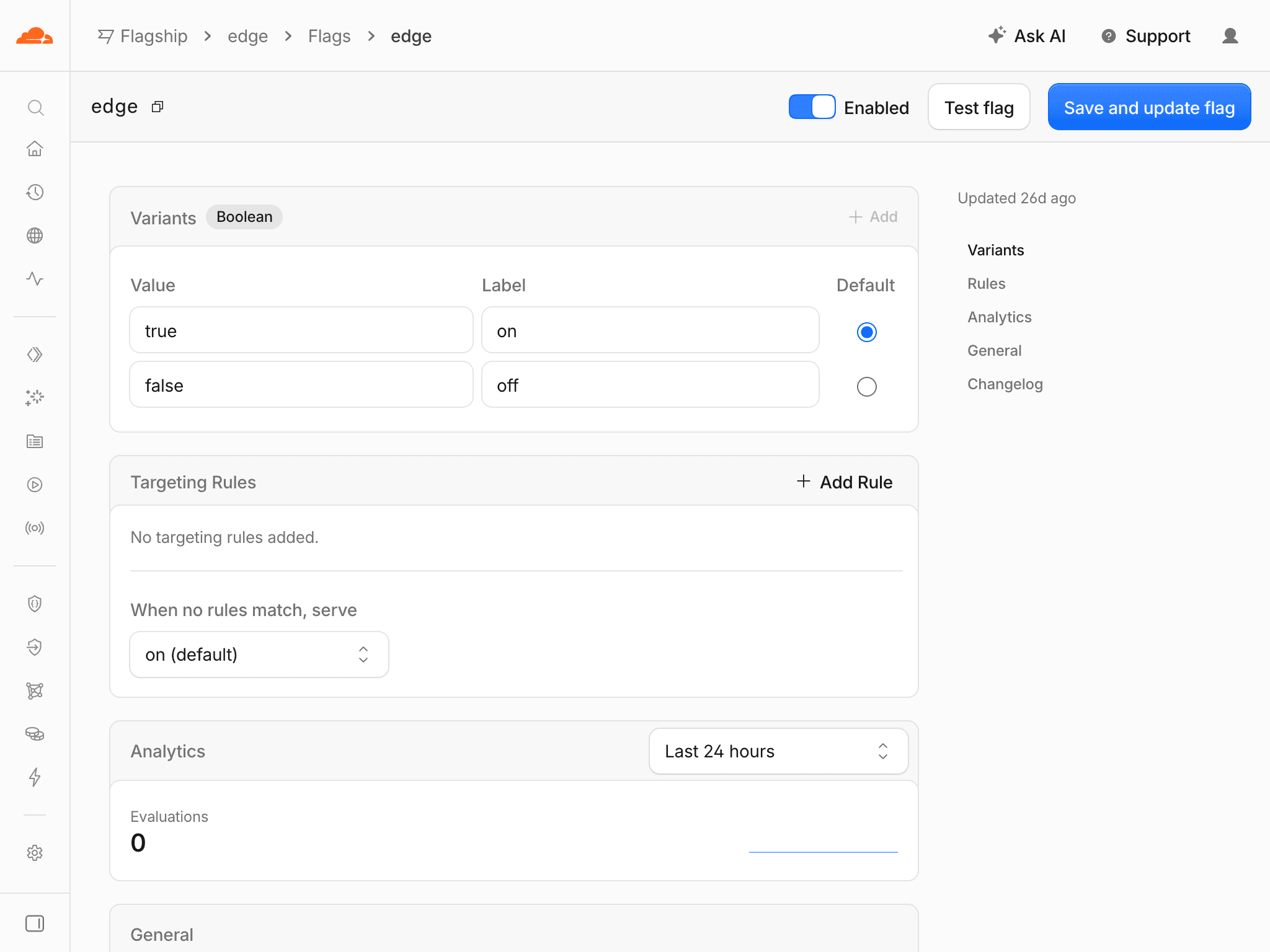
The included edge flag demonstrates boolean evaluation. In a loader or async operation, you can check it with the shared helper:
import { Flag, getFlag } from "@/lib/flags";

const enabled = await getFlag(Flag.EDGE, false);
Use enabled to choose which interface or workflow to present. false is the fallback if remote evaluation fails; the helper performs evaluation on the server even when called from the client.
For a new feature, add its key and value type to the shared flag definitions, then create the matching flag in Flagship. Keep permissions in the protected operation.
Local development
Flagship uses your Cloudflare app during development. A separate development app keeps experiments away from production targeting; local setup covers account authentication.
Check targeting, the configured value, and evaluation failure behavior when introducing a flag. A working fallback keeps your product available, while checking the remote result confirms that the intended rollout is active.
How is this guide?
Last updated on
Forms
TanStack Form, Zod validation, and Kumo inputs for product forms, with accessible feedback, server checks, submission states, and localization.
Background jobs
Cloudflare Queues infrastructure for asynchronous work, with typed jobs, delayed delivery, a Worker consumer, retries, and processing logs.