



For the complete documentation index, see llms.txt. Prefer markdown by appending.mdto documentation URLs or sendingAccept: text/markdown.
AI
AI app infrastructure with model access, streamed responses, React conversation state, message rendering, and authenticated server requests.
Edge Kit includes the building blocks for adding AI to your product: model access on the server, streamed responses, React state, and an interface that renders generated content as it arrives.
Use these pieces for a writing assistant, a tutoring experience, or an AI feature inside your application. The included conversation example connects the complete request and response flow so you can adapt it around your product.
AI infrastructure
TanStack AI connects the server and React client, Cloudflare Workers AI supplies the model integration, and Streamdown renders streaming content.
| Capability | Included |
|---|---|
| Model requests | A server-side model adapter connected to the AI binding |
| Streaming | Server-sent responses and a React client connection |
| Conversation state | Messages and follow-up context for the current conversation |
| Interface state | Input handling, loading indicators, and error feedback |
| Rendering | Progressive Markdown rendering and thinking content when supplied by the model |
| Access | Session checks on the AI endpoint |
You can reuse the model connection and stream independently of the example's page layout. Your feature supplies the prompt, relevant product context, and the experience customers interact with.
Why TanStack AI?
TanStack AI connects model adapters, streaming responses, and React conversation state. That shared contract lets you adapt the model and product experience while retaining the request and rendering flow. Edge Kit pairs it with Workers AI and Streamdown to provide a working foundation for your own AI features.
Models
The starting integration connects a model through AI Gateway. Configure your own gateway and provider credentials, or use supported Unified Billing.
The model recipe covers gateway models and direct Workers AI inference. Supported model choices share the streaming interface, so your feature can keep the same client experience when you change its adapter.
Product integration
Use protected server calls to load the records the customer is allowed to access, then provide the relevant context to your model request. The feature recipe covers connecting UI, server logic, and product data.
For durable conversation history, add customer-owned conversations and messages in D1, then load them through the same access rules. The included client state manages the current conversation; persistence becomes part of your product's data model.
Usage policies
The AI endpoint checks the session. Add the paid access, verified account requirements, request limits, and usage budgets appropriate to your product around model calls.
The plan access recipe covers paid features, and security explains shared authorization rules.
Prompts and context
Keep product instructions on the server, alongside the choice of model and the data it can receive. A customer's message supplies their request; your application supplies the purpose, constraints, and authorized context for the feature.
For example, a writing assistant can add a focused instruction to the existing streaming request. adapter is your configured model adapter and messages is the accepted conversation input:
import { chat, toServerSentEventsResponse } from "@tanstack/ai";

const stream = chat({
  adapter,
  messages,
  systemPrompts: [
    "Help the customer improve their draft. Preserve its meaning and tone.",
    "Explain your suggested edits briefly.",
  ],
});

return toServerSentEventsResponse(stream);
This is the model-call portion of an authenticated endpoint. Keep input validation, access checks, and usage policy around it as you adapt the prompt.
For a document assistant, load only the documents that customer may access. Select the useful excerpts instead of sending every available record, and define a limit for the conversation history included in each request. This keeps context relevant and gives you a predictable usage policy.
Treat uploaded text and model output as untrusted content. They should not choose another customer's resources or authorize a privileged action. If you later add tools that change product data, give those actions their own validation, permissions, and customer confirmation where appropriate.
Streaming experience
Streaming lets the interface display a response as it is generated. Give the customer a clear state at each point:
- Waiting: feedback before the first text arrives.
- Generating: progressive content as the response streams.
- Interrupted: a useful error and a way to retry.
Use the existing rendering and state as a reference for these transitions. Keep a partial response visibly distinct from a completed result after a provider error, and decide how a retry relates to the customer's previous input. For a saved output, persist the completion state as well as the text.
Long conversations also need a history policy. The visible transcript can be longer than the context sent to a model; your feature may summarize or select earlier messages according to its purpose. Recheck authorization whenever stored product data is loaded for another turn.
Usage and evaluation
Set the allowed request size, conversation scope, and model choice for the feature you are selling. Connect paid access and resource allowances before exposing expensive operations broadly, including operations available to anonymous customers.
Test with representative customer prompts and expected failure cases. Compare whether the response follows your product's instructions, uses the intended context, and handles missing information usefully. Provider latency and streamed rendering are part of that evaluation, alongside the quality of the generated text.
Conversation example
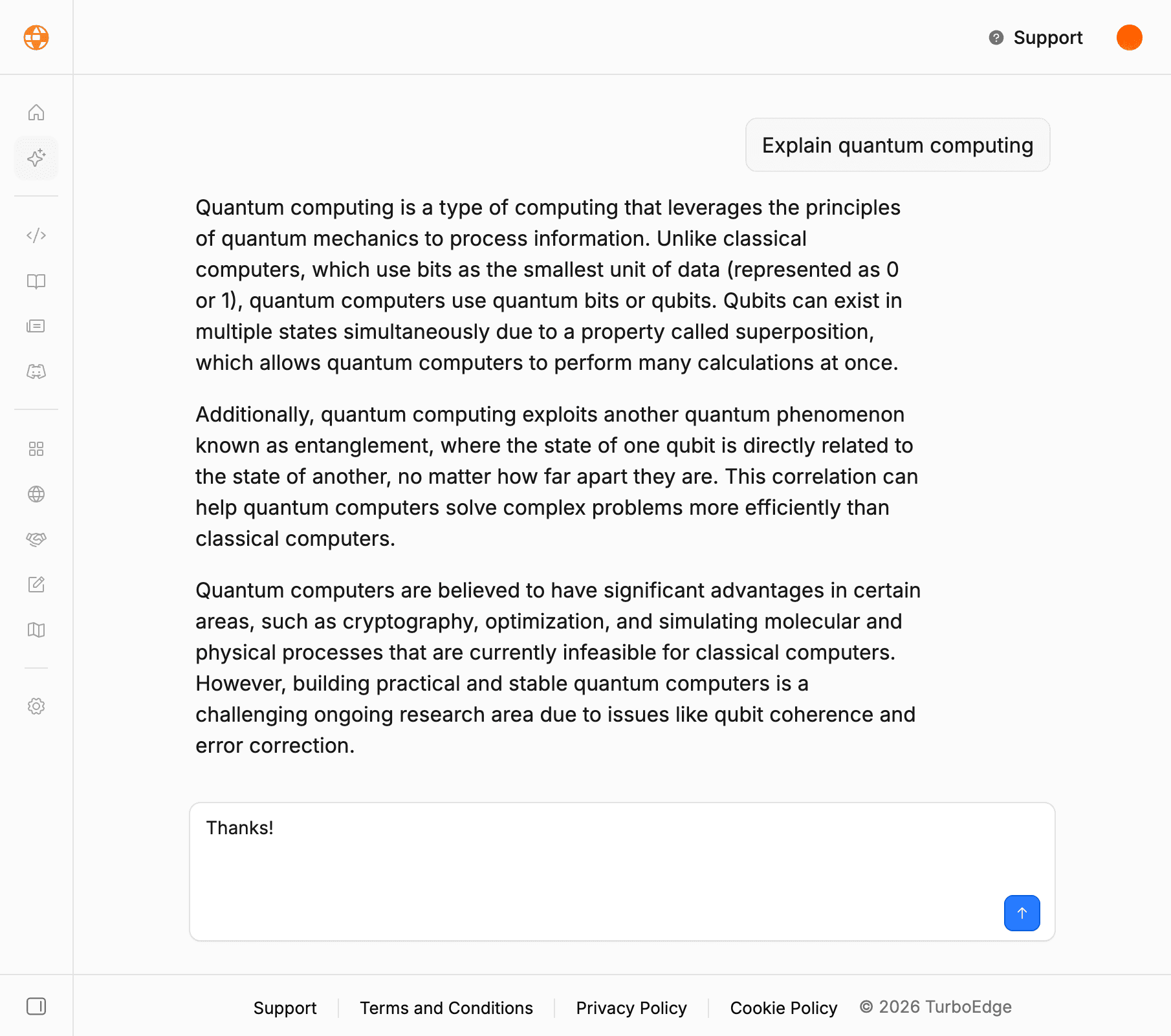
The example provides prompt input, message history for the current conversation, progressive responses, loading and error feedback, and automatic scrolling. Its translated interface is a reference for connecting an AI interaction to the rest of your app.
Adapt the prompt and presentation for your own feature. Check streaming, follow-up context, and provider errors when making changes.
Local development
AI requests use your Cloudflare account during local development. Authenticate Wrangler and configure gateway or model access before sending a prompt. Your account's usage allowances and inference charges apply.
See deployment for production configuration and local troubleshooting for account access problems. Worker and gateway logs help diagnose provider failures.
AI Kit
For more AI capabilities, AI Kit includes dedicated templates for persisted chat, RAG, images, and voice. Its architecture uses Next.js, Expo, and the AI SDK; those templates can also inform features you build with Edge's TanStack AI and Cloudflare foundation.
How is this guide?
Last updated on
Translations
Message catalogs, translation parameters, and additional languages in Edge Kit, including UI, validation, authentication, emails, and content.
Marketing pages
The public website in Edge Kit, with landing sections, pricing, contact forms, localized content, and a connected path into your application.