For the complete documentation index, see llms.txt. Prefer markdown by appending.mdto documentation URLs or sendingAccept: text/markdown.
Overview
Email infrastructure with React templates, localized subjects and copy, HTML and plain-text rendering, previews, and Cloudflare delivery.
Edge Kit connects email composition, rendering, and delivery so you can send messages from your application's customer flows and background jobs.
React Email lets you build messages from reusable React components. The kit connects those templates to Cloudflare Email Service, with typed variables and localized copy.
Why React Email?
React Email provides a flexible way to build email templates with familiar React components.
It simplifies designing, customizing, and managing your app’s emails, making it accessible for projects of all sizes.
Email infrastructure
The shared integration includes:
- Reusable layouts and components for transactional and marketing messages.
- A typed template registry connecting each message to the variables it needs.
- Localized subjects, body text, and links using the app's language setup.
- HTML and plain-text rendering through one sending interface.
- Browser previews for checking content and branding during development.
- Direct delivery from server operations and a queue pattern for delayed messages.
Build product notifications, account messages, or follow-up emails using the same integration. Your templates provide the content; the rendering and delivery connection is already in place.
Templates
We ship a full set of default templates you can customize and use in your app.
| Template | File | Trigger |
|---|---|---|
verify-email | transactional/verify-email.tsx | Password sign-up or verification resend |
reset-password | transactional/reset-password.tsx | Forgotten password request |
change-email | transactional/change-email.tsx | Current-address confirmation of an email change |
delete-account | transactional/delete-account.tsx | Registered account deletion confirmation |
contact-form | transactional/contact-form.tsx | Contact form submission |
welcome | marketing/welcome.tsx | Delayed queue job for a verified user |
These templates demonstrate how to connect a customer event to a branded, translated email. Add your own messages to the same registry, with the variables and language each message needs.
Preview
To preview the templates, run the following command:
pnpm emailThe preview will open at http://localhost:3005.
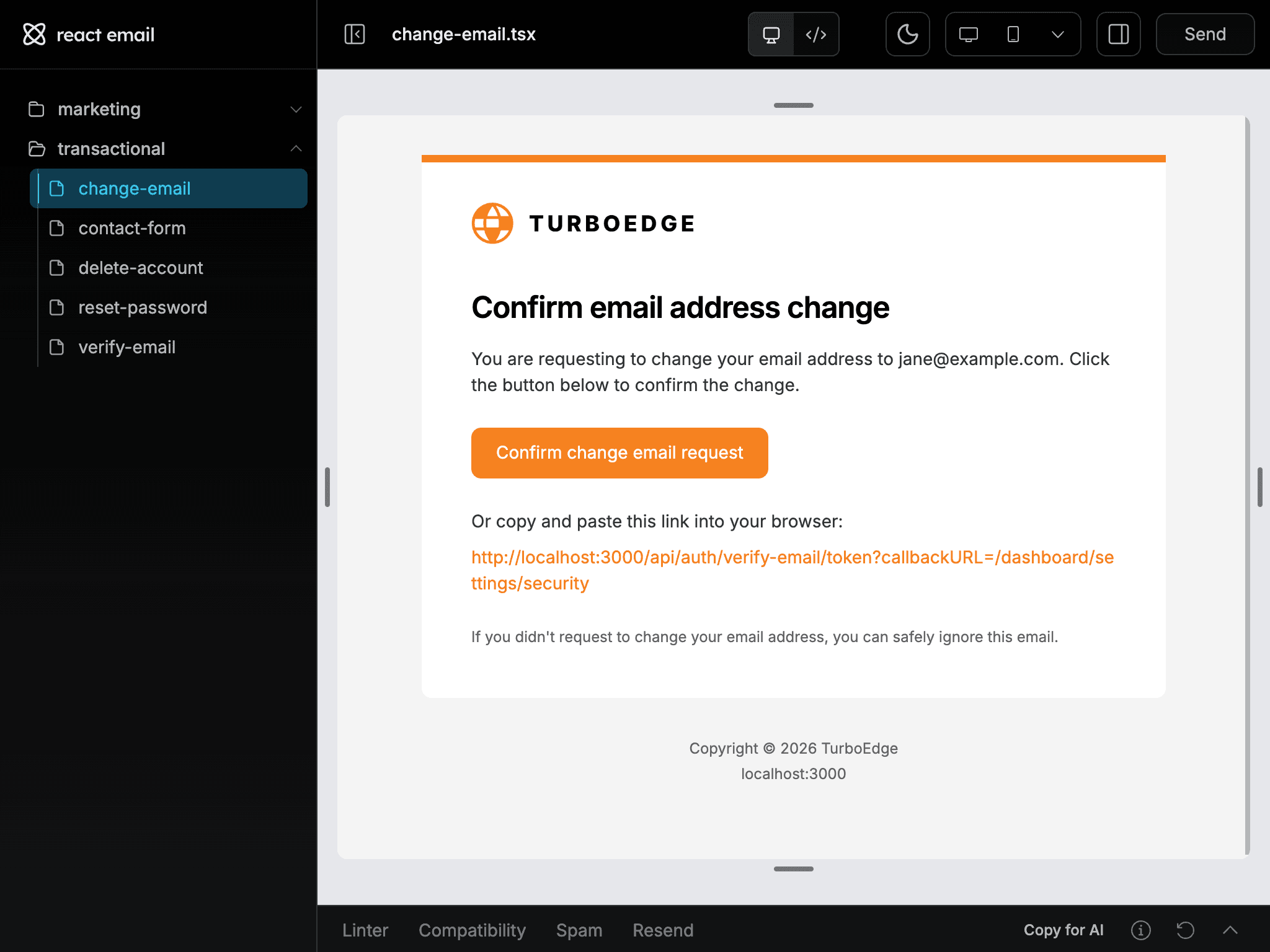
Edit a template and inspect it using its PreviewProps. Those props are preview examples, not production callback URLs. Production auth hooks pass the real URL to the same component.
Reuse the shared layouts for consistent branding, typography, and links. Add new copy to the message catalogs and use the recipient's language when rendering. The verification template demonstrates a translated subject, preview text, button, and copyable link.
The sending guide covers your verified sender and delivery from application operations or background jobs.
Custom templates
- Create a React template in the transactional or marketing category, following an existing message's shared layout and locale props.
- Define its variables and add its entry to the typed email registry.
- Provide a localized subject and body, plus sample values for the preview.
- Connect the component to the template renderer and check HTML and plain text.
- Send the message from the authorized server operation or job that triggers it.
The typed registry catches missing variables as you develop. Use React text values and controlled links when rendering customer-provided content.
React Email's component documentation covers email-specific rendering constraints. The kit's adapter and sender configuration are described in sending email.
Configuration
Sender domains, Cloudflare email bindings, recipient settings, and branded templates for transactional and product emails in Edge Kit.
Email delivery
Localized email delivery through Cloudflare, with typed templates, sender configuration, recipient options, and direct or queued application workflows.
How is this guide?
Last updated on
Webhooks
Stripe webhook synchronization in Edge Kit, with subscription state, signed events, local testing, delivery diagnostics, and custom billing workflows.
Configuration
Sender domains, Cloudflare email bindings, recipient settings, and branded templates for transactional and product emails in Edge Kit.