For the complete documentation index, see llms.txt. Prefer markdown by appending.mdto documentation URLs or sendingAccept: text/markdown.
Overview
A super admin panel for your Edge app: platform summary, user and customer management, role-based access, and server-side admin checks.
Edge Kit includes an admin panel at /admin for running your product day to day. Your team can look up any account, help a customer from their point of view, restrict abusive users, and see who is paying, without opening the database or building internal tools first.
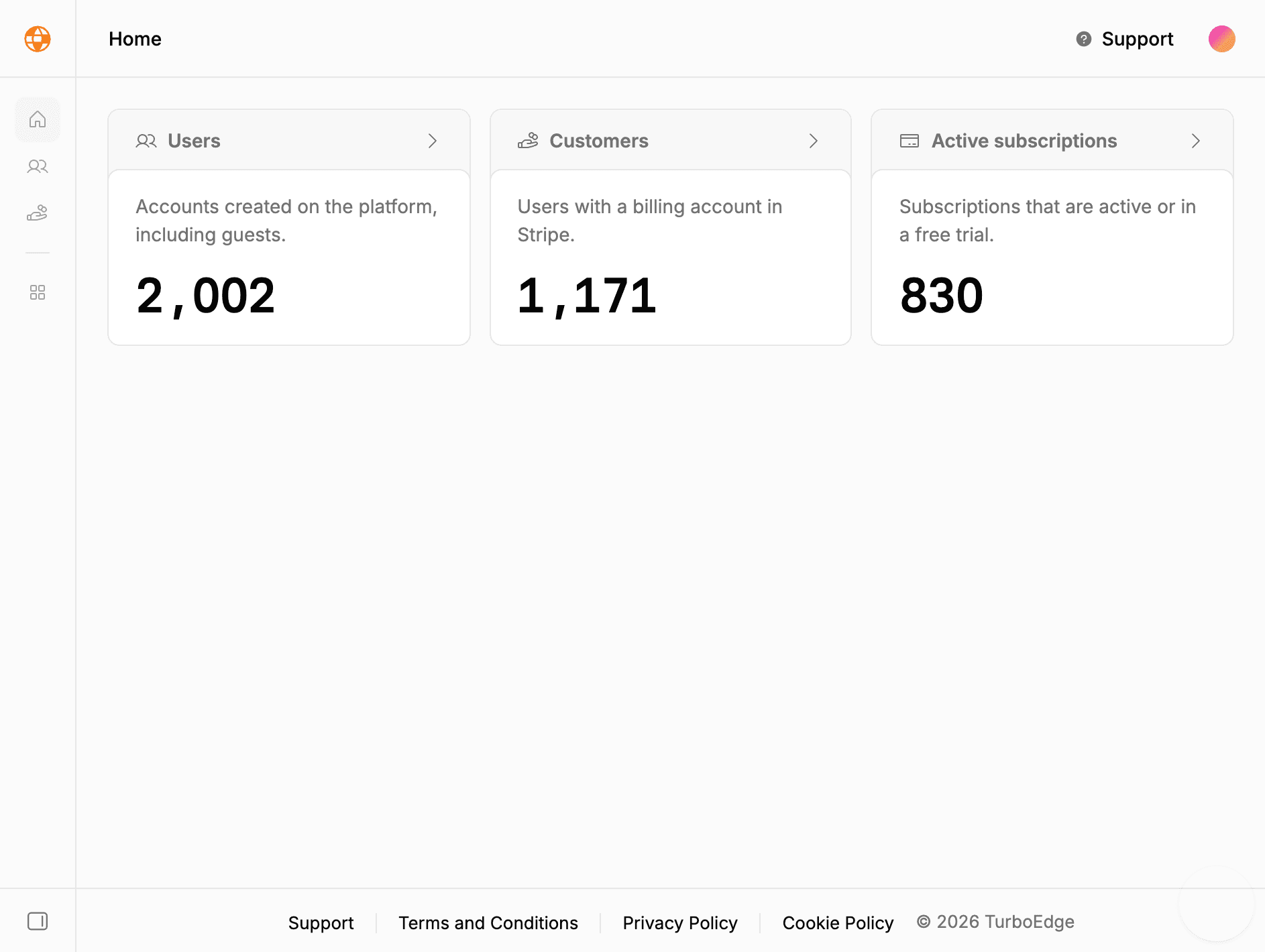
The panel includes:
- Summary: totals for accounts, Stripe customers, and active or trialing subscriptions.
- Users: search, roles, bans, impersonation, sign-in methods, subscriptions, sessions, and deletion.
- Customers: users with a Stripe billing account, their current plan, and subscription history.
- Data tables: the filtering, sorting, and pagination building blocks behind these lists, ready for your own resources.
The panel uses Better Auth's admin plugin, registered alongside the other auth plugins in src/lib/auth/server.ts.
Why Better Auth's admin plugin?
Roles, bans, impersonation, and session revocation are account operations, so they belong with the system that owns accounts and sessions. The admin plugin adds them to the existing auth server and enforces its own permission checks on every call. You get support tooling on the same D1 tables and session cookies as the rest of the app, with no separate admin service to deploy.
Roles and access
Every user has a role, either user (the default) or admin. The role is stored on the user record, and the kit checks it in three places:
| Layer | Behavior for a non-admin |
|---|---|
| Navigation | The Admin item in the user menu is hidden |
/admin layout | Signed-out visitors go to sign-in; signed-in non-admins go to the dashboard |
| Server operations | Requests are rejected with a 403 response |
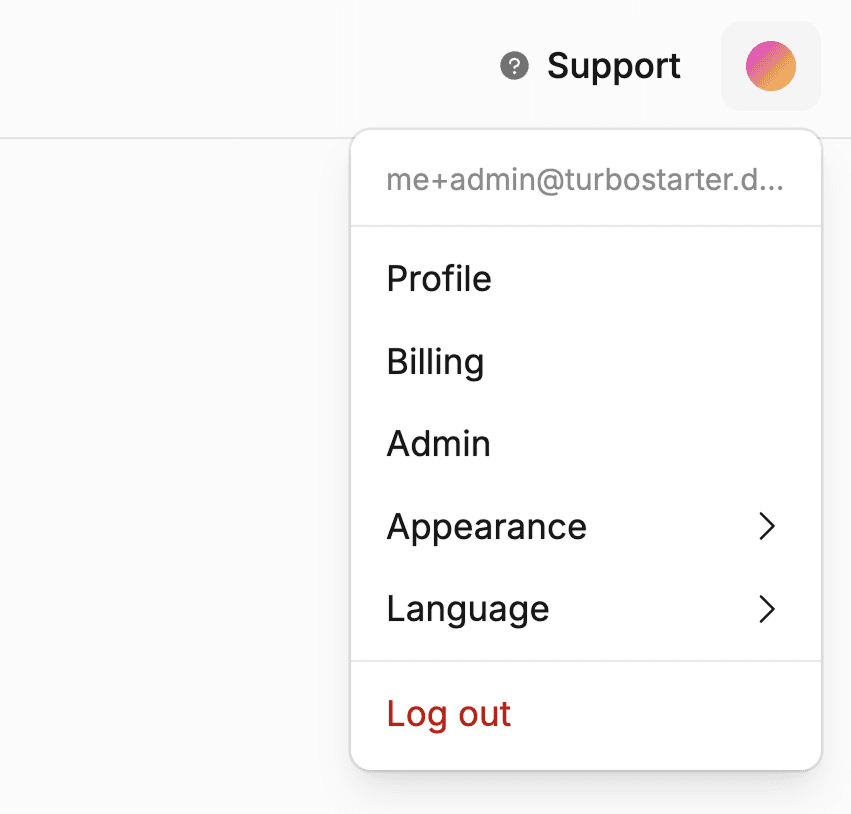
The redirect is only for navigation. The data behind the panel is protected on the server, where it cannot be bypassed by calling a function directly.
Server checks
Admin server functions use the enforceAdmin middleware from src/lib/auth/middleware.ts. It runs the regular session check first, then requires the admin role. For example, the customers list is exposed like this:
import { createServerFn } from "@tanstack/react-start";

import { enforceAdmin } from "@/lib/auth/middleware";

import { getCustomers } from "./customers.server";
import { getCustomersInputSchema } from "./schema";

export const getCustomersFn = createServerFn({ method: "GET" })
  .middleware([enforceAdmin])
  .validator(getCustomersInputSchema)
  .handler(({ data }) => getCustomers(data));
Give every new admin operation the same middleware. Account changes such as banning or setting a role go through Better Auth's admin endpoints instead, which apply the plugin's permission checks themselves. Protected calls covers the general pattern.
Admin accounts
Locally, pnpm db:seed creates one account per role from SEED_EMAIL using plus addressing, so you can try both sides immediately:
| Role | Default email | Password |
|---|---|---|
| Admin | me+admin@turbostarter.dev | Pa$$w0rd |
| User | me+user@turbostarter.dev | Pa$$w0rd |
Change the base address and password with SEED_EMAIL and SEED_PASSWORD. The seed only targets your local replica; see database seeding.
In production, promote your first administrator directly in D1 after they have registered:
pnpm wrangler d1 execute DB --remote --command "UPDATE user SET role = 'admin' WHERE email = 'you@example.com'"Once one admin exists, they can change other users' roles from the panel.
Who should be an admin
Admins can read every account, sign in as other users, and delete data. Promote only people who need it, and make sure their accounts have a verified email and two-factor authentication turned on.
Customers
The customers list shows users who have a Stripe customer record. The billing integration creates one when an account signs up. Accounts created by the development seed skip sign-up, so they have no Stripe customer by default. Each row includes the Stripe customer ID, the plan of their current active subscription (or Free), and how many subscriptions they have had.
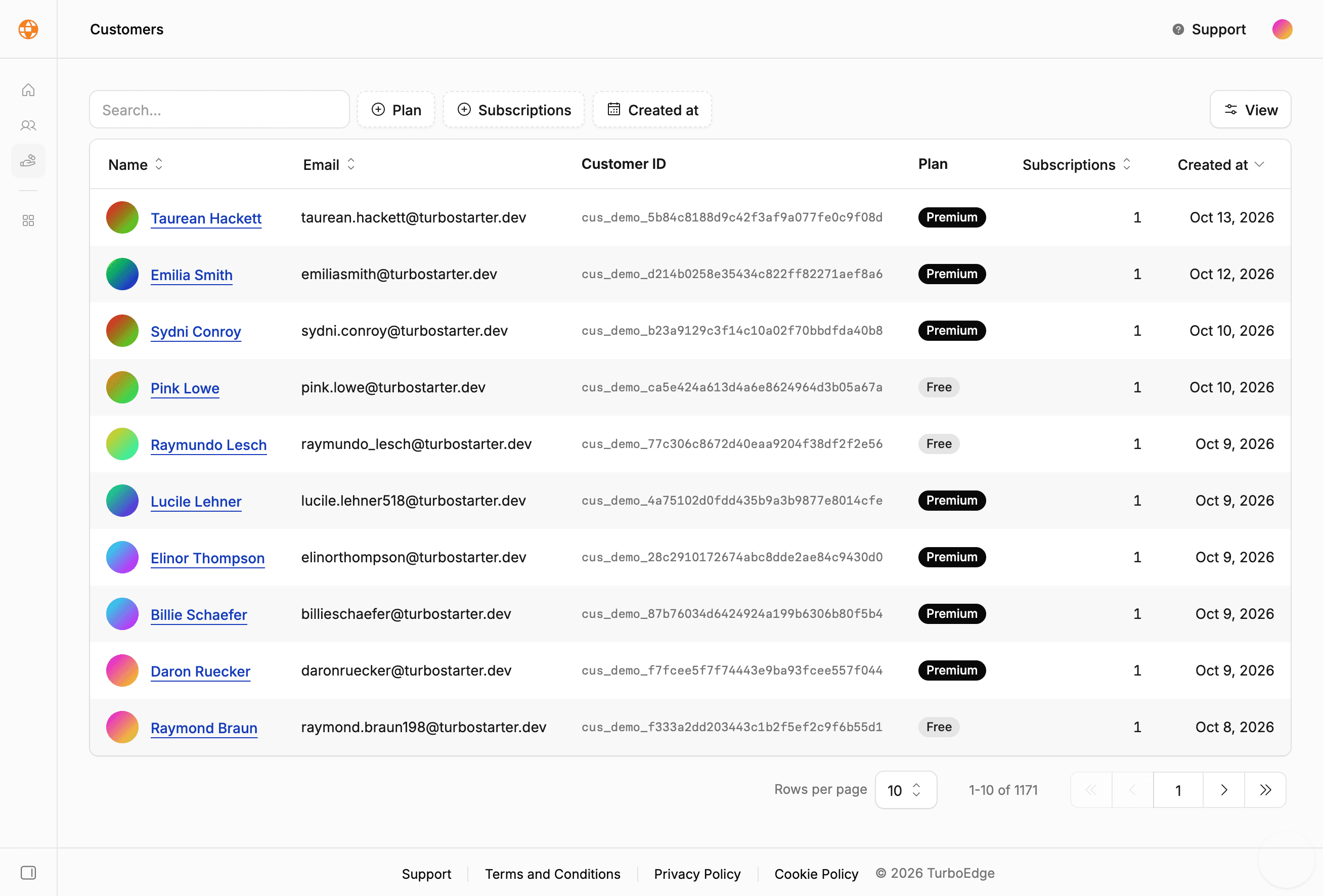
Search by name, email, or customer ID, and filter by plan, subscription count, or sign-up date. Selecting a customer opens their user details, including their subscriptions. Billing changes such as refunds or plan changes happen in the Stripe Dashboard or through the customer's own billing portal, and reach the app through webhooks.
Layout and navigation
The panel has its own layout with a sidebar for Home, Users, and Customers, a link back to the dashboard, and breadcrumbs generated from the sidebar menu. Admin paths are defined in src/config/paths.ts, and /admin is excluded from search engines in the robots rules.
To add a section, create its route under src/routes/admin/, add its path, and register the menu item in the admin layout. Data tables walks through a complete list page.
User management
Find any account, change roles, ban or delete users, impersonate customers for support, and manage their sign-in methods, subscriptions, and sessions.
Data tables
Server-driven tables with search, filters, sorting, column visibility, and pagination, plus a walkthrough for adding your own admin resource.
How is this guide?
Last updated on
Two-factor authentication
Authenticator app codes, backup codes, and trusted devices for password sign-in, with customer settings and a verification step built in.
User management
Find any account, change roles, ban or delete users, impersonate customers for support, and manage their sign-in methods, subscriptions, and sessions.