For the complete documentation index, see llms.txt. Prefer markdown by appending.mdto documentation URLs or sendingAccept: text/markdown.
<Reasoning />
Reasoning component exposes model thinking progress and final rationale. Surface hidden reasoning without cluttering messages.
<Reasoning /> gives hidden model thinking a readable place to live. It helps you surface reasoning progress, completion state, and the final reasoning text without forcing that detail into the main assistant message.
Web
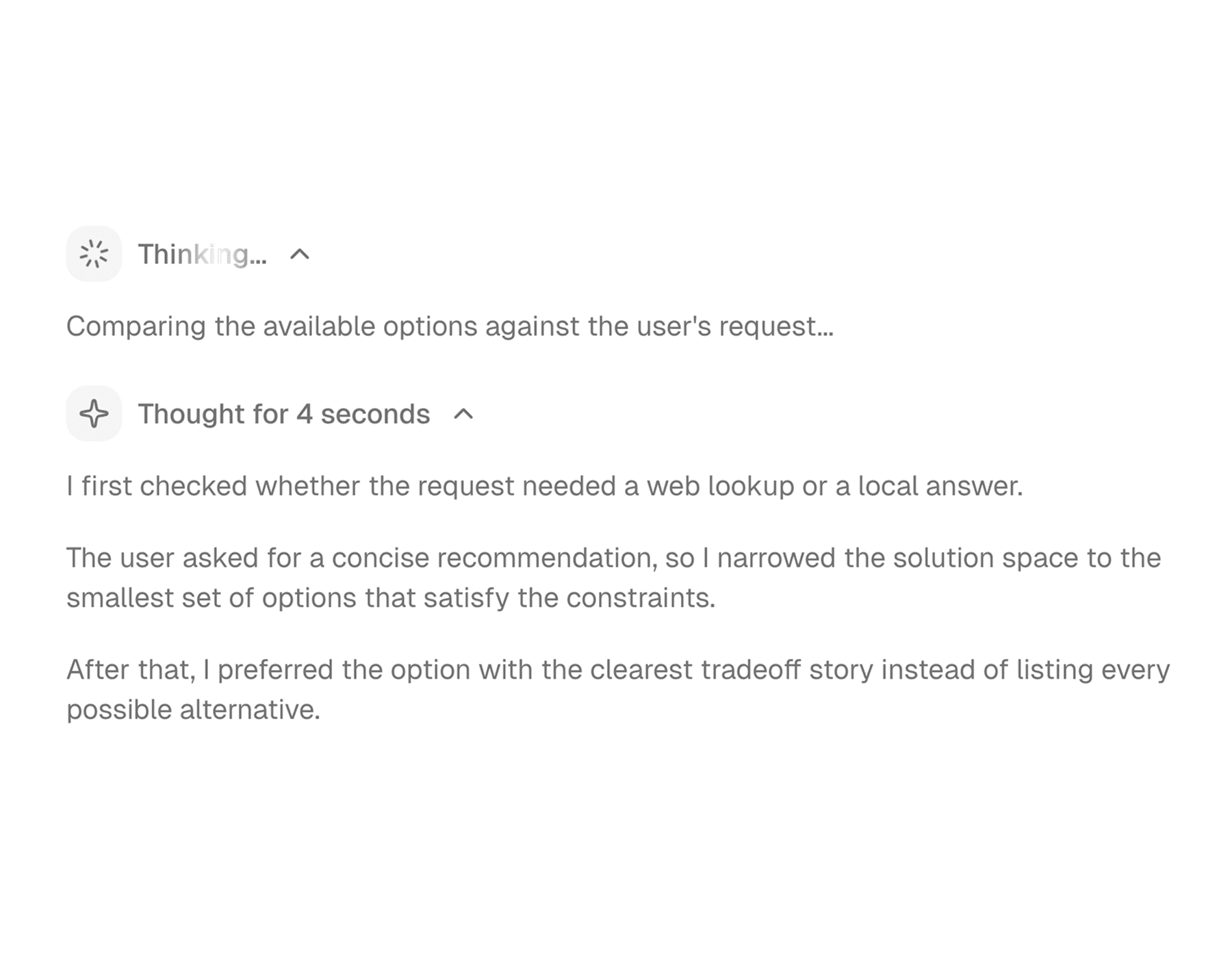
The web version works especially well in chat and playground interfaces where users may want to peek into the model's thought process, but only when they choose to. It uses a compact trigger row plus an expandable content area with richer formatting support.
Mobile
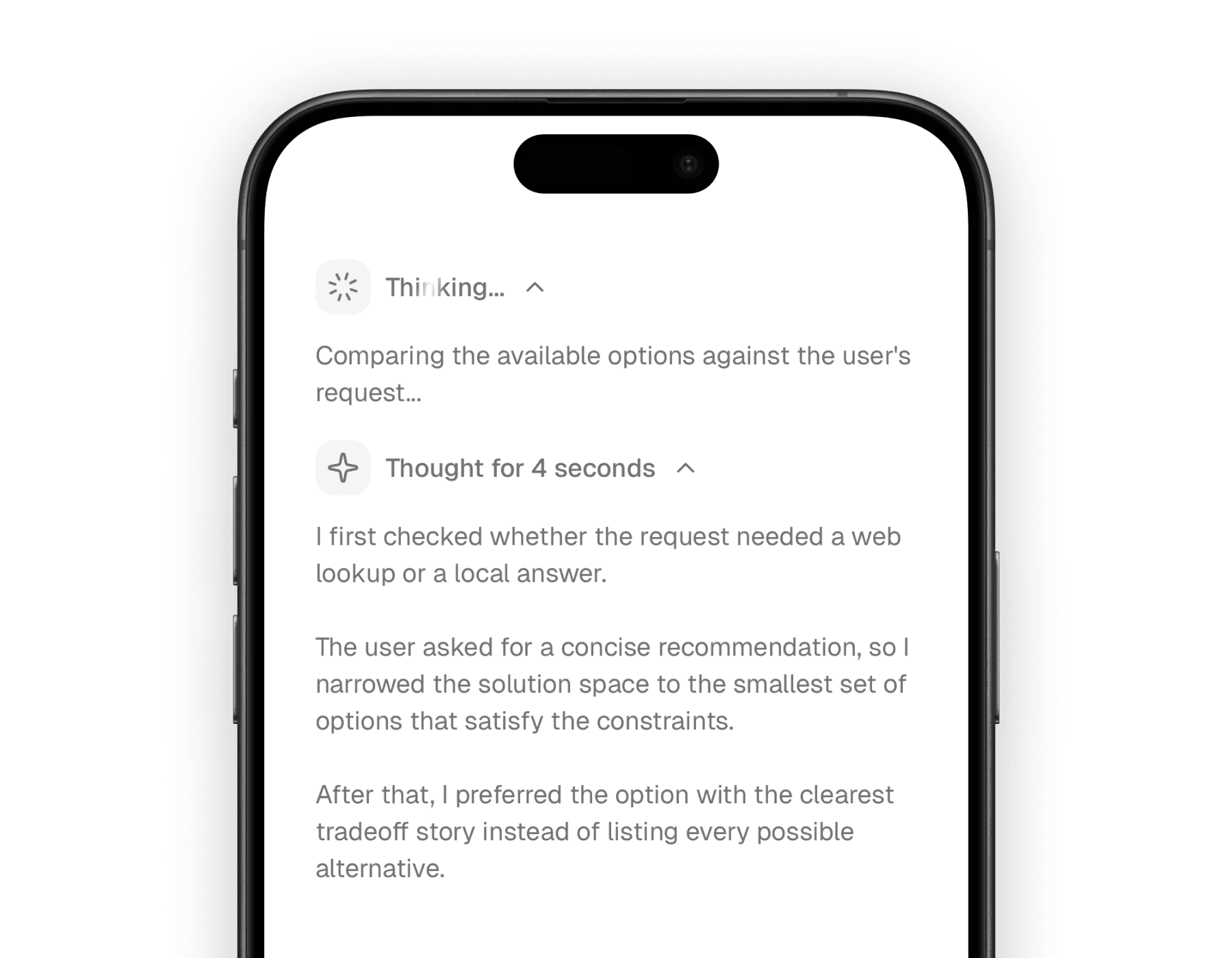
The mobile version keeps the same interaction pattern, but simplifies the rendering for a native layout. It is a strong fit when you want to preserve the idea of “peek into reasoning” without overloading the small screen.
What it adds
Reasoning UI is most valuable when users want transparency without clutter. This component gives you that middle ground by separating the “thinking” status from the actual answer.
Makes reasoning inspectable
Users can expand the reasoning only when they care, instead of reading it inline with the assistant response.
Communicates progress clearly
The trigger changes its message and icon depending on whether reasoning is still streaming or already finished.
Feels native in AI products
It fits well beside message, tool, and context components in a modern chat interface.
Building blocks
The API is intentionally small. You usually only need three pieces:
<Reasoning />for the shared collapsible container and state logic<ReasoningTrigger />for the status row<ReasoningContent />for the reasoning body
The component also manages a few useful behaviors for you, like auto-opening when reasoning starts streaming and auto-closing shortly after it finishes, unless you explicitly control the open state yourself.
Basic composition
The normal pattern is a trigger followed by the expandable reasoning content. Both platforms use the same idea, so you can carry the same design language across web and mobile.
import {
  Reasoning,
  ReasoningContent,
  ReasoningTrigger,
} from "@workspace/ui-web/ai-elements/reasoning";

export function AssistantReasoning() {
  return (
    <Reasoning isStreaming={false} duration={4}>
      <ReasoningTrigger />
      <ReasoningContent>
        {`I compared the user's request against the available options, ruled out
the ones that violated the constraints, and selected the safest match.`}
      </ReasoningContent>
    </Reasoning>
  );
}
import {
Reasoning,
ReasoningContent,
ReasoningTrigger,
} from "@workspace/ui-mobile/ai-elements/reasoning";
export function AssistantReasoning() {
return (
<Reasoning isStreaming={false} duration={4}>
<ReasoningTrigger />
<ReasoningContent>
{`I compared the user's request against the available options, ruled out
the ones that violated the constraints, and selected the safest match.`}
</ReasoningContent>
</Reasoning>
);
}State behavior
The component changes its trigger behavior based on whether reasoning is actively streaming or already complete. That gives the UI a sense of motion without requiring extra wiring in the caller.
| Situation | Trigger behavior |
|---|---|
| Streaming | Shows a spinner and shimmer-style “in progress” message |
| Finished, no duration yet | Shows a completed message |
| Finished, duration available | Shows a completed message with elapsed time |
| Explicitly controlled open state | Respects the caller's open state instead of relying on auto behavior |
This is one of the reasons the component feels nice in practice: it handles the common “thinking -> done” rhythm for you.
Platform differences
The core interaction is shared, but the content rendering differs between web and mobile.
| Area | Web | Mobile |
|---|---|---|
| Content rendering | Streamdown with support for code, math, mermaid, and CJK plugins | plain native text rendering |
| Trigger layout | desktop-friendly inline row | touch-friendly inline row |
| Text treatment | shimmer for active state, richer formatted content when expanded | shimmer for active state, simpler text body when expanded |
The web version is a better fit if you want richly formatted reasoning content. The mobile version is better when you want the same product concept in a lighter-weight native surface.
Useful control points
Most teams will not need to customize much, but there are a few props worth knowing about:
| Prop | Type | Notes |
|---|---|---|
isStreaming | boolean | Drives the active versus completed state. |
open | boolean | Lets you fully control the open state. |
defaultOpen | boolean | Sets the initial state for uncontrolled usage. |
onOpenChange | (open: boolean) => void | Lets you react to user toggles. |
duration | number | Overrides or supplies the displayed reasoning duration. |
getThinkingMessage | (isStreaming, duration) => ReactNode | Customizes the trigger message in ReasoningTrigger. |
Related components
<Reasoning /> is usually part of a broader assistant response surface. These pages are the closest companions in the component set.
How is this guide?
Last updated on