For the complete documentation index, see llms.txt. Prefer markdown by appending.mdto documentation URLs or sendingAccept: text/markdown.
<VoiceAvatar />
Seeded, audio-reactive avatar for voices and speakers. A WebGL glass sphere on web and a matching gradient on mobile.
<VoiceAvatar /> gives every voice or speaker a recognizable face. Pass a stable seed, such as a voice ID, and the component derives a unique pattern and color palette from it, so the same voice always looks the same. In the Speech app, it appears in the voice picker, the audio player, and next to each speaker in a transcript.
Web
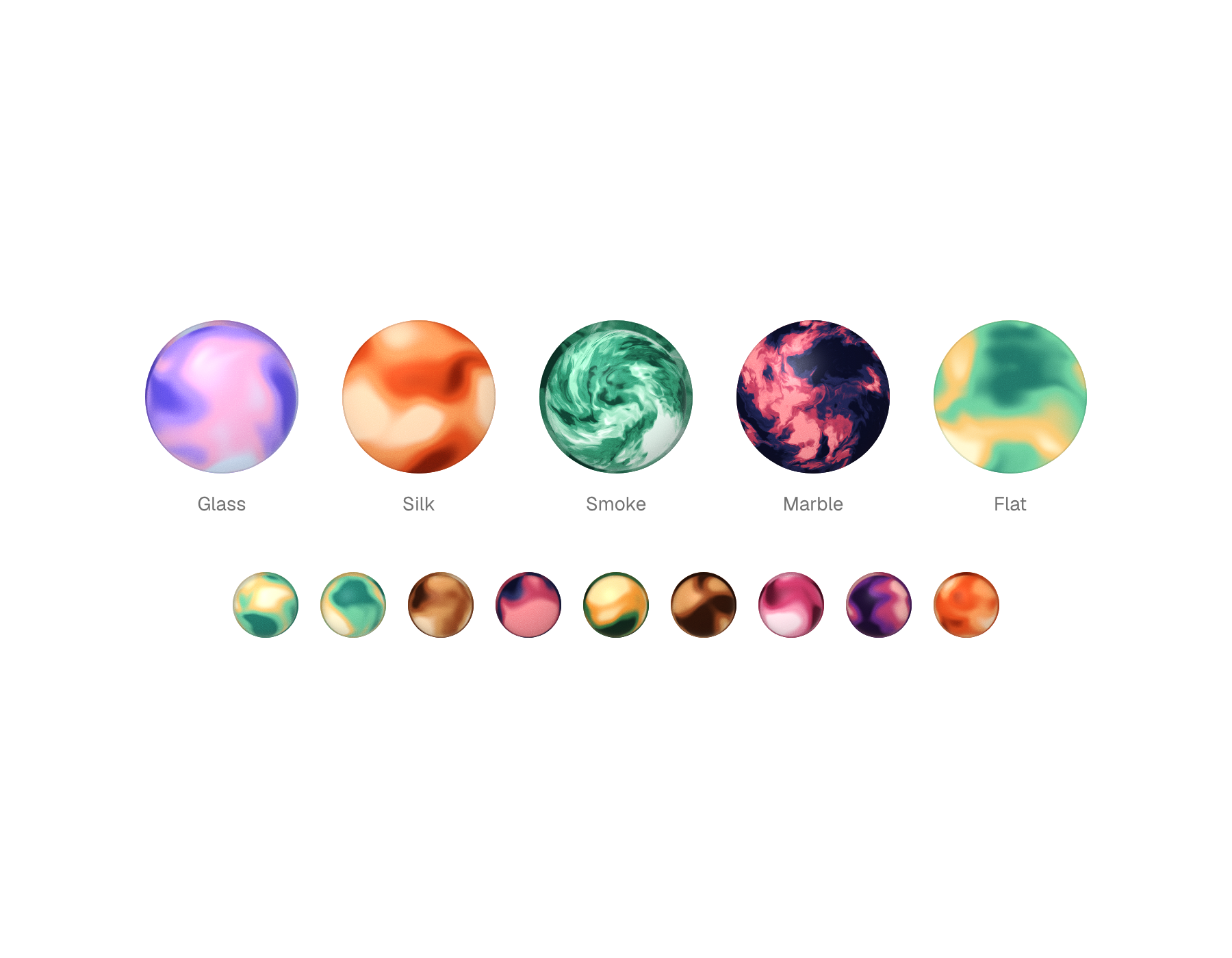
On web, the avatar is an animated glass sphere rendered with WebGL. It can react to audio volume, so it moves, grows, and brightens while a voice is speaking.
Mobile
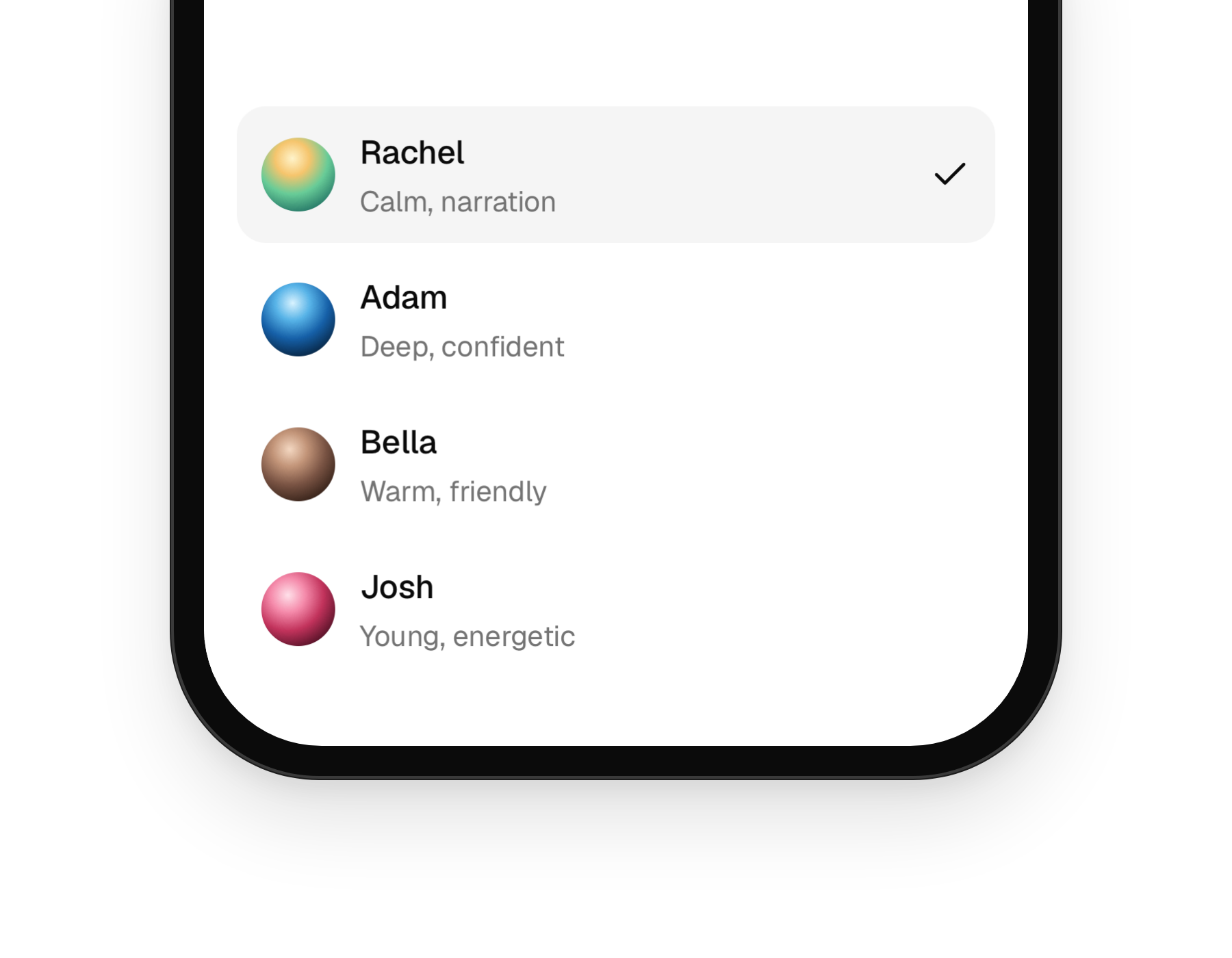
On mobile, the avatar is a static version of the same design drawn with react-native-svg radial gradients. It uses the same palettes and the same seed hashing, so a voice keeps its colors on every platform.
Use-cases
Deterministic identity
The same seed always produces the same avatar, with no images to store or
upload.
Audio-reactive
Feed it a live volume level and the sphere responds to the audio in real time.
Cheap to render in lists
All avatars on a page share one WebGL context, offscreen avatars stop
rendering, and prefers-reduced-motion is respected.
Styles and palettes
The web avatar ships with five style presets in VOICE_AVATAR_STYLES: glass (the default), silk, smoke, marble, and flat. Each preset is a full VoiceAvatarSettings object, so you can start from one and override a few values.
VOICE_AVATAR_PALETTES contains 14 four-color palettes, such as ember, lilac, mint, citrus, graphite, midnight, and plum. Without colors, the avatar picks one from the seed with getVoiceAvatarPalette(seed). Both platforms export the same palettes.
Usage
import {
  VOICE_AVATAR_PALETTES,
  VOICE_AVATAR_STYLES,
  VoiceAvatar,
} from "@workspace/ui-web/voice/voice-avatar";

export const SpeakingAvatar = ({
  voiceId,
  getVolume,
}: {
  voiceId: string;
  getVolume: () => number;
}) => (
  <VoiceAvatar
    seed={voiceId}
    colors={VOICE_AVATAR_PALETTES.lilac}
    settings={{ ...VOICE_AVATAR_STYLES.silk, reactivity: 0.8 }}
    animation="always"
    getVolume={getVolume}
    className="size-24"
  />
);| Prop | Purpose |
|---|---|
seed | Stable identifier that sets the pattern and the default palette. |
colors | Four colors from darkest to lightest. Overrides the seeded palette. |
settings | Partial VoiceAvatarSettings: scale, warp, swirl, refraction, rim, grain, etc. |
animation | none, hover (default, animates on pointer or focus), or always. |
volume | Static volume level from 0 to 1. |
getVolume | Called every frame for a live volume level. Takes precedence over volume. |
maxResolution | Upper bound for the canvas size in device pixels (default 512). |
The settings also include reactivity, which controls how strongly the volume affects motion, scale, and brightness.
import { VoiceAvatar } from "@workspace/ui-mobile/voice/voice-avatar";

export const VoiceRow = ({ voiceId }: { voiceId: string }) => (
  <VoiceAvatar seed={voiceId} className="size-8" />
);| Prop | Purpose |
|---|---|
seed | Stable identifier that sets the default palette. |
colors | Four colors from darkest to lightest. Overrides the seeded palette. |
className | Size and layout, styled with Tailwind through Uniwind. |
Related components
How is this guide?
Last updated on